
Close Menu
    Facebook X (Twitter) Instagram
    Friday, April 10
    Top Stories:
    • Last Chance: Save Up to $500 on Your Disrupt 2026 Pass!
    • Boost Your TV Sound: Sony Bravia Theater Bar 5 Review
    • Revolutionizing Color: The Startup Challenging L’Oreal
    Facebook X (Twitter) Instagram Pinterest Vimeo
    IO Tribune
    • Home
    • AI
    • Tech
      • Gadgets
      • Fashion Tech
    • Crypto
    • Smart Cities
      • IOT
    • Science
      • Space
      • Quantum
    • OPED
    IO Tribune
    Home » Android 16 Enhances Multitasking with Window Minimization!
    Gadgets

    Android 16 Enhances Multitasking with Window Minimization!

    Lina Johnson MercilliBy Lina Johnson MercilliMarch 15, 2025No Comments2 Mins Read
    Share Facebook Twitter Pinterest LinkedIn Tumblr Reddit Telegram Email
    Share
    Facebook Twitter LinkedIn Pinterest Email

    Essential Insights

    1. Android 16 Beta 3 introduces a minimize button for apps in desktop windowing mode, enhancing multitasking capabilities on tablets.
    2. Desktop windowing mode, initially launched in Android 15 QPR1, allows freeform app windows, addressing previous limitations that hindered task management.
    3. Key updates include enabling apps like YouTube to enter picture-in-picture mode and allowing Chrome tabs to be dragged into separate windows.
    4. These enhancements are crucial for Android’s evolution into a desktop-class operating system, as Google works on further expanding desktop features.

    Android 16 Enhances Multitasking with New Minimize Feature

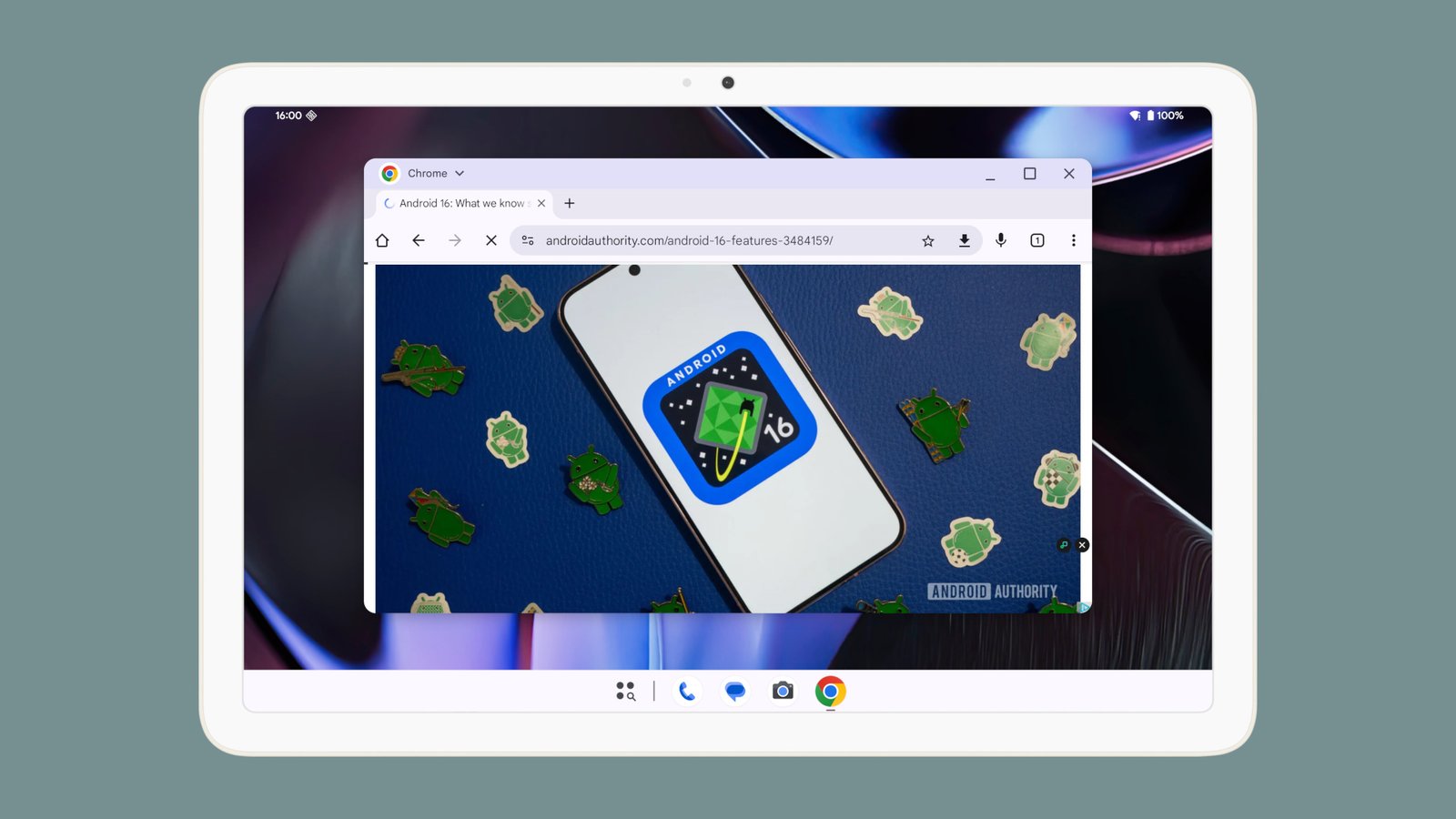
    The recent release of Android 16 Beta 3 marks a significant advancement in multitasking for tablet users. Now, users can minimize desktop windows effortlessly, improving productivity and user experience.

    This new feature addresses a major limitation in Android’s desktop windowing mode, which first appeared in Android 15 QPR1. Previously, closing an app meant losing unsaved data. With the minimize button added to the header bar, users can now hide apps without shutting them down. This small yet impactful change allows users to switch between tasks more fluidly.

    When a user taps the minimize button, the window disappears from view but remains open. Users can easily restore it by tapping the app’s icon in the taskbar. If all apps are minimized, Android exits desktop windowing mode but keeps the apps ready for re-launch.

    Additionally, Android 16 expands on other features, like enabling apps such as YouTube to enter picture-in-picture mode and allowing users to drag Chrome tabs into their own windows. These improvements reflect Google’s commitment to transforming Android into a more versatile operating system.

    Overall, the enhancements in Android 16 signify a step toward a desktop-class experience. As tablets continue to gain popularity, these tools make them more capable for multitasking, fostering productivity in a variety of settings—whether at home, in the office, or on the go.

    Discover More Technology Insights

    Stay informed on the revolutionary breakthroughs in Quantum Computing research.

    Stay inspired by the vast knowledge available on Wikipedia.

    GadgetsV1

    android Android 16 apple cell google iOS mobile VT1
    Share. Facebook Twitter Pinterest LinkedIn Tumblr Email
    Previous ArticleHidden Dangers: The Toxic Truth Behind Everyday Polymers
    Next Article Top Bluetooth Trackers of 2025: Never Lose Anything Again!
    Avatar photo
    Lina Johnson Mercilli
    • Website

    Lina Johnson Marcelli is the editor for IO Tribune, bringing over two decades of experience in journalism to her role. With a BA in Journalism, she is passionate about delivering impactful stories that resonate with readers. Known for her keen editorial vision and leadership, Lina is dedicated to fostering innovative storytelling across the publication. Outside of work, she enjoys exploring new media trends and mentoring aspiring journalists.

    Related Posts

    Gadgets

    Google Introduces End-to-End Encryption in Gmail for Enterprise on iOS and Android

    April 10, 2026
    Crypto

    Bittensor (TAO) Crashes 20% Daily: The Unexpected Collapse

    April 10, 2026
    Tech

    Last Chance: Save Up to $500 on Your Disrupt 2026 Pass!

    April 10, 2026
    Add A Comment

    Comments are closed.

    Must Read

    Google Introduces End-to-End Encryption in Gmail for Enterprise on iOS and Android

    April 10, 2026

    Bittensor (TAO) Crashes 20% Daily: The Unexpected Collapse

    April 10, 2026

    Last Chance: Save Up to $500 on Your Disrupt 2026 Pass!

    April 10, 2026

    Meta’s AI Demanded My Health Data—and Gave Horrible Advice

    April 10, 2026

    Boost Your TV Sound: Sony Bravia Theater Bar 5 Review

    April 10, 2026
    Categories
    • AI
    • Crypto
    • Fashion Tech
    • Gadgets
    • IOT
    • OPED
    • Quantum
    • Science
    • Smart Cities
    • Space
    • Tech
    • Technology
    Most Popular

    Bukele Stands Firm on Bitcoin Amid IMF Loan Limits

    March 5, 2025

    Top Fiber Internet Providers: January 2026

    January 14, 2026

    Ara Partners Launches $800M Fund to Drive Industrial Decarbonization

    May 2, 2025
    Our Picks

    Weight Loss Breakthrough: Surprising Alcohol Reduction Effects!

    May 10, 2025

    Breaking: One UI 7 Update Suspended Globally (Update: Why?)

    April 14, 2025

    Mawari and Nankai: Pioneering AI-Driven Smart Cities in Osaka

    February 22, 2025
    Categories
    • AI
    • Crypto
    • Fashion Tech
    • Gadgets
    • IOT
    • OPED
    • Quantum
    • Science
    • Smart Cities
    • Space
    • Tech
    • Technology
    • Privacy Policy
    • Disclaimer
    • Terms and Conditions
    • About Us
    • Contact us
    Copyright © 2025 Iotribune.comAll Rights Reserved.

    Type above and press Enter to search. Press Esc to cancel.