
Close Menu
    Facebook X (Twitter) Instagram
    Tuesday, February 3
    Top Stories:
    • Revitalize Your Workspace: The New Apple Studio Display is Coming!
    • Empowering Growth: Unlocking the Women’s Economy through Acquisitions
    • China’s Bold Move to Eradicate Hidden Car Door Handles
    Facebook X (Twitter) Instagram Pinterest Vimeo
    IO Tribune
    • Home
    • AI
    • Tech
      • Gadgets
      • Fashion Tech
    • Crypto
    • Smart Cities
      • IOT
    • Science
      • Space
      • Quantum
    • OPED
    IO Tribune
    Home » Android Canary Unveils Quick Access ‘Now Playing’ Lock Screen Shortcut!
    Gadgets

    Android Canary Unveils Quick Access ‘Now Playing’ Lock Screen Shortcut!

    Lina Johnson MercilliBy Lina Johnson MercilliJuly 10, 2025No Comments2 Mins Read
    Share Facebook Twitter Pinterest LinkedIn Tumblr Reddit Telegram Email
    Share
    Facebook Twitter LinkedIn Pinterest Email

    Fast Facts

    1. Lock Screen Shortcuts: Android users can set up lock screen shortcuts for quick access to important tools, enhancing device security while improving usability.

    2. New "Now Playing" Shortcut: The latest Android Canary release introduces a "Now Playing" lock screen shortcut, allowing easier music identification.

    3. Improved Music Recognition: This update complements previously existing Now Playing features, indicating a renewed focus on music recognition tools by developers.

    4. Canary Build Caution: Currently, the "Now Playing" shortcut is only available in the Android Canary build for Pixel 6 and newer devices, but users are advised to wait for a more stable release.

    Android Canary Introduces “Now Playing” Lock Screen Shortcut

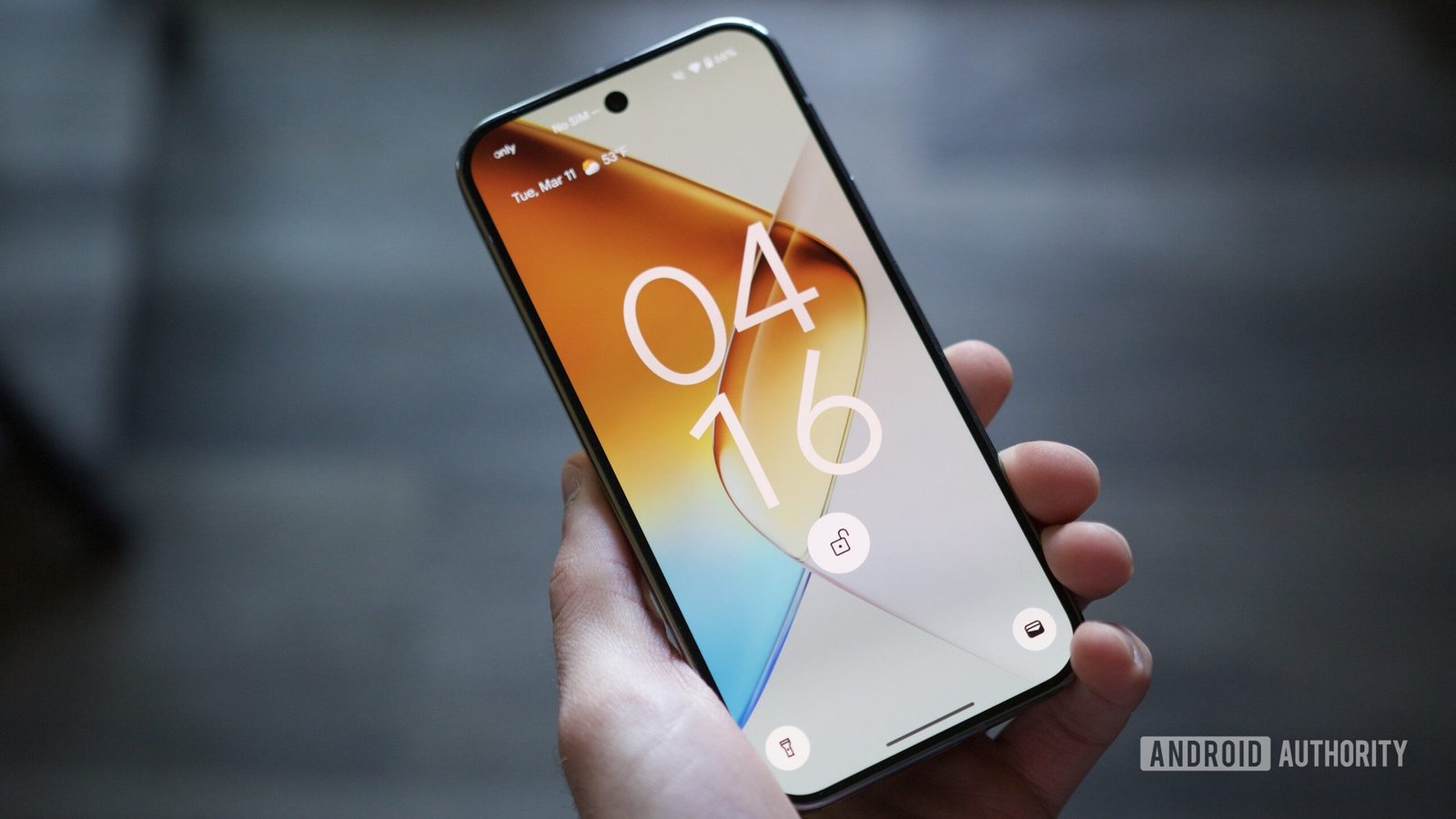
    In an exciting update, Android has rolled out a new feature in its inaugural Canary release: a “Now Playing” lock screen shortcut. This addition aims to streamline user experience by allowing quick access to music identification directly from the lock screen.

    Smartphones are integral to daily life. Lock screens serve as essential gateways, providing security while keeping private information protected. However, accessing apps through a locked device can often slow things down. The introduction of lock screen shortcuts is a thoughtful response to this common frustration.

    The latest Canary build emphasizes this innovation. Users with Pixel 6 or newer devices can now explore the “Now Playing” feature. This enhancement builds on Google’s ongoing commitment to song identification, evident in its previous attempts with Now Playing on Pixel phones. Recent improvements reflect developers’ renewed focus on making the tool more functional.

    While the feature currently requires a specific Canary build, it’s crucial to proceed with caution. Google advises users about potential stability issues. Therefore, those who prefer a more reliable experience may choose to wait for future updates.

    This new unlock capability signals positive advancements in how users interact with technology. It promises to make music discovery effortless, reinforcing the broader trend of improving urban innovation through smart technology. As cities evolve, features like these illustrate the potential of smart solutions in our daily interactions.

    Stay tuned for more updates as Google continues to refine this feature.

    Expand Your Tech Knowledge

    Explore the future of technology with our detailed insights on Artificial Intelligence.

    Discover archived knowledge and digital history on the Internet Archive.

    GadgetsV1

    android Android 16 apple cell google iOS mobile VT1
    Share. Facebook Twitter Pinterest LinkedIn Tumblr Email
    Previous ArticleSkyward Discoveries: Unleashing NASA’s Mineral Mapping Revolution
    Next Article GMX Hacker Cashes Out 11,700 ETH from Stolen Loot
    Avatar photo
    Lina Johnson Mercilli
    • Website

    Lina Johnson Marcelli is the editor for IO Tribune, bringing over two decades of experience in journalism to her role. With a BA in Journalism, she is passionate about delivering impactful stories that resonate with readers. Known for her keen editorial vision and leadership, Lina is dedicated to fostering innovative storytelling across the publication. Outside of work, she enjoys exploring new media trends and mentoring aspiring journalists.

    Related Posts

    Crypto

    FUD Fuels Crypto Selloff: Insights from Santiment

    February 3, 2026
    Tech

    Revitalize Your Workspace: The New Apple Studio Display is Coming!

    February 3, 2026
    Gadgets

    Galaxy S26 Ultra S Pen: New Two-Toned Twist Revealed!

    February 3, 2026
    Add A Comment

    Comments are closed.

    Must Read

    FUD Fuels Crypto Selloff: Insights from Santiment

    February 3, 2026

    Revitalize Your Workspace: The New Apple Studio Display is Coming!

    February 3, 2026

    Galaxy S26 Ultra S Pen: New Two-Toned Twist Revealed!

    February 3, 2026

    Empowering Growth: Unlocking the Women’s Economy through Acquisitions

    February 3, 2026

    Self-Paying Smart Buildings: Discover the Real ROI!

    February 3, 2026
    Categories
    • AI
    • Crypto
    • Fashion Tech
    • Gadgets
    • IOT
    • OPED
    • Quantum
    • Science
    • Smart Cities
    • Space
    • Tech
    • Technology
    Most Popular

    Revolutionary Tiny Eye Implant Aims to Restore Sight

    January 10, 2026

    Last Call: Switch from Samsung Pass to Wallet Before It’s Gone!

    March 14, 2025

    Bitcoin’s Q2 Breakthrough: What’s Next?

    July 1, 2025
    Our Picks

    AI Creates Fun, Human-Like Games!

    February 27, 2025

    Google Takes Legal Action Against BadBox 2.0 Botnet

    July 18, 2025

    Unlock Epic Sound: WH-1000XM5 Headphones Now $150 Off!

    March 24, 2025
    Categories
    • AI
    • Crypto
    • Fashion Tech
    • Gadgets
    • IOT
    • OPED
    • Quantum
    • Science
    • Smart Cities
    • Space
    • Tech
    • Technology
    • Privacy Policy
    • Disclaimer
    • Terms and Conditions
    • About Us
    • Contact us
    Copyright © 2025 Iotribune.comAll Rights Reserved.

    Type above and press Enter to search. Press Esc to cancel.