
Close Menu
    Facebook X (Twitter) Instagram
    Tuesday, September 22
    Top Stories:
    • United States and China Must Collaborate to Win the AI Race
    • Revolutionary Tiny Brain Implant Performs Three Functions Simultaneously
    • China to Shift Major AI Model Training to Huawei by 2027
    Facebook X (Twitter) Instagram Pinterest Vimeo
    IO Tribune
    • Home
    • AI
    • Tech
      • Gadgets
      • Fashion Tech
    • Crypto
    • Smart Cities
      • IOT
    • Science
      • Space
      • Quantum
    • OPED
    IO Tribune
    Home » Gboard Unveils Unexpected Font Feature!
    Gadgets

    Gboard Unveils Unexpected Font Feature!

    Lina Johnson MercilliBy Lina Johnson MercilliSeptember 2, 2025No Comments2 Mins Read
    Share Facebook Twitter Pinterest LinkedIn Tumblr Reddit Telegram Email
    Share
    Facebook Twitter LinkedIn Pinterest Email

    Fast Facts

    1. Gboard Beta Update: The latest Gboard beta introduces customizable font sizes ranging from 85% to 200% of the system default, allowing users to personalize their typing experience.

    2. Font Selection: Users can now switch between Google’s font (likely Google Sans) and any custom system font, enhancing aesthetic consistency across devices.

    3. Gradual Rollout: These features are being tested selectively on various devices, indicating a phased rollout approach before a wider release to all users.

    4. Independent Settings: The new font size setting operates independently of the system’s global font size, giving users the flexibility to tailor their keyboard’s appearance without affecting other text on the device.

    Gboard Introduces Custom Font Settings for Enhanced Personalization

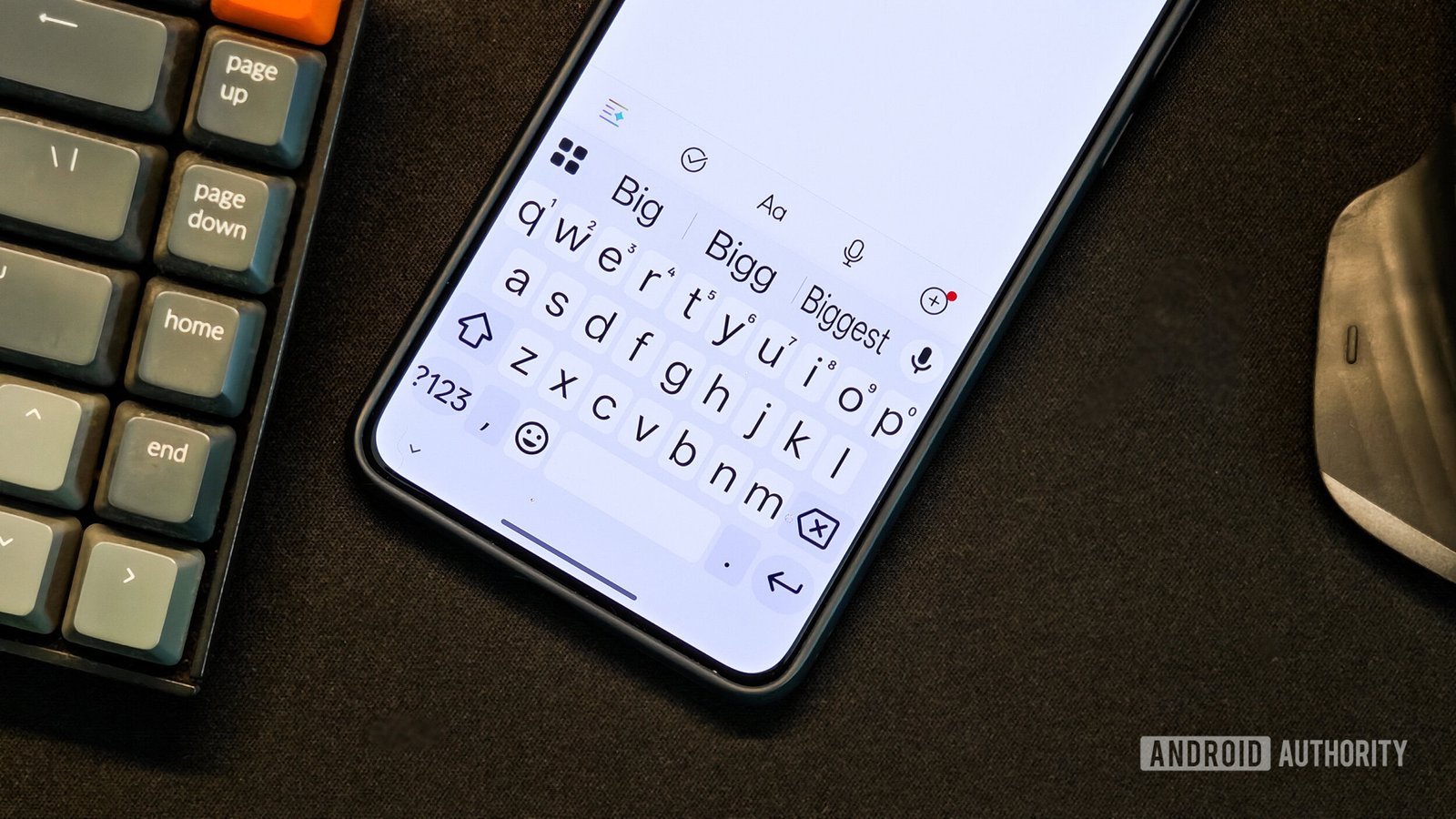
    Google’s Gboard is evolving again, this time with a feature many users didn’t see coming. The latest beta version introduces options to customize font size and style, adding a new layer of personalization to the popular keyboard app.

    Users can now adjust the font size independently, ranging from 85% to 200% of the default setting. This flexibility is especially beneficial for those who prefer specific text sizes without altering the entire system. For instance, those who like larger text for regular use can maintain their preferences without affecting Gboard.

    Beyond size adjustments, Gboard is also testing a switch between Google’s proprietary font and any custom system font. This allows users to match their keyboard font with the overall style of their device, promoting continuity across applications.

    Accessing these new settings is straightforward. Users can find them under Preferences in Gboard’s settings. Once there, a slider enables easy adjustments, although it currently supports set increments rather than precise tuning.

    This rollout appears to be gradual, as many users have noticed the changes on select devices only. Nevertheless, it signals Google’s commitment to enhancing user experience and personal control in the digital space.

    As cities grow and technology advances, features like these showcase the potential for innovation within our daily tools. Customization fosters a sense of ownership and individuality, aligning perfectly with the needs of diverse urban populations. With Gboard leading the charge in such enhancements, users can expect a more tailored typing experience ahead.

    Stay Ahead with the Latest Tech Trends

    Learn how the Internet of Things (IoT) is transforming everyday life.

    Discover archived knowledge and digital history on the Internet Archive.

    GadgetsV1

    android apple cell Gboard google iOS mobile VT1
    Share. Facebook Twitter Pinterest LinkedIn Tumblr Email
    Previous ArticleYour Hairstyle Might Pollute Like City Traffic!
    Next Article Strategy Invests $450M to Acquire 4,048 BTC
    Avatar photo
    Lina Johnson Mercilli
    • Website

    Lina Johnson Marcelli is the editor for IO Tribune, bringing over two decades of experience in journalism to her role. With a BA in Journalism, she is passionate about delivering impactful stories that resonate with readers. Known for her keen editorial vision and leadership, Lina is dedicated to fostering innovative storytelling across the publication. Outside of work, she enjoys exploring new media trends and mentoring aspiring journalists.

    Related Posts

    Science

    Dolphins Skillfully Chase, Spit, and Steal Fish Meals

    September 22, 2026
    AI

    GPT-6 Astra Now World’s Top Cyber Threat

    September 22, 2026
    Tech

    United States and China Must Collaborate to Win the AI Race

    September 22, 2026
    Add A Comment

    Comments are closed.

    Must Read

    Dolphins Skillfully Chase, Spit, and Steal Fish Meals

    September 22, 2026

    GPT-6 Astra Now World’s Top Cyber Threat

    September 22, 2026

    United States and China Must Collaborate to Win the AI Race

    September 22, 2026

    Revolutionary Tiny Brain Implant Performs Three Functions Simultaneously

    September 22, 2026

    Albania Joins the Artemis Pact: A New Step in Space Collaboration

    September 21, 2026
    Categories
    • AI
    • Crypto
    • Fashion Tech
    • Gadgets
    • IOT
    • OPED
    • Quantum
    • Science
    • Smart Cities
    • Space
    • Tech
    Most Popular

    Small Data, Big Maps: Training Geospatial Models with Limited Samples

    June 7, 2026

    Nvidia Backs RISC-V: A Boost for China’s Chip Independence

    July 23, 2025

    Seattle Greenlights ‘Smart City’ Kiosks, but Not on Capitol Hill—Yet!

    June 4, 2025
    Our Picks

    VivoPower Launches $30M XRP Yield Program with Doppler, Eyes $200M Expansion

    September 4, 2025

    Google Unveils Age-Assurance Tech for Global Android Developers

    July 30, 2026

    Ethereum Golden Cross Sparks Major Rally?

    May 6, 2026
    Categories
    • AI
    • Crypto
    • Fashion Tech
    • Gadgets
    • IOT
    • OPED
    • Quantum
    • Science
    • Smart Cities
    • Space
    • Tech
    • Privacy Policy
    • Disclaimer
    • Terms and Conditions
    • About Us
    • Contact us
    Copyright © 2025 Iotribune.comAll Rights Reserved.

    Type above and press Enter to search. Press Esc to cancel.