

Quick Takeaways
-
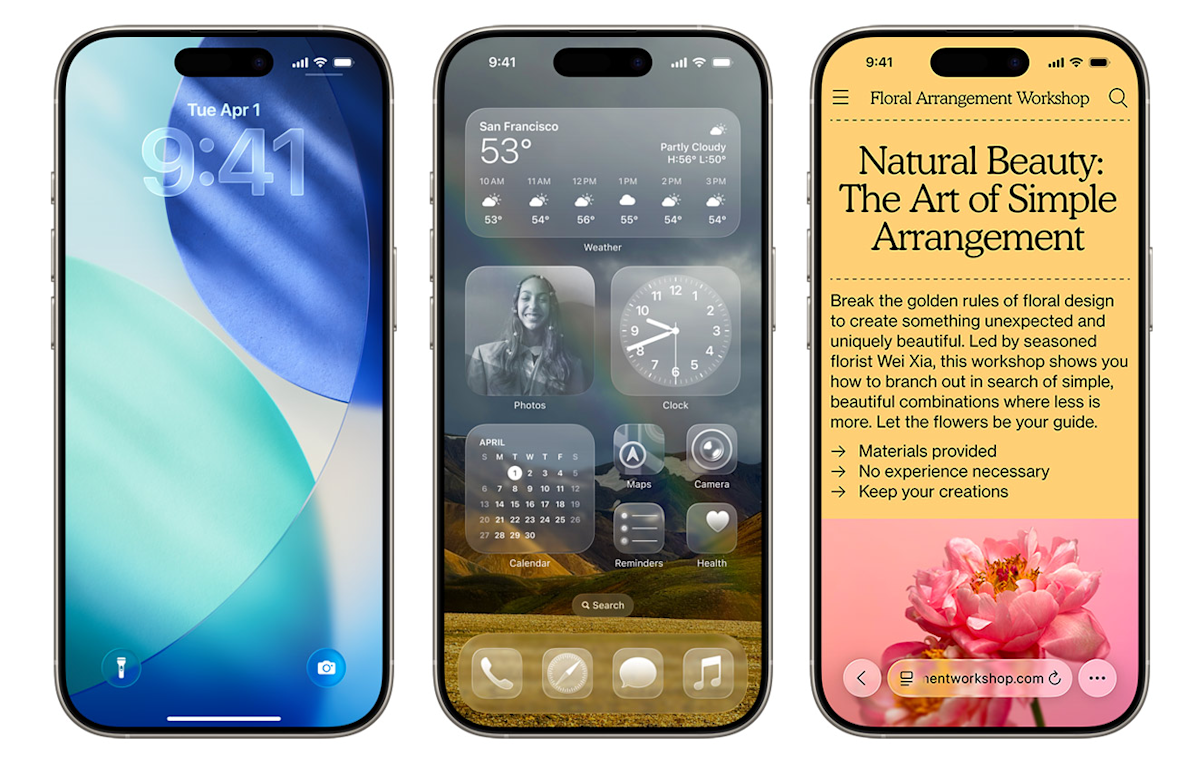
iOS 26 Availability: iOS 26 and iPadOS 26 are now downloadable for eligible iPhone and iPad users, introducing a significant visual overhaul, including the new “Liquid Glass” design.
-
Device Compatibility: Models from 2018, including older iPhones like the iPhone 8 and X, are no longer eligible for the update; users should check compatibility for devices announced in 2019 or later.
-
Key New Features: Highlights of iOS 26 include a redesigned Phone app, real-time language translation, customizable lock screens, and a revamped Camera app for easier navigation.
-
Upgrade Options: Users can choose between iOS 18.7 for security improvements or iOS 26 for new features; opting for iOS 26 provides access to the latest updates and aesthetics but may mean missing security updates for unsupported devices.
Ready to Download iOS 26? Check Your iPhone’s Eligibility First
Good news for iPhone users—iOS 26 is now available for download. This latest operating system rolls out significant changes and fresh features. However, not every iPhone can upgrade, so it’s crucial to confirm your device’s eligibility.
Apple launched iOS 26 on Monday this week, alongside iPadOS 26. While many devices are compatible, some models released in 2018 will no longer be supported. Specifically, the iPhone 8 and iPhone X are among those being phased out. If you own an iPhone announced in 2019 or later, you can proceed with the update.
So, what’s new in iOS 26? First, the Liquid Glass design offers a revamped home screen with sleek app icons. Additionally, the Phone app redesign lets you view contacts and recent calls on a single screen. Excitingly, iOS 26 includes a Live Translate feature, allowing real-time translation during calls and messages.
If you’re in a group chat, you can now create polls. This feature helps streamline decision-making, preventing lengthy message threads. Lock screen options have also expanded, providing more customization, including new widgets and enhanced focus features.
What if you’re hesitant to upgrade? It’s perfectly fine to stick with an older iPhone. However, doing so may leave you vulnerable to security risks and you could miss out on new app functionalities.
When you open Software Update in Settings, you’ll notice options for both iOS 18.7 and iOS 26. If you’re unsure about jumping straight to iOS 26, downloading iOS 18.7 is a safe interim choice. It addresses security concerns while giving you time to assess iOS 26’s new features.
In a tech-savvy world, urban innovation thrives on interconnected devices. Updating to iOS 26 can enhance your iPhone’s capabilities and keep you aligned with modern technology trends. Whether you opt for the new system or decide to stay put, being informed about your options empowers your tech experience.
Stay Ahead with the Latest Tech Trends
Dive deeper into the world of Cryptocurrency and its impact on global finance.
Access comprehensive resources on technology by visiting Wikipedia.
GadgetsV1
