
Close Menu
    Facebook X (Twitter) Instagram
    Sunday, April 19
    Top Stories:
    • 250-Million-Year-Old Fossil Confirms Mammals’ Egg-Laying Ancestors
    • Unraveling 160 Million Years of Mystery: A Fossil Discovery Like No Other!
    • Breakthrough Discovery: Scientists Find Way to Halt Common Virus Carried by 95%!
    Facebook X (Twitter) Instagram Pinterest Vimeo
    IO Tribune
    • Home
    • AI
    • Tech
      • Gadgets
      • Fashion Tech
    • Crypto
    • Smart Cities
      • IOT
    • Science
      • Space
      • Quantum
    • OPED
    IO Tribune
    Home » 10 Must-Change Good Lock Settings You’ll Love!
    Gadgets

    10 Must-Change Good Lock Settings You’ll Love!

    Lina Johnson MercilliBy Lina Johnson MercilliDecember 27, 2025No Comments3 Mins Read
    Share Facebook Twitter Pinterest LinkedIn Tumblr Reddit Telegram Email
    Share
    Facebook Twitter LinkedIn Pinterest Email

    Fast Facts

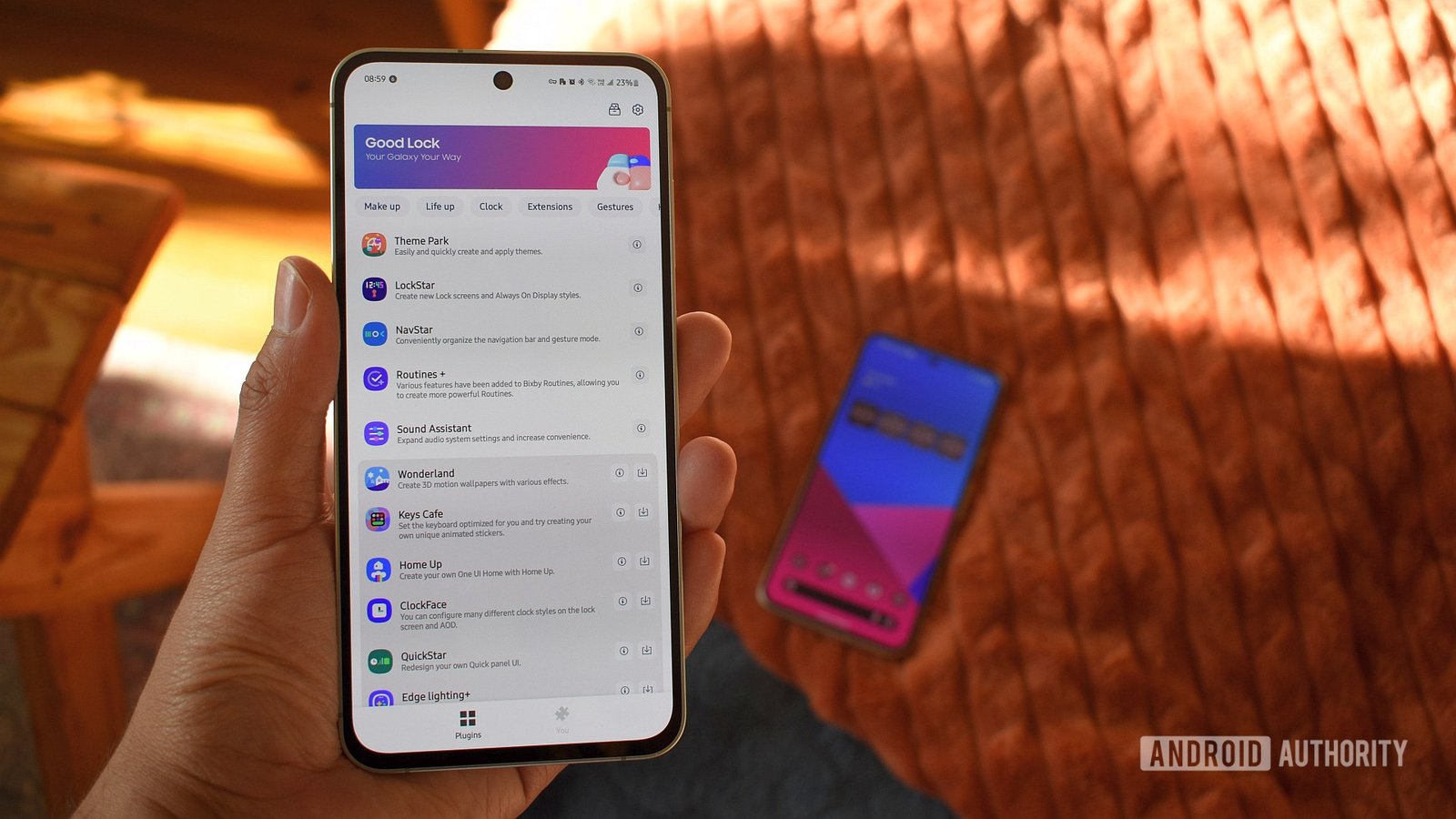
    1. Enhanced Customization with Good Lock: Samsung’s One UI offers deep customization options through Good Lock, allowing users to tailor their experience with various modules like Theme Park, LockStar, and Home Up.

    2. Streamlined Navigation and Usability: Modules like One Hand Operation+ and MultiStar improve one-handed usability and multitasking capabilities, making it easier to manage apps and perform tasks efficiently.

    3. Tailored UI Elements: Users can personalize their status bar, volume preferences, and lock screen widgets with QuickStar and Sound Assistant, ensuring that their device aligns with their personal style and needs.

    4. Efficient Screenshot Management: Good Lock features such as Nice Shot allow users to quickly delete unnecessary screenshots, streamlining their workflow and reducing clutter on their devices.

    10 Good Lock Settings I Always Change (And You Should Too)

    Samsung’s Good Lock app transforms the Android experience, offering a suite of customization tools. If you’re using a Samsung device, here are ten settings you should consider adjusting.

    1. Theme Park:
    Light and dark modes can enhance your viewing experience. With Theme Park, you customize the Quick panel for both modes, making it visually appealing. Easily switch between themes based on lighting conditions.

    2. LockStar:
    LockStar lets you personalize your lock screen widgets. Adding essential widgets like the World Clock and Samsung Weather not only simplifies access but also keeps you informed at a glance.

    3. Home Up:
    Make one-handed use seamless with Home Up. By switching the Task Changer to a vertical list, navigating recent apps becomes easier. This modification is a must for larger phones.

    4. QuickStar:
    With QuickStar, tailor your status bar icons. Position the clock on the right and keep status indicators on the left. This layout helps in distinguishing app notifications from system alerts effectively.

    5. One Hand Operation+:
    This module makes navigating large screens manageable. Customize gesture settings for quick actions like going back, accessing the home screen, or opening recent apps, all with simple thumb movements.

    6. Nice Shot:
    Capture and manage screenshots effortlessly using Nice Shot. The option to add a delete button to the screenshot toolbar streamlines your workflow by allowing immediate removal of unwanted captures.

    7. Routines+:
    Unleash advanced automation with Routines+. This feature can back up your existing routines and fine-tune actions based on specific triggers, enhancing your daily device interactions.

    8. Display Assistant:
    Use Display Assistant to extend screen timeout for specific apps. Tailoring app settings individually helps optimize battery life and performance, making your device more efficient.

    9. Sound Assistant:
    Control your audio experience with Sound Assistant. Adjust volume panel settings and disable audio for problematic apps like Instagram, ensuring a tailored and pleasant listening environment.

    10. Camera Assistant:
    Speed up your photography with Camera Assistant. Enabling the quick tap shutter feature allows for faster captures, perfect for action shots or fleeting moments.

    These settings provide valuable enhancements to your Samsung experience. Customization leads to greater efficiency, personalization, and satisfaction. Dive into Good Lock to discover a more tailored smartphone journey. What are your must-have settings? Share your thoughts!

    Stay Ahead with the Latest Tech Trends

    Explore the future of technology with our detailed insights on Artificial Intelligence.

    Explore past and present digital transformations on the Internet Archive.

    GadgetsV1

    android apple cell Good Lock google iOS mobile Samsung VT1
    Share. Facebook Twitter Pinterest LinkedIn Tumblr Email
    Previous ArticleSEALSQ & Airmod Join Forces for Quantum-Ready Middleware
    Next Article Ethereum Surges in Activity While Price Trails
    Avatar photo
    Lina Johnson Mercilli
    • Website

    Lina Johnson Marcelli is the editor for IO Tribune, bringing over two decades of experience in journalism to her role. With a BA in Journalism, she is passionate about delivering impactful stories that resonate with readers. Known for her keen editorial vision and leadership, Lina is dedicated to fostering innovative storytelling across the publication. Outside of work, she enjoys exploring new media trends and mentoring aspiring journalists.

    Related Posts

    Crypto

    Garinex’s Successor, Grinex, Falls Days After Coordinated Wallet Attack

    April 18, 2026
    Science

    Silent Voices: How Music and Traffic Noise Shape Our Imagination

    April 18, 2026
    AI

    Quantum AI Masters Chaos Prediction

    April 18, 2026
    Add A Comment

    Comments are closed.

    Must Read

    Garinex’s Successor, Grinex, Falls Days After Coordinated Wallet Attack

    April 18, 2026

    Silent Voices: How Music and Traffic Noise Shape Our Imagination

    April 18, 2026

    Quantum AI Masters Chaos Prediction

    April 18, 2026

    Apple Dodges Second Import Ban on Redesigned Smartwatches in Recent Court Ruling

    April 18, 2026

    Pi Network’s Paradox: Big Feature Out, Yet PI Token Drops Again

    April 18, 2026
    Categories
    • AI
    • Crypto
    • Fashion Tech
    • Gadgets
    • IOT
    • OPED
    • Quantum
    • Science
    • Smart Cities
    • Space
    • Tech
    • Technology
    Most Popular

    Journey to the Moon: Meet NASA’s Artemis Dream Team!

    December 23, 2025

    XRP and SOL Thrive as Billions Flow In Despite Bitcoin’s Decline

    December 30, 2025

    Squishy Motion: A Breakthrough Animation Technique

    June 6, 2025
    Our Picks

    Stunning 2026 Price Predictions for Pi Network (PI) Unveiled!

    January 3, 2026

    1Fuel (OFT) Beta Wallet Launch: Grab 40% Bonus and Join the Crypto Trend!

    February 26, 2025

    Revolutionizing Film Finance with Blockchain

    April 16, 2025
    Categories
    • AI
    • Crypto
    • Fashion Tech
    • Gadgets
    • IOT
    • OPED
    • Quantum
    • Science
    • Smart Cities
    • Space
    • Tech
    • Technology
    • Privacy Policy
    • Disclaimer
    • Terms and Conditions
    • About Us
    • Contact us
    Copyright © 2025 Iotribune.comAll Rights Reserved.

    Type above and press Enter to search. Press Esc to cancel.