
Close Menu
    Facebook X (Twitter) Instagram
    Monday, May 25
    Top Stories:
    • China’s AI Moonshot James: Unwinding Offshore in IPO Pursuit
    • AI-Driven Redesign of Laboratory Evolved Reverse Transcriptases Boosts Prime Editing
    • iOS 27: Expand Your Casting Beyond AirPlay!
    Facebook X (Twitter) Instagram Pinterest Vimeo
    IO Tribune
    • Home
    • AI
    • Tech
      • Gadgets
      • Fashion Tech
    • Crypto
    • Smart Cities
      • IOT
    • Science
      • Space
      • Quantum
    • OPED
    IO Tribune
    Home » Setting Up Your AirTag: A Quick Guide
    Gadgets

    Setting Up Your AirTag: A Quick Guide

    Lina Johnson MercilliBy Lina Johnson MercilliFebruary 4, 2026No Comments3 Mins Read
    Share Facebook Twitter Pinterest LinkedIn Tumblr Reddit Telegram Email
    Share
    Facebook Twitter LinkedIn Pinterest Email

    Top Highlights

    1. Quick Setup: AirTag setup takes just a few minutes using an iPhone or iPad, requiring Bluetooth and Location Services; simply remove the tab, hold near the device, and follow prompts to connect.

    2. Compatible Devices: Ensure your device runs iOS 14.5 or later, has iCloud Keychain enabled, and maintain a stable Wi-Fi or cellular connection for successful setup.

    3. Naming & Identifying: Customize your AirTag’s name during or after setup to easily track multiple items, utilizing preset labels or emojis for quick reference.

    4. Location Tracking: Once active, AirTag automatically updates its location via the Find My network, allowing users to play sounds, view last-known positions, or use Precision Finding for nearby items.

    Setting Up Your AirTag: A Quick Guide

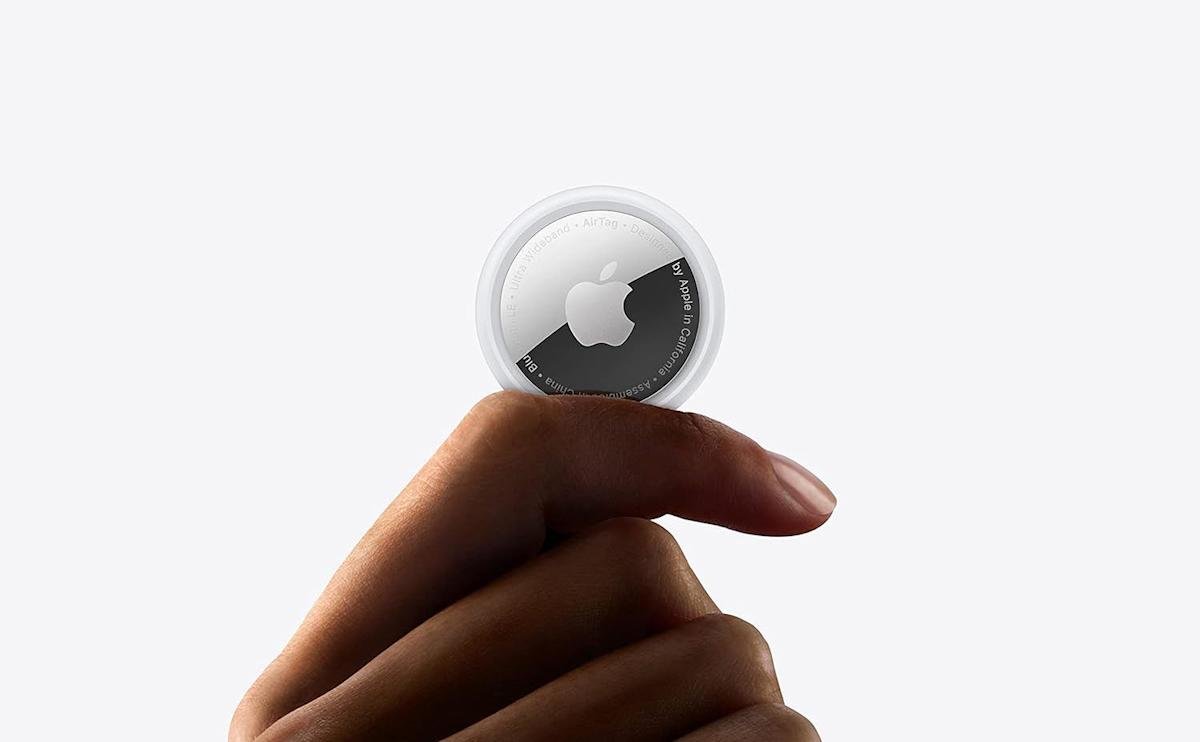
    Apple’s AirTag makes tracking everyday items a breeze. With this tiny gadget, you can easily find keys, bags, and luggage using the Find My network. Setting up the AirTag takes only a minute or two, provided you follow a few simple steps.

    What You Need
    Before you begin, ensure you have:

    • An iPhone or iPad signed in to your Apple Account
    • Bluetooth enabled
    • Location Services turned on
    • iOS or iPadOS 14.5 or later (or 26.2.1 for the 2nd generation AirTag)
    • A stable Wi-Fi or cellular connection
    • iCloud Keychain enabled

    How to Set Up an AirTag

    1. Activate the Battery: Remove the plastic tab from the AirTag.
    2. Pairing: Hold the AirTag near your unlocked device. When the setup animation appears, tap “Connect.”
    3. Choose a Category: Select a fitting category like Keys or Luggage. You can also create a Custom Name and add an emoji for easier identification.
    4. Finalize Setup: Tap “Continue” to link it to your Apple Account, then “Done.”

    Once set up, the AirTag will appear in the “Items” tab of the Find My app. If setting up multiple tags, keep one close to your device at a time. If the app detects more, it will prompt you to move the others away.

    Manual Setup Option
    If you don’t see the setup prompt, you can add the AirTag manually. Open the Find My app, select “Add AirTag,” and follow the on-screen instructions. You can track up to 32 items in this app, so if you’ve reached that limit, remove an item first before adding another.

    Troubleshooting Setup Issues
    If the setup fails, try these steps:

    • Lock your device, then unlock it after 15 seconds.
    • Ensure Bluetooth and Location Services are active.
    • Confirm you’re signed in to your Apple Account and iCloud Keychain.
    • Check that your software is up to date.

    If problems persist, the battery may need changing. AirTags use a standard CR2032 coin cell battery, and replacing it is straightforward.

    Renaming Your AirTag
    Naming your AirTag helps you keep track of multiple items. To rename it after setup:

    1. Tap “Items” and select your AirTag.
    2. Tap “Add Name” or “Rename Item.”
    3. Choose a new label or emoji for quick identification.

    Attaching Your AirTag
    AirTags don’t include built-in clips. You’ll likely need an accessory, like a key ring or luggage tag, to secure it.

    Keeping Track Made Easy
    After setup, your AirTag will automatically update its location via the Find My network. With minimal effort, an AirTag transforms how you track your belongings, whether at home or on the go.

    Continue Your Tech Journey

    Stay informed on the revolutionary breakthroughs in Quantum Computing research.

    Access comprehensive resources on technology by visiting Wikipedia.

    GadgetsV1

    android apple Apple Account cell google iCloud Keychain iOS mobile VT1
    Share. Facebook Twitter Pinterest LinkedIn Tumblr Email
    Previous ArticleNew Bipartisan SCAM Act Targets Fraudulent Online Ads
    Next Article 🎉 Three MIT Stars and Antonio Torralba Shine Bright as 2025 ACM Fellows! 🌟 | MIT News
    Avatar photo
    Lina Johnson Mercilli
    • Website

    Lina Johnson Marcelli is the editor for IO Tribune, bringing over two decades of experience in journalism to her role. With a BA in Journalism, she is passionate about delivering impactful stories that resonate with readers. Known for her keen editorial vision and leadership, Lina is dedicated to fostering innovative storytelling across the publication. Outside of work, she enjoys exploring new media trends and mentoring aspiring journalists.

    Related Posts

    AI

    Co-Scientist: AI Partner Accelerating Research

    May 25, 2026
    Crypto

    Solana Surges to Record Amid 33% Drop

    May 25, 2026
    Gadgets

    Mac ChatGPT App Hit By Major Security Breach

    May 24, 2026
    Add A Comment

    Comments are closed.

    Must Read

    Co-Scientist: AI Partner Accelerating Research

    May 25, 2026

    Solana Surges to Record Amid 33% Drop

    May 25, 2026

    Mac ChatGPT App Hit By Major Security Breach

    May 24, 2026

    Secrets Beneath: How Rocks Recycle Earth’s Continents

    May 24, 2026

    China’s AI Moonshot James: Unwinding Offshore in IPO Pursuit

    May 24, 2026
    Categories
    • AI
    • Crypto
    • Fashion Tech
    • Gadgets
    • IOT
    • OPED
    • Quantum
    • Science
    • Smart Cities
    • Space
    • Tech
    • Technology
    Most Popular

    9 Powerful Alternatives to Tungsten Automation (Kofax)

    February 13, 2025

    Guardians of Earth: NASA’s Battle Against Asteroids

    April 11, 2025

    AI Co-Clinician: Pioneering AI-Enhanced Healthcare

    May 1, 2026
    Our Picks

    Physicists Uncover Key Superconductivity Feature in ‘Magic-Angle’ Graphene

    February 11, 2025

    Nature’s Chill: How Cold Shapes Mountain Forests

    August 25, 2025

    Breakthrough Discovery: Scientists Find Way to Halt Common Virus Carried by 95%!

    April 18, 2026
    Categories
    • AI
    • Crypto
    • Fashion Tech
    • Gadgets
    • IOT
    • OPED
    • Quantum
    • Science
    • Smart Cities
    • Space
    • Tech
    • Technology
    • Privacy Policy
    • Disclaimer
    • Terms and Conditions
    • About Us
    • Contact us
    Copyright © 2025 Iotribune.comAll Rights Reserved.

    Type above and press Enter to search. Press Esc to cancel.