
Close Menu
    Facebook X (Twitter) Instagram
    Thursday, June 18
    Top Stories:
    • Rivian Under Fire: Class Action Lawsuit over Self-Driving Tech
    • Master Google Wallet Payments on Your Samsung Galaxy Watch!
    • Unleash Your Creativity: Akai Revamps MPC One and Key 37 Workstations
    Facebook X (Twitter) Instagram Pinterest Vimeo
    IO Tribune
    • Home
    • AI
    • Tech
      • Gadgets
      • Fashion Tech
    • Crypto
    • Smart Cities
      • IOT
    • Science
      • Space
      • Quantum
    • OPED
    IO Tribune
    Home » Master Google Wallet Payments on Your Samsung Galaxy Watch!
    Tech

    Master Google Wallet Payments on Your Samsung Galaxy Watch!

    Lina Johnson MercilliBy Lina Johnson MercilliJune 18, 2026No Comments2 Mins Read
    Share Facebook Twitter Pinterest LinkedIn Tumblr Reddit Telegram Email
    Share
    Facebook Twitter LinkedIn Pinterest Email

    Fast Facts

    1. Samsung Galaxy Watch users can pay using Google Wallet instead of Samsung Pay.
    2. Ensure your watch runs Wear OS 2.0 or newer for compatibility.
    3. Install Google Wallet from Play Store on both your watch and phone.
    4. Add payment methods via the Wallet app to start using Tap to Pay.

    ### The Evolution of Mobile Payments

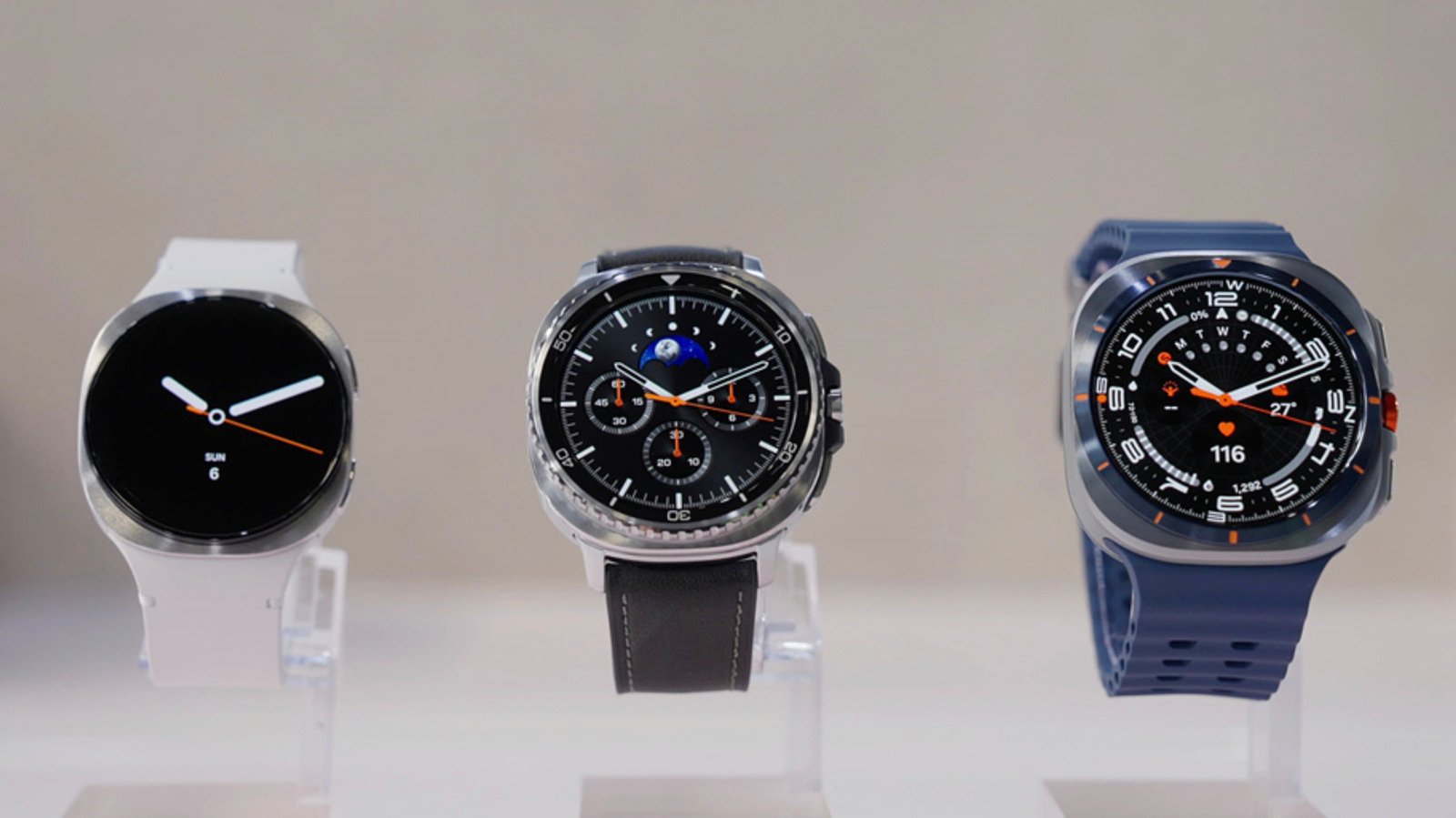
    Mobile payments have transformed the shopping experience. With Google Wallet on your Samsung Galaxy Watch, users can seamlessly complete transactions without reaching for their phones or wallets. This convenience appeals to busy lifestyles. However, this functionality requires certain device compatibility and setup steps.

    To use Google Wallet on your Galaxy Watch, ensure your watch runs Wear OS version 2.0 or newer. Check your device’s settings to confirm. While Galaxy Watch models 1, 2, and 3 lack this capability, models like the Galaxy Watch 4 and later support it. Those in regions where Google Wallet has rolled out can dive into setup, but this feature is not universally available. Thus, users should verify their local access beforehand.

    ### Setting Up Google Wallet

    Begin by searching for Google Wallet in the Play Store on your Galaxy Watch. Installing the app prompts a few security steps. Setting up a lock screen is essential. A PIN or pattern is required. This step safeguards your payment information. After syncing the app with your smartphone, the watch is ready.

    Next, add a payment method via the app. Users can link existing cards stored in Google Play or manually enter new card information. Google Wallet will verify card eligibility for tap-to-pay. Some cards may not support this feature, so users must check compatibility.

    When it’s time to pay, simply unlock your Galaxy Watch, open the Wallet app, and hold your watch near the payment terminal. A successful transaction results in a vibration and a confirmation checkmark on your watch. This streamlined process showcases how wearable technology enhances daily transactions, making life more convenient.

    With Google Wallet, Samsung Galaxy Watch users can enjoy a new level of payment ease, but this doesn’t mean they’re limited to Samsung Pay. The evolution of payment technology continues, offering flexibility and convenience in users’ hands.

    Expand Your Tech Knowledge

    Learn how the Internet of Things (IoT) is transforming everyday life.

    Stay inspired by the vast knowledge available on Wikipedia.

    TechV1

    Innovation Management Tech technology VT1
    Share. Facebook Twitter Pinterest LinkedIn Tumblr Email
    Previous ArticleGen Z Revives Old iPods in Style
    Next Article Unleashing the Future: Next-Gen Rovers for Lunar and Martian Exploration
    Avatar photo
    Lina Johnson Mercilli
    • Website

    Lina Johnson Marcelli is the editor for IO Tribune, bringing over two decades of experience in journalism to her role. With a BA in Journalism, she is passionate about delivering impactful stories that resonate with readers. Known for her keen editorial vision and leadership, Lina is dedicated to fostering innovative storytelling across the publication. Outside of work, she enjoys exploring new media trends and mentoring aspiring journalists.

    Related Posts

    Tech

    Rivian Under Fire: Class Action Lawsuit over Self-Driving Tech

    June 18, 2026
    Crypto

    Aster Soars 23% as DEX Boosts Buybacks

    June 18, 2026
    AI

    Structured Outputs with LLMs: JSON & Function Calls

    June 18, 2026
    Add A Comment

    Comments are closed.

    Must Read

    Rivian Under Fire: Class Action Lawsuit over Self-Driving Tech

    June 18, 2026

    Aster Soars 23% as DEX Boosts Buybacks

    June 18, 2026

    Structured Outputs with LLMs: JSON & Function Calls

    June 18, 2026

    Unleashing the Future: Next-Gen Rovers for Lunar and Martian Exploration

    June 18, 2026

    Master Google Wallet Payments on Your Samsung Galaxy Watch!

    June 18, 2026
    Categories
    • AI
    • Crypto
    • Fashion Tech
    • Gadgets
    • IOT
    • OPED
    • Quantum
    • Science
    • Smart Cities
    • Space
    • Tech
    • Technology
    Most Popular

    NASA’s Supersonic Quest: New F-15 Joins the Race!

    January 27, 2026

    T-Mobile Could Launch 36-Month Installment Plans Soon!

    June 20, 2025

    Trader Turns Meme Coin into Millionaire Dream!

    August 5, 2025
    Our Picks

    Lost Ratchet & Clank Mobile Game Resurfaces!

    October 10, 2025

    Grab the Anker 5K Magnetic Power Bank for Just $28!

    August 23, 2025

    Revolutionizing Flight: The Future of Thin-Wing Aircraft

    April 24, 2025
    Categories
    • AI
    • Crypto
    • Fashion Tech
    • Gadgets
    • IOT
    • OPED
    • Quantum
    • Science
    • Smart Cities
    • Space
    • Tech
    • Technology
    • Privacy Policy
    • Disclaimer
    • Terms and Conditions
    • About Us
    • Contact us
    Copyright © 2025 Iotribune.comAll Rights Reserved.

    Type above and press Enter to search. Press Esc to cancel.