

Essential Insights
- Eclipsa Video aims to deliver consistent, balanced HDR experiences across all devices by adapting brightness, contrast, and highlights based on device capabilities and ambient lighting.
- It employs two key pieces of metadata: a white reference anchor for SDR mapping and headroom-adaptive gain curves, allowing content to look optimal even if device brightness is limited.
- Compared to Dolby Vision, Eclipsa is similar in using dynamic metadata but is open-source, unlike Dolby Vision’s proprietary format; HDR10 is less adaptable, though HDR10+ shares some dynamic capabilities.
- Support for Eclipsa Video is rolling out on Android 17 across phones, tablets, and TVs, pending device and streaming platform adoption, potentially revolutionizing HDR viewing consistency.
Introducing Eclipsa Video: A New Standard for Consistent HDR
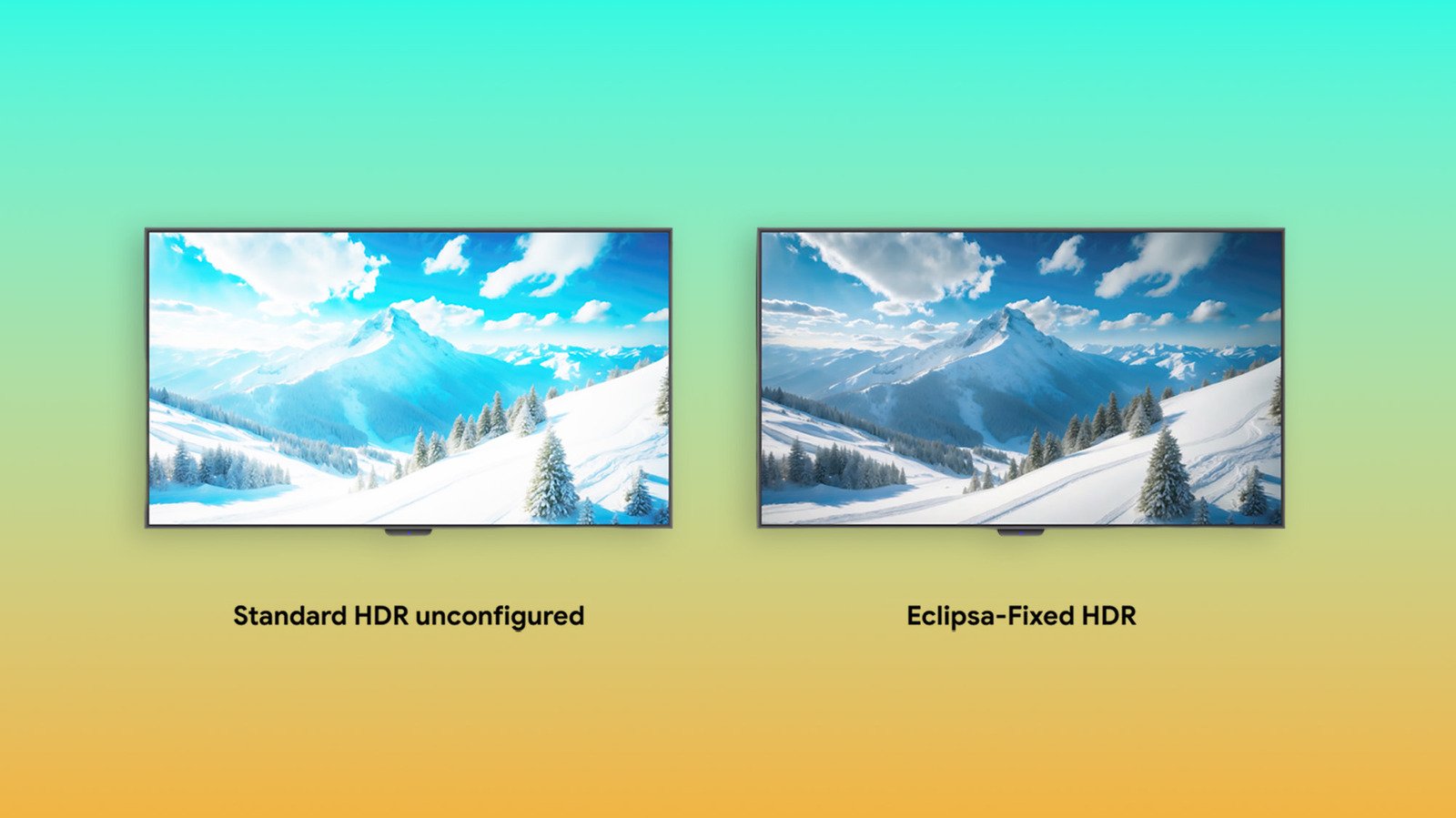
Imagine watching your favorite movies and shows with images that look just right every time. That’s what Eclipsa Video promises to do. It is a new open standard for HDR content, designed to solve the common problem of inconsistent picture quality. Right now, HDR can make scenes look stunning on high-end TVs. But on phones or less advanced screens, it can sometimes be dull or overly bright. Eclipsa Video aims to fix this. It works across different devices, apps, and lighting conditions. Google describes it as making HDR “consistent, balanced and comfortable” on every screen. This could change how you enjoy videos, making every scene look better no matter where you watch.
How Eclipsa Video Works and Its Features
Eclipsa Video uses smart technology to improve picture quality. It relies on two main sets of instructions called metadata. The first is a white reference anchor that helps the screen understand the brightest parts of SDR content, ensuring they aren’t too dull. The second is extra brightness reserved for HDR videos. This helps prevent scenes from looking washed out or overly bright. Additionally, it includes adaptive gain curves. Content creators can add instructions that change how the video appears based on your device’s brightness and room lighting. If your phone or TV can’t match the video’s brightness needs, Eclipsa adjusts the picture intelligently. This leads to richer shadows, balanced highlights, and fewer annoying spikes in brightness. Overall, these features make HDR easier to view on different devices and in different environments, creating a more comfortable and consistent experience.
Comparing Eclipsa Video, Dolby Vision, and HDR10
Eclipsa Video shares similarities with Dolby Vision because both use dynamic metadata. These are instructions that change as a video plays, helping images stay true to the creator’s intent. In contrast, HDR10 relies on static instructions. This means HDR10’s picture remains the same throughout the video, which can sometimes cause inconsistency. However, the newer HDR10+ uses dynamic metadata like Dolby Vision and Eclipsa Video, offering more adaptability.
Another important point is that Eclipsa Video and HDR10 are open standards. Anyone can develop and support them without licensing fees. Dolby Vision, however, is proprietary. This limits its use to certain devices and services. Support for Eclipsa Video is spreading. It will soon be available on Android 17 devices like phones, tablets, and TVs. Still, its broader adoption depends on device makers, streaming platforms, and content providers choosing to support it. With open standards like Eclipsa Video, the potential for more consistent and flexible HDR experiences looks promising for viewers everywhere.
Discover More Technology Insights
Explore the future of technology with our detailed insights on Artificial Intelligence.
Stay inspired by the vast knowledge available on Wikipedia.
CellphonesV1
