

Summary Points
- Android 17 Beta 3 introduces “app bubbles,” a streamlined, multitasking feature that simplifies floating app management, replacing clunky previous methods.
- Users can easily create, stack, expand, and dismiss bubbles by long-pressing app icons, with management options accessible via drag-and-drop or taskbar layouts on tablets/foldables.
- The feature enhances multitasking for tasks like messaging, note-taking, video watching, and navigation, making switching between apps faster and more intuitive.
- App bubbles enable seamless multitasking workflows, allowing users to interact with multiple apps simultaneously without interrupting their ongoing tasks.
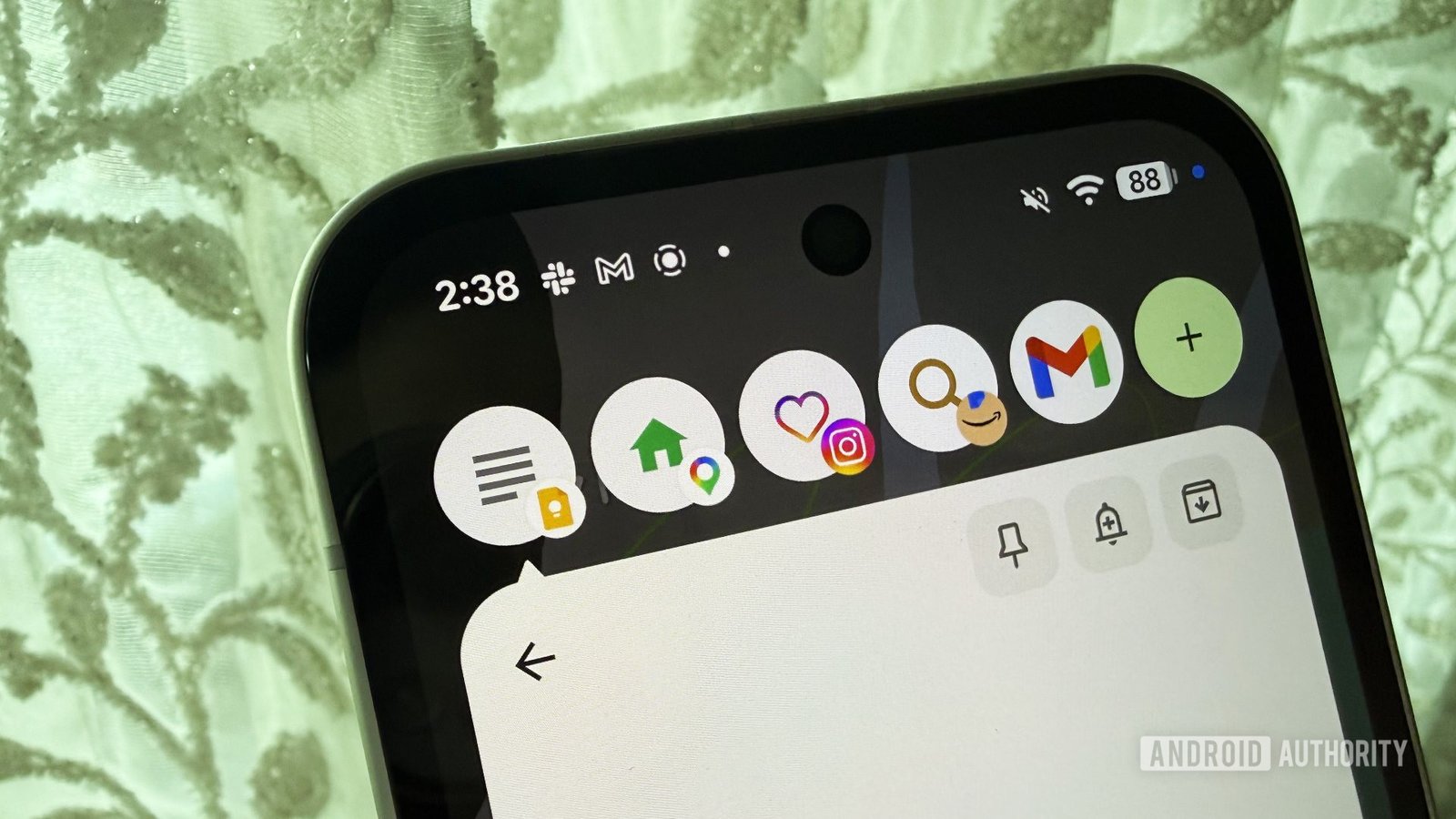
Google’s latest update, Android 17 Beta 3, introduces a new feature called app bubbles. This feature improves multitasking on smartphones. Unlike older floating window systems, app bubbles are easier to use. They allow quick access to multiple apps without interrupting your activities.
First, setting up app bubbles is simple. Long-press an app icon and choose the “bubble” option. The app then appears as a small floating window. Tapping it turns it into a bubble on your screen. You can create several bubbles by repeating the process. When you tap a stack of bubbles, it expands into a panel. From there, you switch between apps, add more, or dismiss bubbles.
Managing these bubbles is also straightforward. Drag a bubble to the “X” button to remove it. On foldable phones and tablets, the bubbles sit nicely in a taskbar, making them even more accessible. This setup offers many practical benefits for users.
For example, messaging becomes more seamless. If you’re scrolling through Instagram or watching YouTube, a new message can pop up in a bubble. Replying takes seconds without leaving your current app. Similarly, online shoppers can keep notes open while browsing. This reduces constant app switching and helps stay organized.
Furthermore, video watchers can take notes at the same time. Streaming a tutorial? Keep it in a bubble while jotting down steps in another app. It’s convenient and saves time. Map users benefit too. Google Maps in a bubble means directions or traffic updates don’t interfere with ongoing chats.
Travel planning is easier, too. Keeping notes and maps open simultaneously prevents chaos when comparing options or saving locations. Lastly, copying information becomes faster. You can keep the source app in a small window while working in another, making copying and pasting more efficient.
Overall, app bubbles enhance multitasking in many ways. They are flexible and intuitive, giving users new shortcuts. As more people adopt Android 17, we can expect even more creative uses. This feature demonstrates how smart cities and urban innovation can improve daily life. With better multitasking tools, users can navigate their digital environments more smoothly and effectively.
Continue Your Tech Journey
Explore the future of technology with our detailed insights on Artificial Intelligence.
Stay inspired by the vast knowledge available on Wikipedia.
GadgetsV1
