
Close Menu
    Facebook X (Twitter) Instagram
    Friday, February 27
    Top Stories:
    • Apollo Discoveries: Moon’s Surprising Super-Magnetism Unveiled!
    • Spyware Makers Sentenced: Justice Served for Wiretapping Scandal
    • Google Invests $1B in Form Energy’s Revolutionary 100-Hour Battery
    Facebook X (Twitter) Instagram Pinterest Vimeo
    IO Tribune
    • Home
    • AI
    • Tech
      • Gadgets
      • Fashion Tech
    • Crypto
    • Smart Cities
      • IOT
    • Science
      • Space
      • Quantum
    • OPED
    IO Tribune
    Home » Gboard Unveils Unexpected Font Feature!
    Gadgets

    Gboard Unveils Unexpected Font Feature!

    Lina Johnson MercilliBy Lina Johnson MercilliSeptember 2, 2025No Comments2 Mins Read
    Share Facebook Twitter Pinterest LinkedIn Tumblr Reddit Telegram Email
    Share
    Facebook Twitter LinkedIn Pinterest Email

    Fast Facts

    1. Gboard Beta Update: The latest Gboard beta introduces customizable font sizes ranging from 85% to 200% of the system default, allowing users to personalize their typing experience.

    2. Font Selection: Users can now switch between Google’s font (likely Google Sans) and any custom system font, enhancing aesthetic consistency across devices.

    3. Gradual Rollout: These features are being tested selectively on various devices, indicating a phased rollout approach before a wider release to all users.

    4. Independent Settings: The new font size setting operates independently of the system’s global font size, giving users the flexibility to tailor their keyboard’s appearance without affecting other text on the device.

    Gboard Introduces Custom Font Settings for Enhanced Personalization

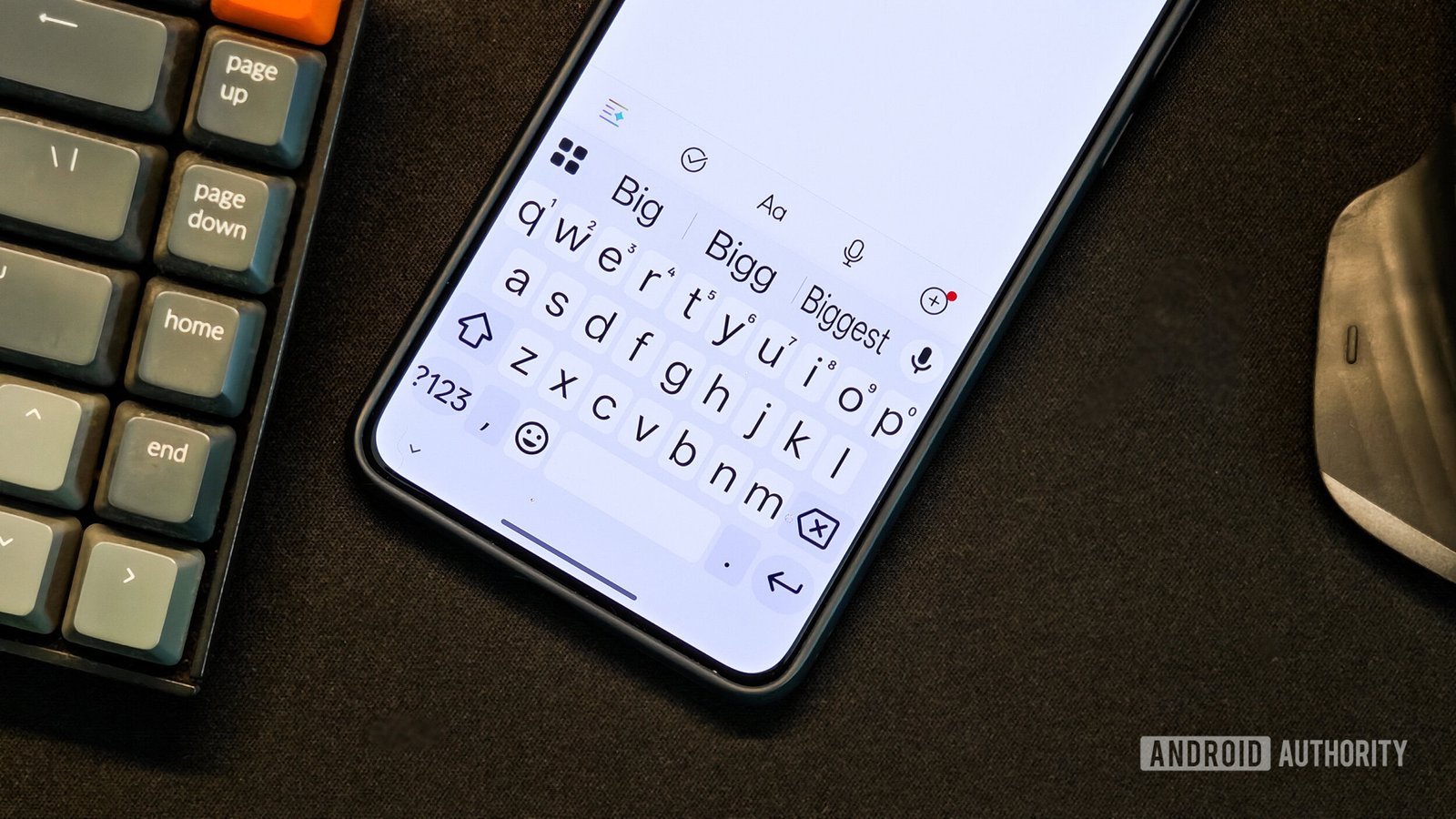
    Google’s Gboard is evolving again, this time with a feature many users didn’t see coming. The latest beta version introduces options to customize font size and style, adding a new layer of personalization to the popular keyboard app.

    Users can now adjust the font size independently, ranging from 85% to 200% of the default setting. This flexibility is especially beneficial for those who prefer specific text sizes without altering the entire system. For instance, those who like larger text for regular use can maintain their preferences without affecting Gboard.

    Beyond size adjustments, Gboard is also testing a switch between Google’s proprietary font and any custom system font. This allows users to match their keyboard font with the overall style of their device, promoting continuity across applications.

    Accessing these new settings is straightforward. Users can find them under Preferences in Gboard’s settings. Once there, a slider enables easy adjustments, although it currently supports set increments rather than precise tuning.

    This rollout appears to be gradual, as many users have noticed the changes on select devices only. Nevertheless, it signals Google’s commitment to enhancing user experience and personal control in the digital space.

    As cities grow and technology advances, features like these showcase the potential for innovation within our daily tools. Customization fosters a sense of ownership and individuality, aligning perfectly with the needs of diverse urban populations. With Gboard leading the charge in such enhancements, users can expect a more tailored typing experience ahead.

    Stay Ahead with the Latest Tech Trends

    Learn how the Internet of Things (IoT) is transforming everyday life.

    Discover archived knowledge and digital history on the Internet Archive.

    GadgetsV1

    android apple cell Gboard google iOS mobile VT1
    Share. Facebook Twitter Pinterest LinkedIn Tumblr Email
    Previous ArticleYour Hairstyle Might Pollute Like City Traffic!
    Next Article Strategy Invests $450M to Acquire 4,048 BTC
    Avatar photo
    Lina Johnson Mercilli
    • Website

    Lina Johnson Marcelli is the editor for IO Tribune, bringing over two decades of experience in journalism to her role. With a BA in Journalism, she is passionate about delivering impactful stories that resonate with readers. Known for her keen editorial vision and leadership, Lina is dedicated to fostering innovative storytelling across the publication. Outside of work, she enjoys exploring new media trends and mentoring aspiring journalists.

    Related Posts

    Gadgets

    NATO Greenlights iPhone and iPad for Classified Use!

    February 27, 2026
    Crypto

    XRP Spot Buying Soars as Futures Open Interest Dips!

    February 27, 2026
    IOT

    Galaxy S26 Ultra vs. S25 & S24: The Ultimate Showdown

    February 27, 2026
    Add A Comment

    Comments are closed.

    Must Read

    NATO Greenlights iPhone and iPad for Classified Use!

    February 27, 2026

    XRP Spot Buying Soars as Futures Open Interest Dips!

    February 27, 2026

    Galaxy S26 Ultra vs. S25 & S24: The Ultimate Showdown

    February 27, 2026

    Apollo Discoveries: Moon’s Surprising Super-Magnetism Unveiled!

    February 27, 2026

    Unlock Lossless Spotify with iFi’s Affordable GO Link 2 DAC!

    February 27, 2026
    Categories
    • AI
    • Crypto
    • Fashion Tech
    • Gadgets
    • IOT
    • OPED
    • Quantum
    • Science
    • Smart Cities
    • Space
    • Tech
    • Technology
    Most Popular

    Flipster Debuts in Esports as TALON’s Official Crypto Partner, Empowering Fan Engagement

    May 8, 2025

    Streamers Like Netflix and Disney+ Face Tougher UK Regulations

    February 24, 2026

    Download the Google Sans Flex Typeface Now!

    November 19, 2025
    Our Picks

    Binance Users Hit by New SMS Scam

    March 2, 2025

    Oura Ring Elevates Activity Tracking!

    May 22, 2025

    Smart Home Essentials: Your Ultimate Guide to Gadgets & News

    March 10, 2025
    Categories
    • AI
    • Crypto
    • Fashion Tech
    • Gadgets
    • IOT
    • OPED
    • Quantum
    • Science
    • Smart Cities
    • Space
    • Tech
    • Technology
    • Privacy Policy
    • Disclaimer
    • Terms and Conditions
    • About Us
    • Contact us
    Copyright © 2025 Iotribune.comAll Rights Reserved.

    Type above and press Enter to search. Press Esc to cancel.