
Close Menu
    Facebook X (Twitter) Instagram
    Saturday, February 14
    Top Stories:
    • Unlock the Bundle for Just $10 This Month!
    • Homeland Security Issues Hundreds of Subpoenas Targeting ICE Critics
    • Zhipu AI Unveils GLM-5: A Bold Challenge to Rivals
    Facebook X (Twitter) Instagram Pinterest Vimeo
    IO Tribune
    • Home
    • AI
    • Tech
      • Gadgets
      • Fashion Tech
    • Crypto
    • Smart Cities
      • IOT
    • Science
      • Space
      • Quantum
    • OPED
    IO Tribune
    Home » Transform Your iPhone Home Screen with iOS 26!
    Gadgets

    Transform Your iPhone Home Screen with iOS 26!

    Lina Johnson MercilliBy Lina Johnson MercilliFebruary 14, 2026No Comments3 Mins Read
    Share Facebook Twitter Pinterest LinkedIn Tumblr Reddit Telegram Email
    Share
    Facebook Twitter LinkedIn Pinterest Email

    Top Highlights

    1. Expanded Customization: iOS 26 enhances home screen customization with options to resize icons, remove labels, and apply color tints using Apple’s new Liquid Glass design language.

    2. Centralized Customize Menu: Access all customization options through the centralized Customize menu, allowing changes to be applied across all home screen pages simultaneously.

    3. Visual Impact of Icon Changes: Users can switch to larger app icons that eliminate labels for a cleaner look, and explore various appearance styles—Default, Dark, Clear, and Tinted—that change how icons display.

    4. Limitations Persist: Despite increased flexibility, iOS 26 still lacks freeform icon placement, custom icon packs, and per-app color adjustments, maintaining a structured approach to home screen design.

    Customize Your iPhone Home Screen with iOS 26

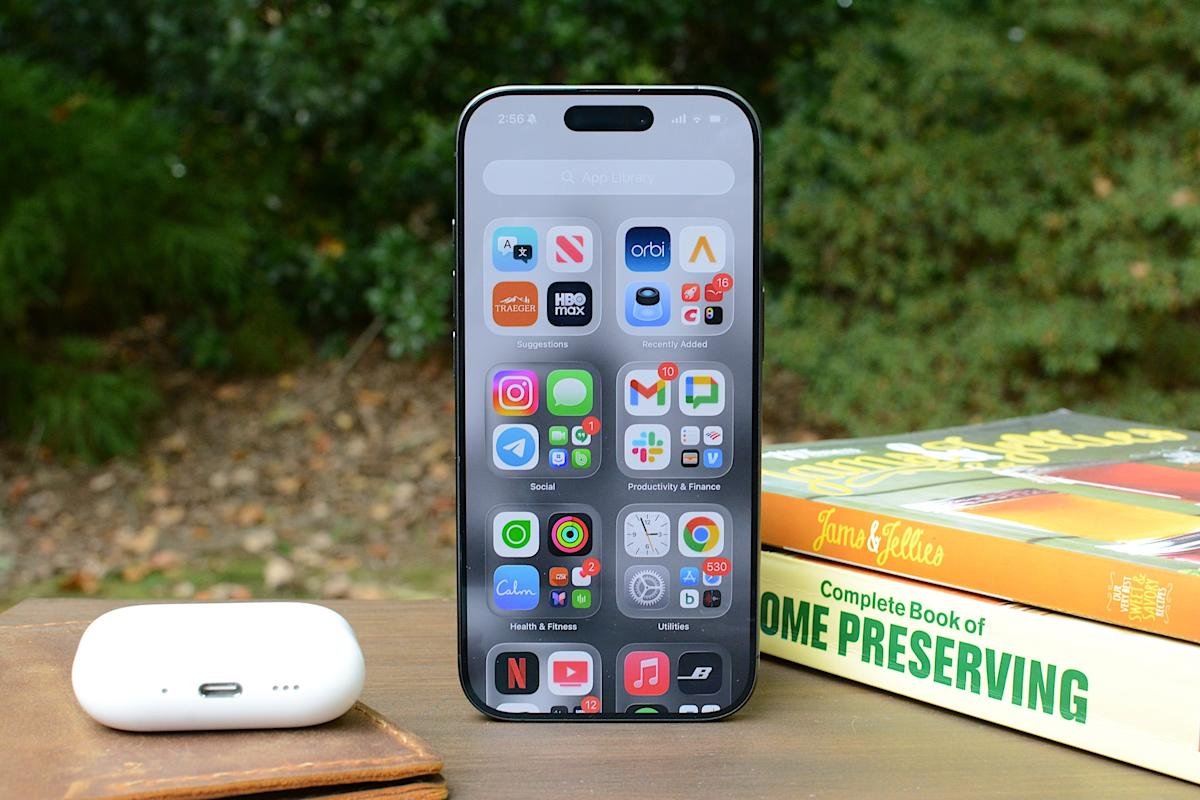
    Apple has taken home screen personalization to another level with iOS 26. This update offers enhanced visual control over app icons, allowing users to create a more tailored experience.

    To start customizing, press and hold an empty area on your home screen. Soon, apps will jiggle, signaling it’s time to edit. Tap “Edit” in the top left corner, then select “Customize” from the menu. A customization panel appears along the bottom of your screen. Changes apply to all pages, streamlining the process.

    One exciting feature is the ability to change icon size. Select the icon that looks like two squares to enable Large App Icons mode. This option makes app labels disappear and enlarges the icons, creating a cleaner look. However, fewer icons fit on each screen. For traditional icons and labels, simply tap the same button again.

    Moreover, iOS 26 offers four icon appearance styles: Default, Dark, Clear, and Tinted. Choosing the Clear option adds transparency, allowing your wallpaper to show through. Tinted mode enables all icons to adopt a uniform color. Use the eyedropper tool to select a specific color from your wallpaper, making your home screen feel cohesive and unique.

    Arranging apps remains straightforward. Touch and hold an empty spot to enter jiggle mode, then drag icons to your preferred positions. You can cluster apps, align them to one side, or create visual flows with your wallpaper. This layout flexibility makes using your phone feel intuitive and personalized.

    Despite these enhancements, some limitations persist. Custom icon packs and freeform placement outside a grid are still absent. Users cannot select per-app icon colors, and options apply globally rather than on a page-by-page basis.

    While Apple maintains a structured approach, iOS 26 delivers significant customization options that transform your device. By utilizing icon resizing, varied appearances, and thoughtful arrangement, you can craft an iPhone home screen that truly reflects your style and enhances usability.

    Expand Your Tech Knowledge

    Learn how the Internet of Things (IoT) is transforming everyday life.

    Explore past and present digital transformations on the Internet Archive.

    GadgetsV1

    android app icons apple cell google home screen iOS mobile VT1
    Share. Facebook Twitter Pinterest LinkedIn Tumblr Email
    Previous ArticleBitcoin’s 50% Drop: A ‘Modest’ Sign of Market Maturity
    Next Article Unlock the Bundle for Just $10 This Month!
    Avatar photo
    Lina Johnson Mercilli
    • Website

    Lina Johnson Marcelli is the editor for IO Tribune, bringing over two decades of experience in journalism to her role. With a BA in Journalism, she is passionate about delivering impactful stories that resonate with readers. Known for her keen editorial vision and leadership, Lina is dedicated to fostering innovative storytelling across the publication. Outside of work, she enjoys exploring new media trends and mentoring aspiring journalists.

    Related Posts

    Tech

    Unlock the Bundle for Just $10 This Month!

    February 14, 2026
    Crypto

    Bitcoin’s 50% Drop: A ‘Modest’ Sign of Market Maturity

    February 14, 2026
    Tech

    Homeland Security Issues Hundreds of Subpoenas Targeting ICE Critics

    February 14, 2026
    Add A Comment

    Comments are closed.

    Must Read

    Unlock the Bundle for Just $10 This Month!

    February 14, 2026

    Transform Your iPhone Home Screen with iOS 26!

    February 14, 2026

    Bitcoin’s 50% Drop: A ‘Modest’ Sign of Market Maturity

    February 14, 2026

    Homeland Security Issues Hundreds of Subpoenas Targeting ICE Critics

    February 14, 2026

    Unraveling Quantum Mysteries: A New Dawn?

    February 14, 2026
    Categories
    • AI
    • Crypto
    • Fashion Tech
    • Gadgets
    • IOT
    • OPED
    • Quantum
    • Science
    • Smart Cities
    • Space
    • Tech
    • Technology
    Most Popular

    Ecosia’s Bold Move: $0 for Chrome Control!

    August 25, 2025

    404: Oops! CryptoPotato Not Found

    December 21, 2025

    Google’s Motion Cues: Now with Customization!

    March 31, 2025
    Our Picks

    iPhone 17e: Exciting Upgrades Without the Price Tag!

    February 9, 2026

    Altcoin Prices Plummet as Binance Cuts Support!

    April 24, 2025

    Celebrating a Legacy: The Visionary Who Expanded Our Universe

    May 17, 2025
    Categories
    • AI
    • Crypto
    • Fashion Tech
    • Gadgets
    • IOT
    • OPED
    • Quantum
    • Science
    • Smart Cities
    • Space
    • Tech
    • Technology
    • Privacy Policy
    • Disclaimer
    • Terms and Conditions
    • About Us
    • Contact us
    Copyright © 2025 Iotribune.comAll Rights Reserved.

    Type above and press Enter to search. Press Esc to cancel.