
Close Menu
    Facebook X (Twitter) Instagram
    Thursday, July 16
    Top Stories:
    • Tesla Driver Overrode FSD in Fatal Texas Crash: Investigators Reveal Accelerator Usage
    • Pioneer of Genetic Innovation: Mary-Dell Chilton, 87, Passes Away
    • Spin Small: The Miniature Record Player Revolution
    Facebook X (Twitter) Instagram Pinterest Vimeo
    IO Tribune
    • Home
    • AI
    • Tech
      • Gadgets
      • Fashion Tech
    • Crypto
    • Smart Cities
      • IOT
    • Science
      • Space
      • Quantum
    • OPED
    IO Tribune
    Home » Create a Custom Take a Message Greeting on Your Pixel
    Gadgets

    Create a Custom Take a Message Greeting on Your Pixel

    Lina Johnson MercilliBy Lina Johnson MercilliApril 12, 2026No Comments3 Mins Read
    Share Facebook Twitter Pinterest LinkedIn Tumblr Reddit Telegram Email
    Share
    Facebook Twitter LinkedIn Pinterest Email

    Quick Takeaways

    1. Take a Message, introduced on Pixel 10 series, now supports custom greetings, enhancing its voicemail-like capabilities.
    2. To set up, users need a compatible Pixel (Pixel 6 or newer), the latest Google Phone beta app, and follow steps in settings or via a prompt.
    3. Creating a greeting involves recording up to one minute, with options to pause, restart, save, and manage multiple greetings easily.
    4. This feature upgrade addresses previous limitations, making Take a Message more personalized and versatile for Pixel users.

    Google’s Pixel phones now let you customize your voicemail greetings with an exciting new feature called Take a Message. Initially introduced on the Pixel 10 series last August, Take a Message acts like a modern voicemail system. It answers missed calls, provides real-time transcriptions, and displays messages conveniently on your Phone app’s Home page. However, up until recently, users could only hear a standard greeting, saying, “The person you have called is not available, please leave a message after the tone,” with no way to personalize it.

    Fortunately, that has changed. Now, Pixel owners can create their own custom greetings, adding a personal touch to missed call messages. To do this, first ensure you have a compatible Pixel device, such as the Pixel 6 or newer, and that your Google Phone app is updated to at least beta version 216 or 217. Beta access is free and easy to join if you haven’t already.

    Once ready, open the Phone app. You should see a pop-up at the top that prompts you to try Take a Message. Tapping “Try it out” will guide you through the setup. If you miss the pop-up, simply tap the three lines in the top-left corner, go to Settings, then select Take a Message, and choose Manage Greetings.

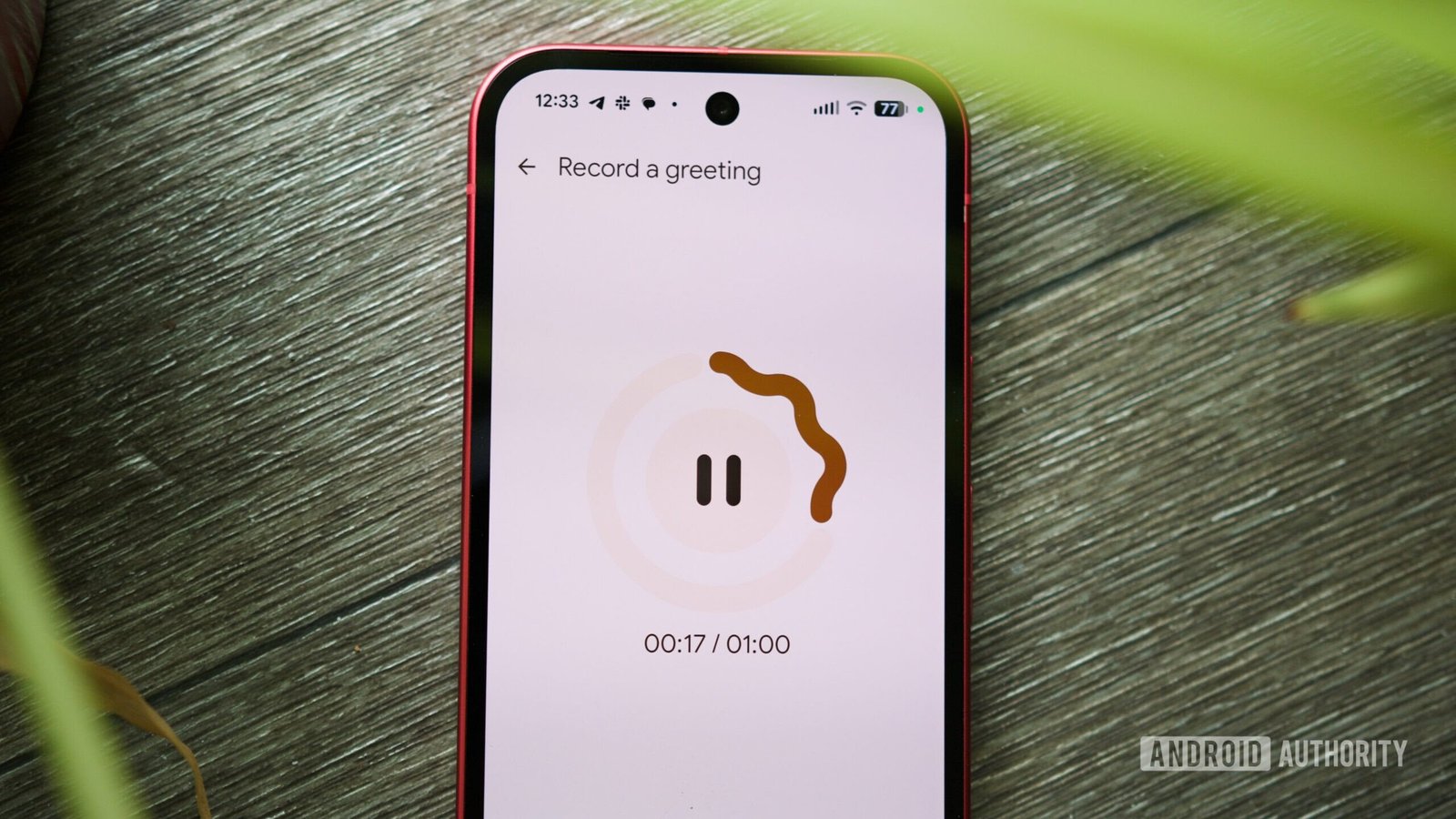
    On the Greetings page, you’ll see the default standard greeting. To record a custom message, tap the microphone button. After a three-second countdown, you can start speaking. You can record up to a minute and pause anytime if needed. When finished, tap Save.

    You can create multiple greetings and switch between them easily. By tapping the three dots next to each greeting, you can set a default, rename, or delete it. This feature enhances your call experience, making it more personalized. It’s a simple update that improves how you communicate with callers, offering more control and clarity.

    Having the ability to craft your own voicemail greetings is just one example of how smartphones are evolving to better serve urban and smart city environments. As cities grow smarter and more connected, such features make everyday communication smoother and more human.

    Expand Your Tech Knowledge

    Dive deeper into the world of Cryptocurrency and its impact on global finance.

    Explore past and present digital transformations on the Internet Archive.

    GadgetsV1

    android apple cell google Google Pixel iOS mobile VT1
    Share. Facebook Twitter Pinterest LinkedIn Tumblr Email
    Previous ArticleSilent Saboteur: How Aggressive Breast Cancer Evades the Immune System
    Next Article Stop Wasting Retries: Fix Your ReAct Agent Now!
    Avatar photo
    Lina Johnson Mercilli
    • Website

    Lina Johnson Marcelli is the editor for IO Tribune, bringing over two decades of experience in journalism to her role. With a BA in Journalism, she is passionate about delivering impactful stories that resonate with readers. Known for her keen editorial vision and leadership, Lina is dedicated to fostering innovative storytelling across the publication. Outside of work, she enjoys exploring new media trends and mentoring aspiring journalists.

    Related Posts

    Tech

    Tesla Driver Overrode FSD in Fatal Texas Crash: Investigators Reveal Accelerator Usage

    July 16, 2026
    AI

    Prepare These 5 Assets Before AI Overloads

    July 16, 2026
    Gadgets

    Sonos Enhances App with Tab Navigation & Speaker Sorting

    July 16, 2026
    Add A Comment

    Comments are closed.

    Must Read

    Tesla Driver Overrode FSD in Fatal Texas Crash: Investigators Reveal Accelerator Usage

    July 16, 2026

    Prepare These 5 Assets Before AI Overloads

    July 16, 2026

    Sonos Enhances App with Tab Navigation & Speaker Sorting

    July 16, 2026

    Pioneer of Genetic Innovation: Mary-Dell Chilton, 87, Passes Away

    July 16, 2026

    Spin Small: The Miniature Record Player Revolution

    July 16, 2026
    Categories
    • AI
    • Crypto
    • Fashion Tech
    • Gadgets
    • IOT
    • OPED
    • Quantum
    • Science
    • Smart Cities
    • Space
    • Tech
    Most Popular

    Zuckerberg on the Hot Seat: Social Media’s Impact on Teens Under Fire

    February 20, 2026

    Powering the Future: Building a Resilient Domestic Battery Supply Chain

    May 20, 2026

    Bridging Worlds: Connecting Earth and Beyond

    November 30, 2025
    Our Picks

    Ripple Secures Major European Regulatory Victory

    July 6, 2026

    Louisiana AG Takes Action Against Roblox

    August 15, 2025

    TikTok: The Rise of a Super App

    May 30, 2026
    Categories
    • AI
    • Crypto
    • Fashion Tech
    • Gadgets
    • IOT
    • OPED
    • Quantum
    • Science
    • Smart Cities
    • Space
    • Tech
    • Privacy Policy
    • Disclaimer
    • Terms and Conditions
    • About Us
    • Contact us
    Copyright © 2025 Iotribune.comAll Rights Reserved.

    Type above and press Enter to search. Press Esc to cancel.