

Top Highlights
- Microsoft is discontinuing Copilot Mode on Edge because its features are now integrated into the browser for both desktop and mobile, enhancing seamless user experience.
- New capabilities include saving projects with Journeys, mobile access to Vision and Voice features for hands-free browsing, and long-term memory for personalized assistance.
- Innovative tools such as Study and Learn mode, a Writing Assistant, and converting tabs into podcasts (in English markets) facilitate productivity and learning.
- Users can customize their Edge experience, choosing which Copilot features to enable or disable, giving control over their browsing assistance.
Curtain Call for Copilot Mode on Edge, but the Features Live On
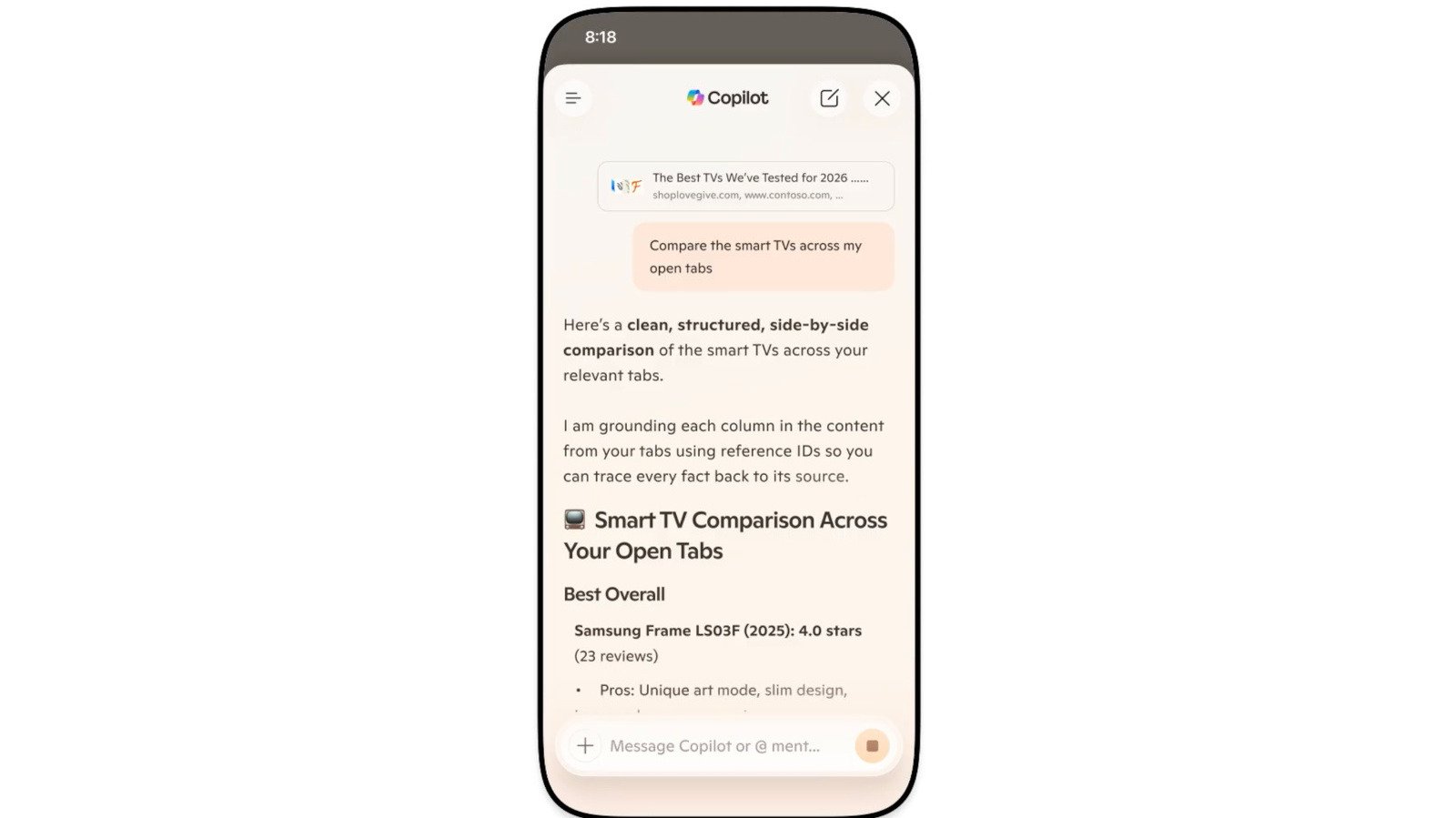
Microsoft has announced that it will retire the dedicated Copilot Mode on the Edge browser. This change comes as many of the features that once required a special mode are now integrated directly into the browser itself. Since July last year, users could activate Copilot to analyze multiple open tabs and get quick summaries. Now, instead of a separate mode, these tools are built into Edge for both desktop and mobile devices.
This update aims to streamline the browsing experience. Users no longer need to switch modes to access AI-powered assistance. Instead, they can ask questions or give commands right within the browser interface. For example, you can compare products or research topics across tabs without extra steps. By embedding these features, Microsoft hopes to make browsing more efficient and user-friendly.
Microsoft also introduced new features alongside the transition. With Journeys, you can save projects like trip plans or shopping lists to revisit later. This feature is now available for mobile users, making it easier to continue what you started on your phone or tablet. Additionally, the Vision and Voice tools enable hands-free browsing. Talking to Copilot and hearing responses bring a more conversational and accessible experience.
Valuable Enhancements for Every User
The upgrade doesn’t stop at convenience. Microsoft has added capabilities that benefit students, professionals, and casual browsers alike. For example, Copilot can access your browsing history if you allow it. This long-term memory feature helps you pick up research you were doing days ago or review social media threads you left off. It creates a more personalized and efficient browsing experience.
Another helpful addition is the Study and Learn mode. Students can turn web references into guided lessons or quizzes simply by asking, “Quiz me on this topic.” The new Writing Assistant helps craft drafts, rewrite content, or change the tone of your writing. These tools turn Edge into more than just a browser—they turn it into a learning and productivity hub.
Microsoft also added a feature that converts open tabs into a podcast, making it easier to consume content hands-free. This option, however, is available only in English-speaking markets. The variety of features shows how Edge is evolving into a versatile tool tailored to different needs.
Users still hold the power to customize their experience. They can disable or enable specific features through the browser settings. This flexibility allows everyone to enjoy the benefits without feeling overwhelmed by unwanted tools.
Balancing Innovation and Individual Choice
The move to retire Copilot Mode signals a shift toward seamless AI integration. Instead of separate modes, AI features are embedded into the core browser experience. This change promises smoother navigation and quicker access to helpful tools. At the same time, it preserves user choice by letting individuals select what they want to use.
Enhancements like long-term memory, personalized Journeys, and voice commands enrich the browsing journey. These features support efficiency and make browsing more interactive and engaging. Meanwhile, tools like the Study and Writing modes show that Edge is becoming more than just a web page viewer — it’s turning into a productivity partner.
On the flip side, some users might miss the simplicity of a dedicated Copilot button. However, the high level of customization minimizes this concern. If certain features aren’t useful, users can turn them off or ignore them altogether.
Microsoft’s strategy seems focused on creating a smarter, more integrated browser experience. By embedding AI tools directly into Edge, the company aims to help users do more—whether researching, learning, or just browsing. Overall, this evolution hints at a future where browsers aren’t just portals but empowered assistants.
Continue Your Tech Journey
Stay informed on the revolutionary breakthroughs in Quantum Computing research.
Discover archived knowledge and digital history on the Internet Archive.
CellphonesV1
