

Essential Insights
- The 2026 Kindle Paperwhite Signature Edition earns 8.6/10, pairing a crisp, high-contrast display with fast performance and an auto-adjusting light.
- Its aluminum back, color-matched design and relocated power button add polish, while the core reading experience remains familiar.
- Amazon replaces wireless charging with pogo-pin accessories, but the optional page-turn cover and charging stand add extra cost.
- At $250—$50 more than its predecessor at launch—the Signature Edition is a splurge; most readers can get the essentials from the $200 Paperwhite.
Kindle Paperwhite Signature Edition (2026) Review: Updated in All the Right Places
The Kindle Paperwhite Signature Edition has a strong formula: a sharp screen, a comfortable reading experience and access to Amazon’s vast book library. For 2026, Amazon adds a few thoughtful refinements without changing what makes the Paperwhite appealing. The result feels polished and responsive. Yet at $250, it also raises a fair question: Do the upgrades justify spending $50 more than the previous model’s launch price?
A More Refined Design, With One Notable Trade-Off
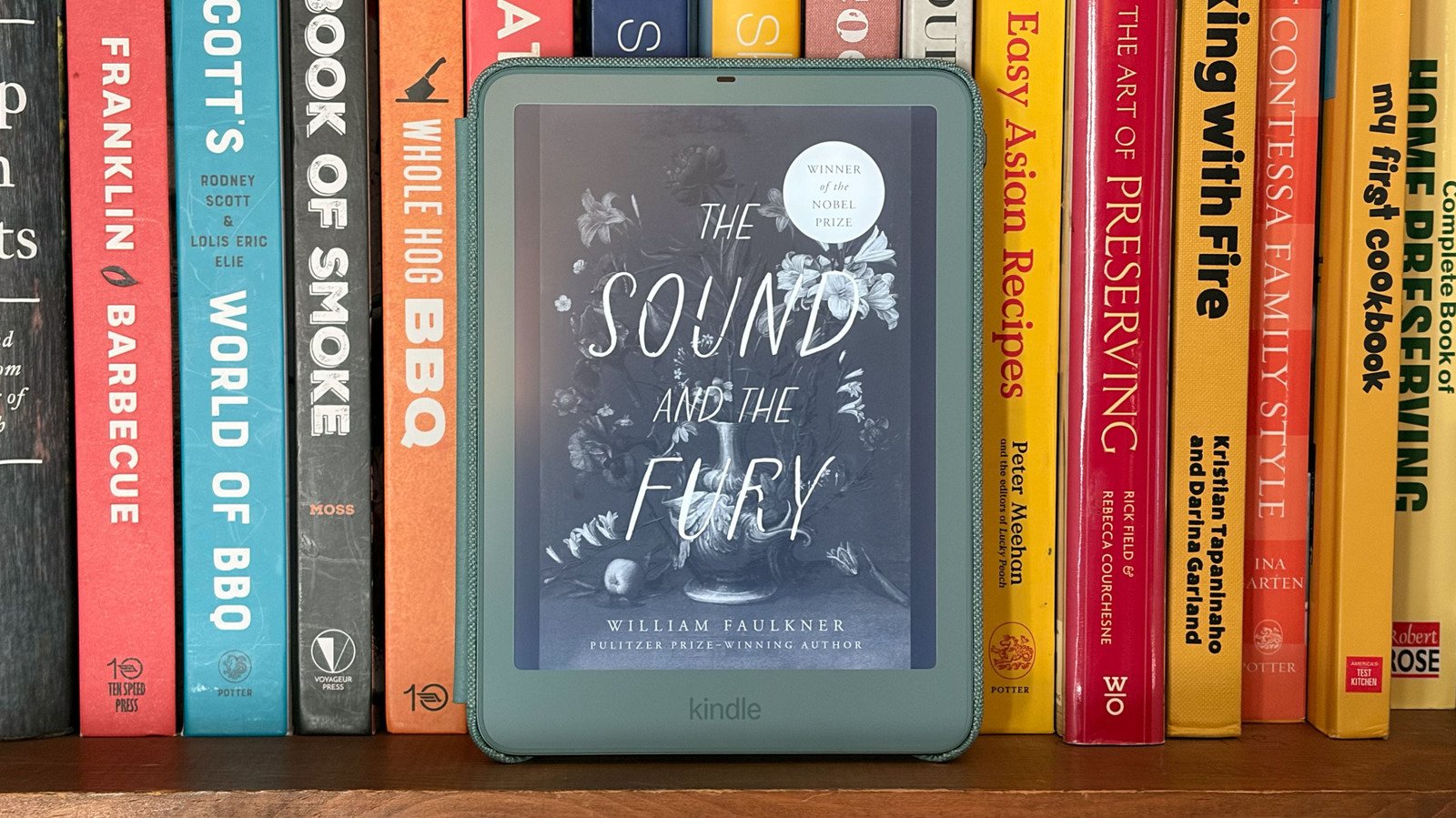
Amazon keeps the Paperwhite’s familiar shape but gives the Signature Edition an aluminum back. The Seaglass Green model also matches its front bezel to its back, creating a more cohesive look than earlier color options. It feels like a considered update, rather than a redesign for its own sake.
The 2026 model measures 1 millimeter thinner than its predecessor. That difference barely registers in everyday use. More noticeable is the power button’s new home on the top-right edge. It feels natural, especially if you’re used to reaching for the power button on a phone. The USB-C port remains along the bottom edge.
The device keeps its 32GB of storage and IPX8 water-resistance rating. That makes it a reassuring companion at the pool or beach, though readers should still follow Amazon’s guidance for water exposure. The design also introduces four pogo pins on the back. They connect the Kindle to new accessories, including an $80 Page Turn Cover with physical buttons and a $60 charging stand. Amazon hasn’t announced a shipping date for the stand.
However, those pins come with a trade-off. The 2024 Signature Edition supported standard wireless charging. The new model drops that feature in favor of accessory connections through the pogo pins. The change may suit readers who want page-turn buttons, but it feels like a step backward for anyone who liked charging without a cable or special cover.
A Comfortable Reading Experience, Refined at the Margins
The Paperwhite’s screen remains its strongest feature. It offers a 300-pixel-per-inch resolution, crisp text and a high-contrast display. Amazon says the 2026 model’s updated display technology creates deeper blacks and sharper letters than the previous version. In everyday reading, though, those differences can be hard to spot. The text looks clear, but owners of a recent Paperwhite may not see a dramatic leap in sharpness.
There is a subtle change in the screen’s overall glow. The new model looks slightly warmer, even with the warmth setting at zero. Readers who enjoy a softer display may welcome that touch. Others can adjust the warmth and brightness to suit their preferences.
An ambient light sensor automatically adjusts the front light as conditions change. It can brighten the screen outdoors and dim it at night. You can also turn off the automatic setting and control the light yourself. That flexibility helps the Paperwhite work in different settings without demanding much attention.
Amazon adds double-tap page turns, too. Tap twice on the right side to move forward or twice on the left to go back. The usual single taps still work, so there’s no need to change familiar habits. An accelerometer can rotate the screen automatically, although readers who prefer a fixed orientation can lock it.
Performance feels quick. The Signature Edition downloads books and searches slightly faster than its 2024 counterpart. Both models wake quickly, which matters more during a reading session than a small improvement in menu speed. Amazon promises up to 12 weeks of battery life, but a two-week test can’t confirm that claim. Past Kindles have held a charge well during long stretches between reads, which gives the estimate some context.
The Paperwhite also benefits from Amazon’s large Kindle library and its optional Kindle Unlimited subscription. At $12 per month, the service includes access to millions of books, magazines and comics. That convenience gives Amazon a clear advantage for readers already invested in its store.
Strong Value, but Not a Must-Have Upgrade
The Signature Edition earns an 8.6 out of 10. Its design looks more premium, its display remains excellent and its performance feels speedy. The auto-adjusting front light adds genuine convenience. Together, these improvements make the device a satisfying everyday reader.
Still, the Signature Edition’s extras won’t matter equally to everyone. The pogo-pin accessories add options, but the Page Turn Cover costs $80, and the charging stand costs $60. Meanwhile, the model gives up the wireless charging that its predecessor offered. Double-tap page turns and automatic rotation may appeal to some readers, but neither feels essential.
Amazon also sells a standard Paperwhite for $200. It keeps the high-contrast screen, the feature that matters most to many readers. If you don’t need 32GB of storage or want the new accessories, that model offers the more practical value.
Readers who want alternatives can look beyond Amazon, too. The Android-based Boox Go 6 (Gen II) supports more reading apps, a microSD card and a stylus. However, it lacks water resistance and offers shorter battery life. The Kobo Clara Colour brings a color screen, a quick processor and access to local libraries. Its screen looks less sharp and bright, and its library may feel more limited than Amazon’s.
Ultimately, the 2026 Paperwhite Signature Edition improves an already dependable reader in sensible ways. The aluminum back, matched colors and automatic lighting make it feel more polished. Yet those refinements don’t transform the experience. For current Paperwhite owners, the upgrade looks like a luxury. For new buyers who value the premium finish and accessory support, it may be worth the extra cost.
Discover More Technology Insights
Explore the future of technology with our detailed insights on Artificial Intelligence.
Stay inspired by the vast knowledge available on Wikipedia.
CellphonesV1
