
Close Menu
    Facebook X (Twitter) Instagram
    Monday, August 17
    Top Stories:
    • 24 Hours with AI Agent: Surprising Successes and Failures
    • 4 Surprising Supplements That Could Be Draining Your Libido
    • SMIC Boosts Capacity Amid Surging AI Chip Demand Growth
    Facebook X (Twitter) Instagram Pinterest Vimeo
    IO Tribune
    • Home
    • AI
    • Tech
      • Gadgets
      • Fashion Tech
    • Crypto
    • Smart Cities
      • IOT
    • Science
      • Space
      • Quantum
    • OPED
    IO Tribune
    Home » Decode the USB Trident Symbol: Identify Your Port Type Instantly
    Tech

    Decode the USB Trident Symbol: Identify Your Port Type Instantly

    Lina Johnson MercilliBy Lina Johnson MercilliAugust 15, 2026No Comments3 Mins Read
    Share Facebook Twitter Pinterest LinkedIn Tumblr Reddit Telegram Email
    Share
    Facebook Twitter LinkedIn Pinterest Email

    Essential Insights

    1. USB standards vary; icons and colors help identify speed and functionality.
    2. USB 2.0 is slow, while newer USB 3 and USB4 offer faster data transfer rates.
    3. USB-C and USB4 provide high speeds and support video, power, and data.
    4. Recognize symbols like Thunderbolt and Power Delivery for device capabilities.

    The Meaning Behind the USB Trident Symbol

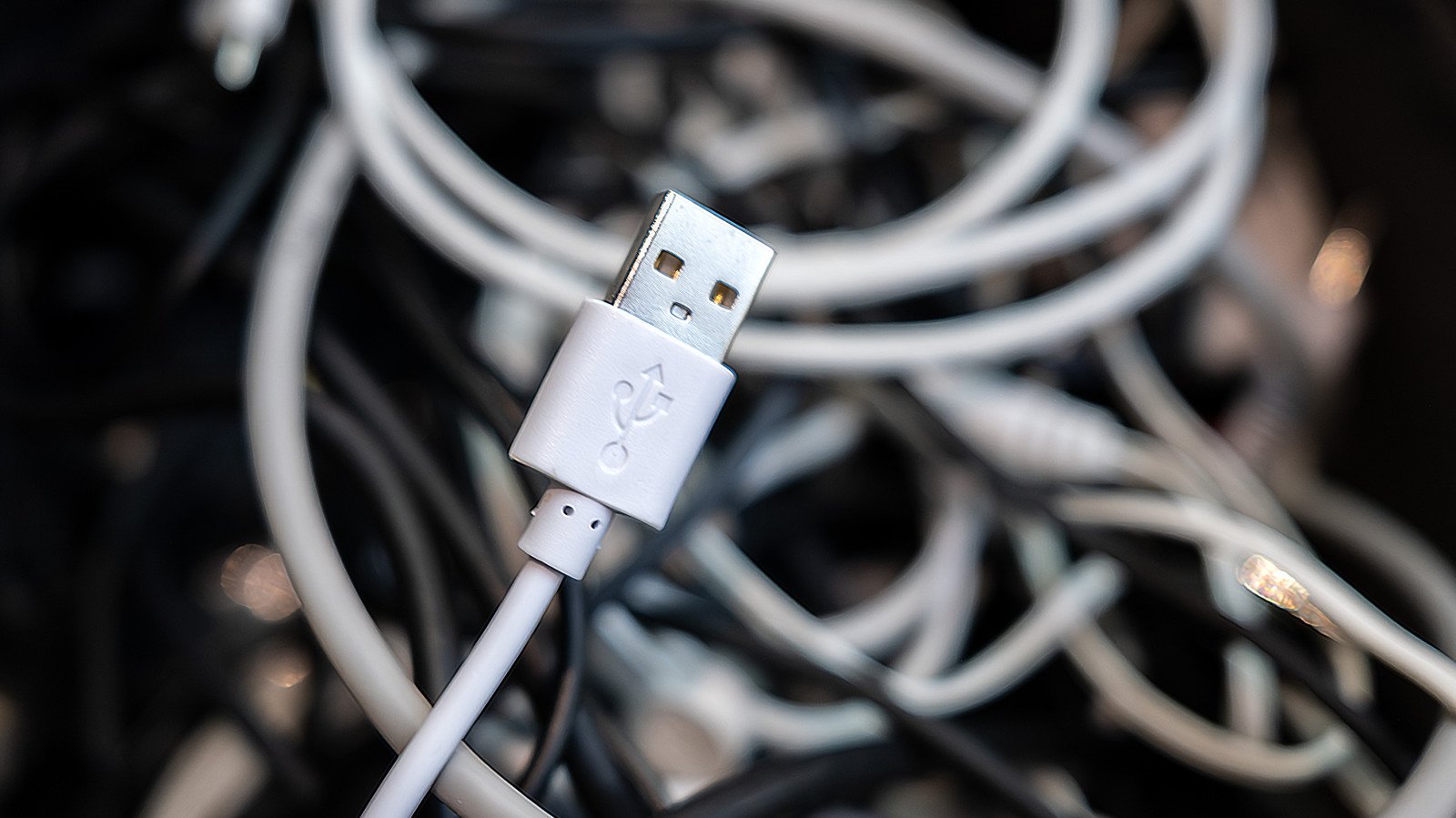
    The USB trident logo has been around since the late 1990s. It mainly indicates the type of USB port or cable you are dealing with. When you see the trident alone, it usually shows you are looking at a USB 2.0 connection. This older version offers data speeds up to 480 Mbps, enough for simple devices like keyboards and mice. However, it tends to be slow by today’s standards.

    As newer USB standards arrived, the trident symbol evolved. USB 3.0 introduced faster speeds at 5 Gbps, and the logo added “SS” to mark “SuperSpeed.” Later versions, like USB 3.1 and USB 3.2, kept the same logo style but with additional labels like “SS+” or “20Gbps” to show increased speed. The latest USB4 standard sometimes displays the trident along with a “20” or “40,” indicating 20 or 40 Gbps. These icons help users quickly identify the port’s capabilities at a glance.

    How to Identify Your USB Port and Its Capabilities

    Besides the trident symbol, colors and other icons can tell you more about your USB port. Most USB 2.0 ports are black or white. USB 3 ports usually feature a blue color, signifying faster data transfer speeds. Ports with red or purple colors often provide more power, even when your computer is off. These color codes can give clues but are not foolproof since manufacturers sometimes differ.

    To get a better idea, look for additional symbols on the port. For example, a lightning bolt with an arrow shows Thunderbolt compatibility, which supports high-speed data, video output, and power delivery. A battery icon indicates support for Power Delivery, which charges devices efficiently. DisplayPort logos mean the port can handle video output in higher resolutions.

    Understanding these symbols, colors, and labels helps you choose the right cable and port for your needs. With this knowledge, you can ensure faster data transfers and better device performance. Always check the specifications and manuals if you’re unsure about what your USB port supports.

    Stay Ahead with the Latest Tech Trends

    Learn how the Internet of Things (IoT) is transforming everyday life.

    Discover archived knowledge and digital history on the Internet Archive.

    TechV1

    Innovation Management Tech technology VT1
    Share. Facebook Twitter Pinterest LinkedIn Tumblr Email
    Previous ArticleGlobal friendships boost health and well-being worldwide
    Next Article Expanding Math Frontiers Through Human-Machine Collaboration
    Avatar photo
    Lina Johnson Mercilli
    • Website

    Lina Johnson Marcelli is the editor for IO Tribune, bringing over two decades of experience in journalism to her role. With a BA in Journalism, she is passionate about delivering impactful stories that resonate with readers. Known for her keen editorial vision and leadership, Lina is dedicated to fostering innovative storytelling across the publication. Outside of work, she enjoys exploring new media trends and mentoring aspiring journalists.

    Related Posts

    AI

    Robot best friend dies—kids’ heartbreaking loss

    August 17, 2026
    Space

    Unlock the Darkness: Watch ‘Lanterns’ — HBO’s Gritty Green Lantern Saga

    August 17, 2026
    Quantum

    Half-Century Search Unveils Strongest Glueball Evidence

    August 17, 2026
    Add A Comment

    Comments are closed.

    Must Read

    Robot best friend dies—kids’ heartbreaking loss

    August 17, 2026

    Unlock the Darkness: Watch ‘Lanterns’ — HBO’s Gritty Green Lantern Saga

    August 17, 2026

    Half-Century Search Unveils Strongest Glueball Evidence

    August 17, 2026

    SolidRun and Leopard Imaging Accelerate Edge AI Vision

    August 17, 2026

    Optimizing Vertiport Placement with Geospatial AI

    August 17, 2026
    Categories
    • AI
    • Crypto
    • Fashion Tech
    • Gadgets
    • IOT
    • OPED
    • Quantum
    • Science
    • Smart Cities
    • Space
    • Tech
    Most Popular

    Mars Moves: Unveiling New Skills After Two Decades in Space!

    June 30, 2025

    The Ultimate Guide to Choosing the Best Phone Case for Wireless Charging

    August 7, 2026

    Grab the DualSense Edge Wireless Controller at Unbeatable Low Price!

    May 31, 2025
    Our Picks

    Snag the 8Bitdo Ultimate Controller for Just $40 This Black Friday!

    November 24, 2025

    VW Execs Convicted: A Turning Point for Europe’s Auto Industry

    May 26, 2025

    Supreme Court: Google’s Final Stand Against Epic Reckoning

    September 15, 2025
    Categories
    • AI
    • Crypto
    • Fashion Tech
    • Gadgets
    • IOT
    • OPED
    • Quantum
    • Science
    • Smart Cities
    • Space
    • Tech
    • Privacy Policy
    • Disclaimer
    • Terms and Conditions
    • About Us
    • Contact us
    Copyright © 2025 Iotribune.comAll Rights Reserved.

    Type above and press Enter to search. Press Esc to cancel.