
Close Menu
    Facebook X (Twitter) Instagram
    Saturday, February 14
    Top Stories:
    • Rewriting Immunity: How Life Experiences Shape Our Immune System
    • Diesel’s Wired Earphones: Denim-Inspired Style for Your Sound
    • 4chan Founder: Epstein Wasn’t Involved in /pol/ Origins
    Facebook X (Twitter) Instagram Pinterest Vimeo
    IO Tribune
    • Home
    • AI
    • Tech
      • Gadgets
      • Fashion Tech
    • Crypto
    • Smart Cities
      • IOT
    • Science
      • Space
      • Quantum
    • OPED
    IO Tribune
    Home » Gboard’s New Cursor Mode: Transform Your Keyboard into a Trackpad!
    Gadgets

    Gboard’s New Cursor Mode: Transform Your Keyboard into a Trackpad!

    Lina Johnson MercilliBy Lina Johnson MercilliFebruary 14, 2026No Comments2 Mins Read
    Share Facebook Twitter Pinterest LinkedIn Tumblr Reddit Telegram Email
    Share
    Facebook Twitter LinkedIn Pinterest Email

    Top Highlights

    1. Introducing Cursor Mode: Google is potentially adding a cursor mode to Gboard, improving cursor movement and scrolling capabilities beyond the existing glide cursor control.

    2. Virtual Trackpad Feature: Users will activate a virtual trackpad by holding the space bar, allowing unrestricted cursor movement in any direction, enhancing text navigation.

    3. User-Friendly Solution: This new feature addresses current limitations of the glide cursor control, which only supports left-to-right movement, making it difficult to navigate large text blocks efficiently.

    4. Uncertain Release Timeline: While the functionality has been discovered in a beta version, it is unclear when or if the new cursor mode will officially launch, and its impact on existing features remains unknown.

    Gboard’s Upcoming Cursor Mode: A Game Changer for Android Users

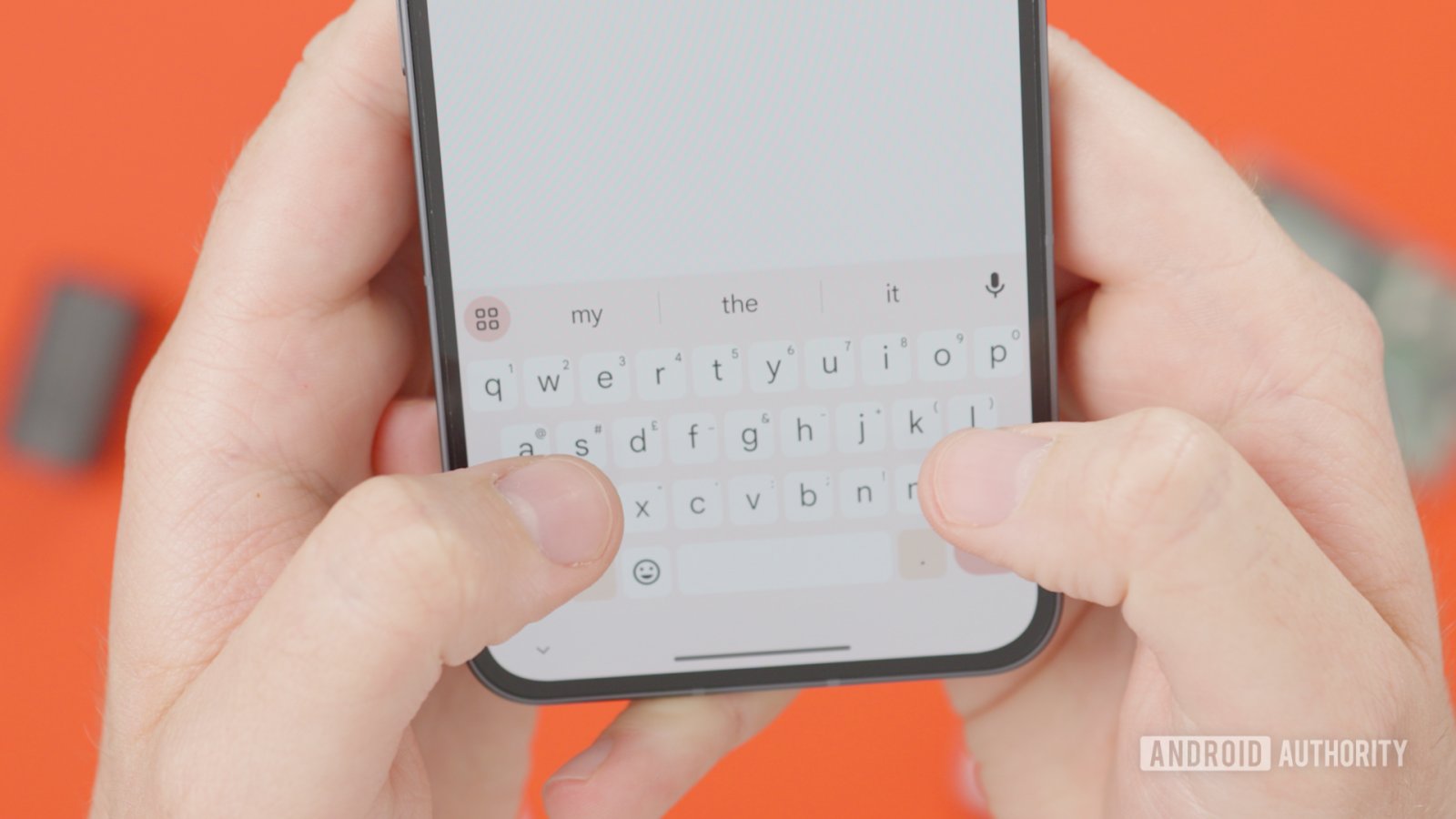
    Google’s Gboard may soon enhance its functionality with a new cursor mode that turns your keyboard into a virtual trackpad. Currently, Gboard offers glide cursor control, but users struggle with line and paragraph adjustments. The new feature aims to streamline cursor movement significantly.

    By holding down the space bar, users will activate a virtual touch area that replaces the digital keys. This feature allows for unrestricted cursor movement in any direction. Unlike the current system, which primarily supports left and right swipes, users can drag the cursor freely across the screen, simplifying navigation.

    Furthermore, this update addresses a common frustration: scrolling through large blocks of text. The impending cursor mode will help users move efficiently, especially on larger phones or foldables where screen reach can be challenging.

    As of now, it remains unclear whether this new functionality will replace the existing glide feature or simply act as an enhancement. The anticipated release date is also unknown. However, the cursor mode promises to eliminate current limitations, offering a more user-friendly typing experience.

    Overall, this potential update reflects Google’s commitment to improving user experience on Android devices. It showcases how thoughtful innovations can make everyday tasks like text editing easier and more efficient. Stay tuned for more updates on this exciting development.

    Continue Your Tech Journey

    Stay informed on the revolutionary breakthroughs in Quantum Computing research.

    Discover archived knowledge and digital history on the Internet Archive.

    GadgetsV1

    android apple Authority Insights cell Gboard google iOS mobile VT1
    Share. Facebook Twitter Pinterest LinkedIn Tumblr Email
    Previous ArticleYangtze River Revival: A Bold Ban Breathe New Life
    Next Article Moonbound: Spacesuit Readies for a New Frontier
    Avatar photo
    Lina Johnson Mercilli
    • Website

    Lina Johnson Marcelli is the editor for IO Tribune, bringing over two decades of experience in journalism to her role. With a BA in Journalism, she is passionate about delivering impactful stories that resonate with readers. Known for her keen editorial vision and leadership, Lina is dedicated to fostering innovative storytelling across the publication. Outside of work, she enjoys exploring new media trends and mentoring aspiring journalists.

    Related Posts

    Space

    Moonbound: Spacesuit Readies for a New Frontier

    February 14, 2026
    Science

    Yangtze River Revival: A Bold Ban Breathe New Life

    February 14, 2026
    Tech

    Rewriting Immunity: How Life Experiences Shape Our Immune System

    February 14, 2026
    Add A Comment

    Comments are closed.

    Must Read

    Moonbound: Spacesuit Readies for a New Frontier

    February 14, 2026

    Gboard’s New Cursor Mode: Transform Your Keyboard into a Trackpad!

    February 14, 2026

    Yangtze River Revival: A Bold Ban Breathe New Life

    February 14, 2026

    Rewriting Immunity: How Life Experiences Shape Our Immune System

    February 14, 2026

    ASUS IoT Unveils PE1000U: Rugged Fanless DIN-Rail Industrial PC

    February 14, 2026
    Categories
    • AI
    • Crypto
    • Fashion Tech
    • Gadgets
    • IOT
    • OPED
    • Quantum
    • Science
    • Smart Cities
    • Space
    • Tech
    • Technology
    Most Popular

    Top Internet Providers in Eugene

    June 1, 2025

    Apple’s AirPods: Transforming into an Always-On Wearable

    September 11, 2025

    MIT Physicists Enhance Atomic Clock Precision

    October 10, 2025
    Our Picks

    New Discoveries Await: Perseverance Unveils Mars’ Secrets!

    September 9, 2025

    Android 16 Boosts Updates with New Release Schedule!

    December 2, 2025

    $1.73B Lost in Crypto Funds!

    January 28, 2026
    Categories
    • AI
    • Crypto
    • Fashion Tech
    • Gadgets
    • IOT
    • OPED
    • Quantum
    • Science
    • Smart Cities
    • Space
    • Tech
    • Technology
    • Privacy Policy
    • Disclaimer
    • Terms and Conditions
    • About Us
    • Contact us
    Copyright © 2025 Iotribune.comAll Rights Reserved.

    Type above and press Enter to search. Press Esc to cancel.