

Summary Points
Key Points TLDR:
- Anthropic’s Claude chatbot now features an enhanced voice mode that works with more powerful models and connects to third-party apps, offering a more natural conversational experience.
- Voice mode is accessible across mobile, desktop, and web platforms, with a turn-based architecture that may sometimes misinterpret pauses, recommending asking multi-part questions.
- Users can select different models (Haiku, Sonnet, Opus) and customize Claude’s voice, language, and speech speed via settings, with over 14 supported languages.
- Free users can access voice mode (limited to Haiku and Sonnet models), while advanced features like the Opus model and unlimited connections require a paid subscription.
Getting Started With Claude’s Voice Mode
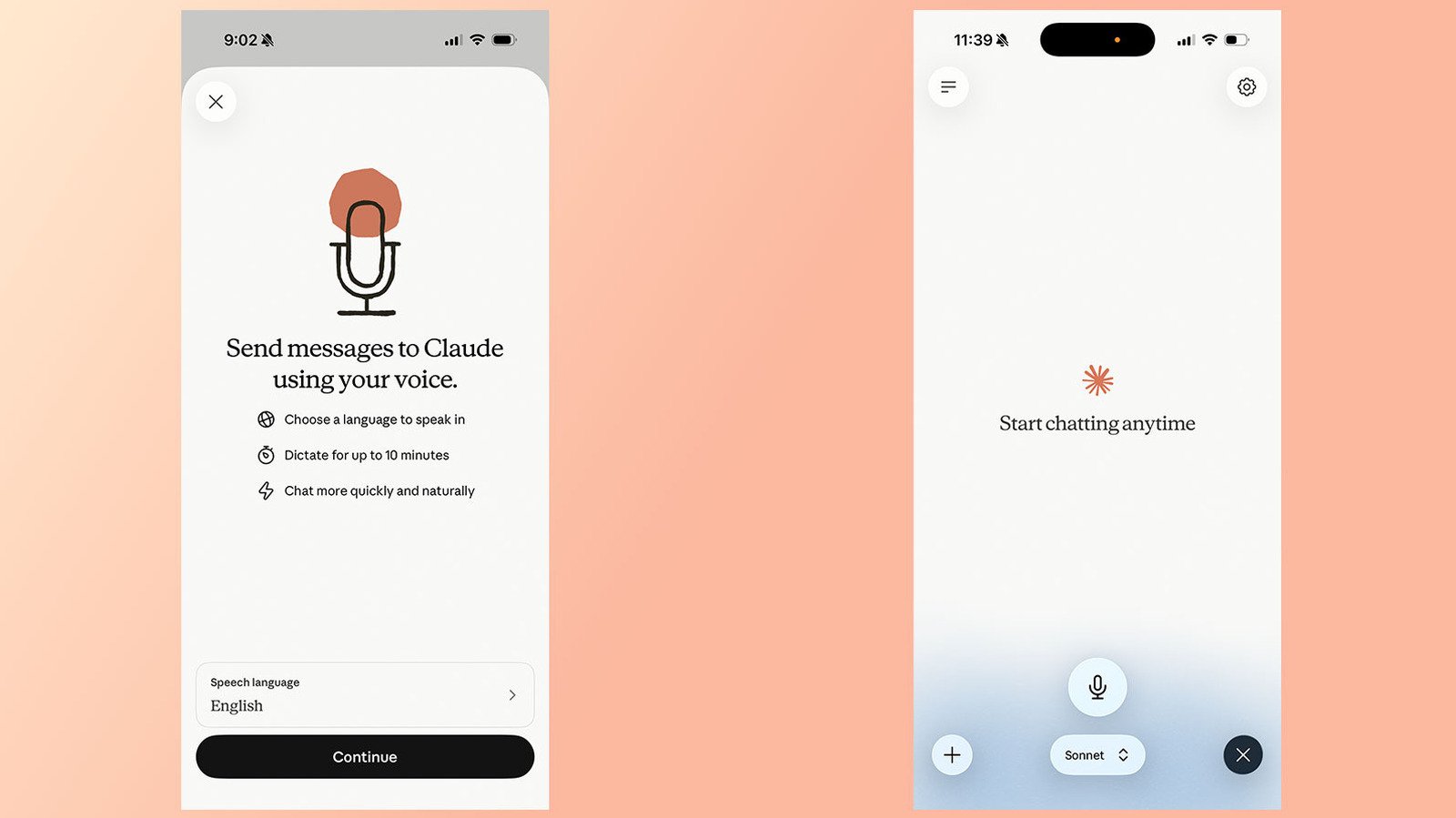
Using Claude’s voice mode is straightforward. First, open the Claude app on your mobile device, either Android or iOS. Next, look for the black waveform icon located in the lower right corner. Unlike the microphone icon, this is the button to activate voice mode. Tap it to begin. If prompted, grant the app permission to access your device’s microphone. Once you start speaking, Claude listens carefully. When you finish your prompt, Claude will generate a response. To keep speaking, tap “Stop” when you’re done. The voice mode stays active until you decide to turn it off, giving you a seamless experience.
This feature is available not only on mobile apps but also on desktop and web versions. However, most users find the mobile version works best. You can connect Claude to apps like Gmail, Calendar, or Slack. This allows you to ask Claude to check your emails or schedule your day. Think of voice mode as a faster, more natural way to interact with your digital assistant. Plus, it’s designed to give a more human-like response, making conversations flow smoothly.
One key detail to remember is that Claude’s voice mode uses a turn-based system. This means Claude listens to your entire prompt before replying. Unlike some systems, it doesn’t process speech and respond at the same time. Therefore, avoid speaking in long, continuous sentences or multiple questions at once. Instead, ask one thing at a time for the clearest communication. This approach helps prevent misunderstandings and keeps your interactions efficient.
Choosing and Customizing Claude’s Voice and Language
Claude supports 14 different languages, including English, Chinese, French, German, Hindi, Italian, Japanese, Korean, Portuguese, Russian, Spanish, Turkish, and Ukrainian. When you set up voice mode, you can choose from various voices, especially in English. For instance, you can pick “Buttery,” “Airy,” “Mellow,” “Glassy,” or “Rounded.” These options let you tailor Claude’s tone to match your preferences. Additionally, you can adjust how fast Claude speaks — Slow, Normal, or Fast. This customization makes interactions feel more natural and comfortable.
Changing the language or voice is simple. Go to the app’s Settings menu, find the Voice section, and tap it. From there, you can listen to previews of each voice. If you want to speak in a different language, select it from the list. Remember, Claude cannot switch languages mid-sentence. If you plan to change languages, do so before starting your prompt or mention your intent aloud. This ensures Claude understands your language preference clearly. The availability of dialects or accents varies by language, offering some variety but within limitations.
Voice customization also includes deciding how you record prompts. Anthropic offers two options: Hands free or Push to talk. Hands free is ideal for quiet environments, allowing you to speak naturally without pressing any buttons. Push to talk requires you to hold a button while speaking, giving you more control over when Claude listens. These options enhance the user experience, accommodating different situations and preferences.
Benefits, Limitations, and Account Requirements
You don’t need a paid subscription to try Claude’s voice mode. Free users can access basic features on mobile and web platforms, mainly with the Haiku or Sonnet models. Sonnet provides sufficient intelligence for most everyday tasks, like setting reminders or summarizing emails. However, if you want to unlock Claude’s more powerful models—like Opus—then a subscription becomes necessary. The Opus model handles complex questions better but is reserved for paid accounts.
It’s important to note that voice mode conversations count against your usage limits. If you use it frequently, be mindful of your quota. Additionally, free accounts are limited to a single connection at a time, though you can access all supported languages. For heavy users or those needing advanced features, upgrading to a paid plan offers more flexibility and access to Claude’s best models.
Finally, voice mode offers enhanced interaction but still has some limitations. For example, Claude cannot detect language switches within a single sentence. Therefore, being explicit about your language change helps avoid misunderstandings. Despite this minor restriction, the feature’s ease of use, customization options, and multi-language support make it a valuable tool for anyone looking to engage more naturally with AI. As voice technology continues to evolve, Claude’s voice mode represents a significant step toward more intuitive and connected AI conversations.
Expand Your Tech Knowledge
Dive deeper into the world of Cryptocurrency and its impact on global finance.
Discover archived knowledge and digital history on the Internet Archive.
CellphonesV1
