

Top Highlights
- Old iPads and Android tablets can become virtual Stream Decks, giving aging devices a useful new role.
- Setup takes about five minutes: install the apps on the computer and tablet, then pair them; both devices generally need the same Wi-Fi network.
- The free app offers six buttons for essentials like muting a microphone or starting a stream; Pro expands the layout to 64 buttons.
- Streamers can control apps and smart-home gear, including OBS, Twitch, YouTube, Spotify, Philips Hue, Nanoleaf and Govee.
Give an aging tablet a new role on your desk
An old tablet may no longer feel fast enough for everyday browsing. Yet it can still make a useful control panel for your livestream. Instead of buying a dedicated Stream Deck, you can turn an iPad or Android tablet into a touch-based version.
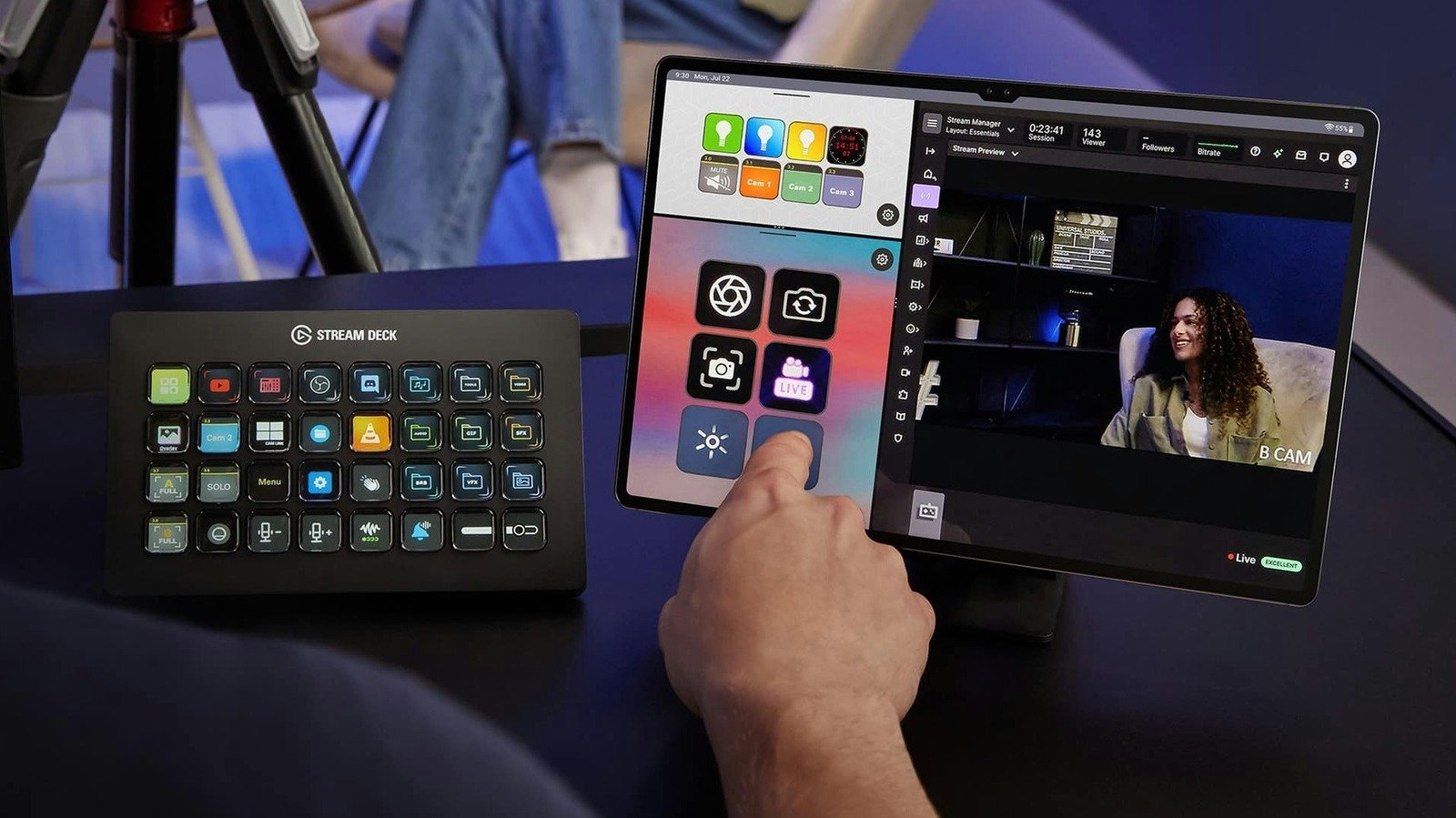
A Stream Deck lets you press programmable buttons to trigger actions on a computer. You might start a stream, mute a microphone, switch camera views or open an app. Elgato’s Stream Deck Mobile app brings those controls to a tablet, where you can arrange buttons on the screen.
The app supports iPadOS 15 and later, as well as Android 9 and later. Most tablets from the past few years should meet those requirements. Your computer needs Windows 10 or later, or macOS 10.15 or later.
This setup suits new streamers who want to test a more organized workflow without buying another device. It also gives experienced creators a flexible control surface. Still, a tablet screen does not offer the same physical feel as dedicated buttons. If you rely on touch and visual cues, though, it can be a smart way to reuse gear you already own.
Pair the tablet and build your control panel
Start by installing the Stream Deck app on your computer and tablet. Open the desktop app, choose the device menu in the top-left corner, then select “Add Mobile Device.” The app will display a QR code. Scan it with Stream Deck Mobile on your tablet to pair the devices. Setup usually takes about five minutes.
For Wi-Fi pairing, keep the tablet and computer on the same local network. A mobile data connection, such as 4G or 5G, will not work. If the devices cannot connect, check whether your firewall or antivirus software blocks the app. On Windows, changing the network profile from Public to Private may also help.
Mac and iPad users have another option: USB pairing. A cable can simplify setup and provide a steadier connection with less delay. That can matter when you need a button press to trigger an action at just the right moment.
Once the devices connect, drag actions from the desktop app’s action panel onto the tablet’s on-screen keys. Elgato offers plugins for tools and services such as OBS Studio, Twitch, YouTube and Spotify. You can also add controls for smart lights from Philips Hue, Nanoleaf and Govee.
Think about the actions you use most. Put essential controls, such as mute and scene changes, where you can reach them quickly. Then add less urgent options, like music controls or lighting changes. A clear layout helps you avoid hunting through menus while speaking to viewers.
Choose the right feature set and keep it ready
The free version gives you up to six buttons, with no trial period. Six controls can cover basic needs, including starting a livestream and muting a microphone. For a new creator, that may be enough to see whether a control panel improves the experience.
However, six buttons can leave much of a tablet’s screen unused. Stream Deck Mobile Pro raises the limit to 64 buttons and adds grid options and custom backgrounds. On an iPad, Split View can show two keypads side by side. The subscription costs $2.99 per month or $24.99 per year. Elgato also offers a $49.99 lifetime license.
The paid plan makes the most sense for regular streamers who need more shortcuts or want a more tailored layout. Occasional creators may prefer the free tier. Compare the cost with how often you stream and how many controls you actually use. A large grid looks impressive, but a compact set of reliable buttons may serve you better.
Finally, place the tablet on an inexpensive stand so you can see it without looking away from your audience for long. Keep it plugged in during a stream. Also prevent the screen from going dark: On an iPad, go to Settings, then Display & Brightness, and set Auto-Lock to “Never.” Android tablets offer a similar setting under display options.
With a stable connection, a thoughtful button layout and a charger nearby, an older tablet can become a practical part of your streaming setup. You save money, reduce drawer clutter and gain quick access to the controls that keep a broadcast moving.
Discover More Technology Insights
Learn how the Internet of Things (IoT) is transforming everyday life.
Access comprehensive resources on technology by visiting Wikipedia.
CellphonesV1
