
Close Menu
    Facebook X (Twitter) Instagram
    Friday, April 17
    Top Stories:
    • Confessions: Helvetica Hits the Club
    • Success Redefined: Warren Buffett’s Love-Driven Philosophy
    • Sustainability: Accelerating Maturity
    Facebook X (Twitter) Instagram Pinterest Vimeo
    IO Tribune
    • Home
    • AI
    • Tech
      • Gadgets
      • Fashion Tech
    • Crypto
    • Smart Cities
      • IOT
    • Science
      • Space
      • Quantum
    • OPED
    IO Tribune
    Home » Unlock Your Pixel: Activate the Linux Terminal Now!
    Gadgets

    Unlock Your Pixel: Activate the Linux Terminal Now!

    Lina Johnson MercilliBy Lina Johnson MercilliMay 20, 2025No Comments3 Mins Read
    Share Facebook Twitter Pinterest LinkedIn Tumblr Reddit Telegram Email
    Share
    Facebook Twitter LinkedIn Pinterest Email

    Quick Takeaways

    1. New Feature Alert: The Linux Terminal app has been added to Google Pixels with the March 2025 update, providing users access to a Debian environment directly on their phones.

    2. Developer Tool: Designed as a developer tool, the app allows users to execute common Linux commands and manage files, but it’s not available for all users immediately and requires Android 15 or newer.

    3. Installation Process: To activate the Linux Terminal, users must enable Developer options and toggle the Linux environment option within settings, followed by downloading a 565MB app.

    4. Bugs and Limitations: While promising, the app is still experimental and buggy, with issues like notification prompts and internet connectivity, making it a learning tool rather than a fully polished feature.

    Activate the Linux Terminal on Your Pixel—Here’s Why You Should

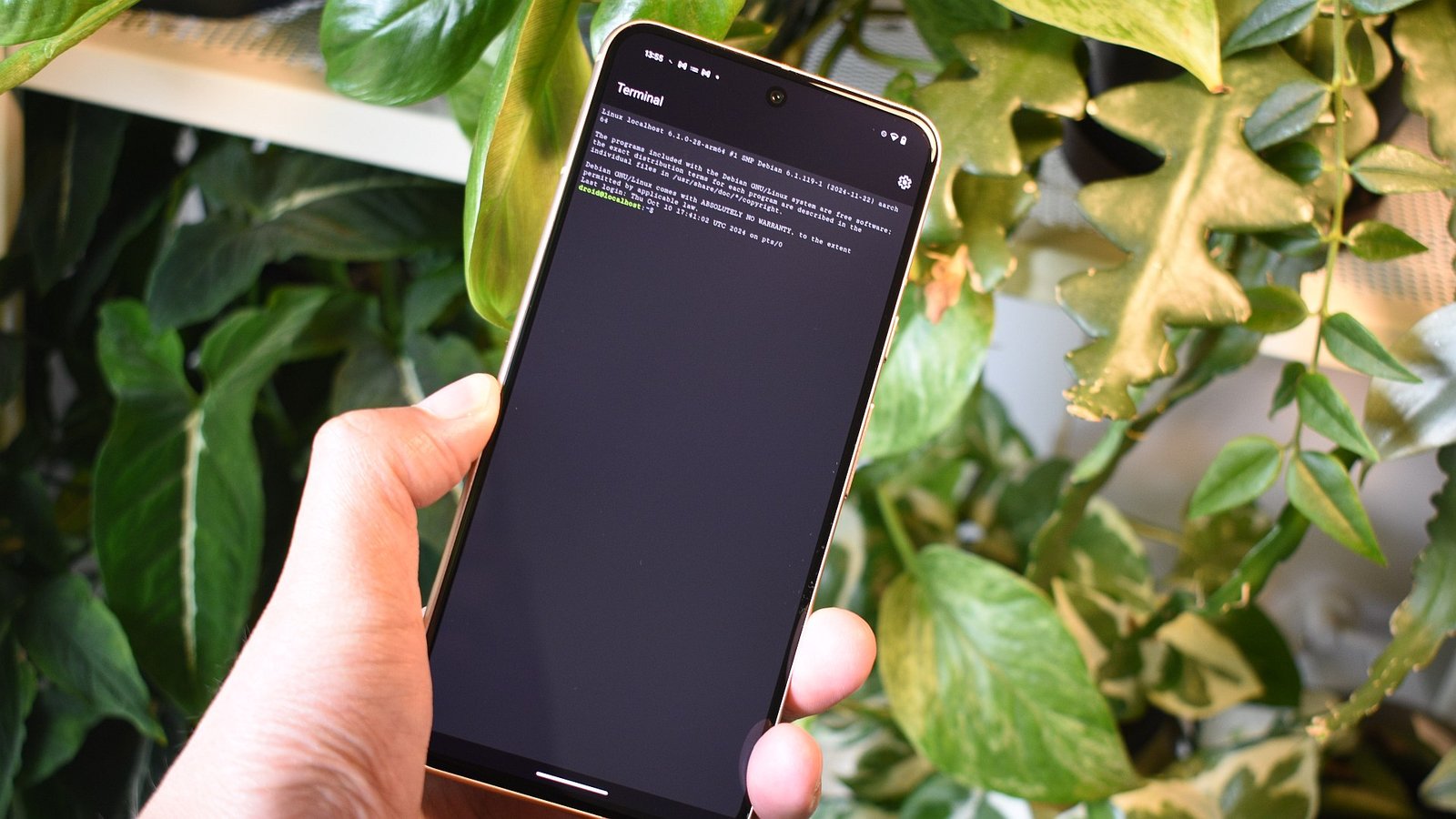
    Google recently rolled out a compelling feature for Pixel users: the Linux Terminal app. This addition debuted with the March 2025 Pixel Drop update and leverages Android’s virtualization capabilities to run a version of Debian directly on your phone.

    Why get excited? First, this terminal opens the door to commands and utilities that many Android users usually can’t access. For those curious about coding or simply eager to explore, this app allows you to install packages and perform internet-related tasks seamlessly.

    Getting Started

    To activate the Linux Terminal, you need a Pixel running Android 15 or newer. If your phone meets the requirements, follow these straightforward steps:

    1. Enable Developer Options: Navigate to Settings, select About Phone, and tap the Build Number multiple times until a confirmation appears.

    2. Access the Terminal: Locate Developer Options within Settings and find the Linux development environment option. Here, toggle on Run Linux terminal on Android.

    3. Install the Terminal App: Open the newly created Terminal app. It will prompt you to install, requiring about 565MB of space. Opt for Wi-Fi to avoid data charges.

    Once installed, the Terminal will launch automatically into Debian, letting you explore commands just like on a desktop.

    Potential Pitfalls

    This feature is still experimental. Users may encounter bugs or internet connectivity issues, but there are workarounds. For instance, if the Terminal loses internet access, toggling the Linux option in Developer Settings often resolves the problem.

    Despite these hiccups, the Terminal offers an excellent platform for experimentation and learning. It operates in a virtual environment, meaning it remains mostly isolated from your personal data, allowing a safer space to play.

    Why It Matters for Smart Cities

    In an era of rapid urban innovation, tools like the Linux Terminal can help foster a culture of tech-savvy citizens. Understanding the fundamentals of coding and virtual environments can empower individuals to contribute to smart city initiatives. As communities become more tech-rich, having these skills boosts engagement and drives progress.

    So, if you’re a Pixel user, consider activating the Linux Terminal app. It may not be perfect, but it represents a step toward smarter technology literacy. Dive in and discover the fascinating world of Linux right from your pocket!

    Continue Your Tech Journey

    Stay informed on the revolutionary breakthroughs in Quantum Computing research.

    Explore past and present digital transformations on the Internet Archive.

    GadgetsV1

    android apple cell google Google Pixel iOS Linux mobile VT1
    Share. Facebook Twitter Pinterest LinkedIn Tumblr Email
    Previous ArticleHarvesting the Future: The Moon’s Helium-3 Revolution
    Next Article Young Innovators: Affiniti’s Founders Secure $17M in Just 6 Months!
    Avatar photo
    Lina Johnson Mercilli
    • Website

    Lina Johnson Marcelli is the editor for IO Tribune, bringing over two decades of experience in journalism to her role. With a BA in Journalism, she is passionate about delivering impactful stories that resonate with readers. Known for her keen editorial vision and leadership, Lina is dedicated to fostering innovative storytelling across the publication. Outside of work, she enjoys exploring new media trends and mentoring aspiring journalists.

    Related Posts

    AI

    Google’s AI Update Aims to End Chrome Tab Hopping

    April 17, 2026
    Tech

    Confessions: Helvetica Hits the Club

    April 17, 2026
    Gadgets

    Blackmagic Camera App for iOS Gets Powerful New Watch Companion

    April 17, 2026
    Add A Comment

    Comments are closed.

    Must Read

    Google’s AI Update Aims to End Chrome Tab Hopping

    April 17, 2026

    Confessions: Helvetica Hits the Club

    April 17, 2026

    Blackmagic Camera App for iOS Gets Powerful New Watch Companion

    April 17, 2026

    Success Redefined: Warren Buffett’s Love-Driven Philosophy

    April 17, 2026

    UK Unveils $675M Sovereign AI Fund

    April 17, 2026
    Categories
    • AI
    • Crypto
    • Fashion Tech
    • Gadgets
    • IOT
    • OPED
    • Quantum
    • Science
    • Smart Cities
    • Space
    • Tech
    • Technology
    Most Popular

    Binance and OKX Lead with PoR Transparency as Coinbase Falls Behind

    June 19, 2025

    Orion’s Lifeline: Securing Safety for Artemis II

    September 21, 2025

    Urban Exodus: Employees Swap Remote Work for City Life

    April 3, 2026
    Our Picks

    8 Essential Self-Care Strategies to Thrive After a Layoff

    June 24, 2025

    Racing to Life: The Epic Journey of Sperm to the Egg

    March 17, 2025

    Simple Therapies Triumph Over Drugs for Knee Arthritis Relief

    September 21, 2025
    Categories
    • AI
    • Crypto
    • Fashion Tech
    • Gadgets
    • IOT
    • OPED
    • Quantum
    • Science
    • Smart Cities
    • Space
    • Tech
    • Technology
    • Privacy Policy
    • Disclaimer
    • Terms and Conditions
    • About Us
    • Contact us
    Copyright © 2025 Iotribune.comAll Rights Reserved.

    Type above and press Enter to search. Press Esc to cancel.