
Close Menu
    Facebook X (Twitter) Instagram
    Tuesday, April 21
    Top Stories:
    • Charge Ahead: Your Mercedes EV Powered by Samsung Battery Cells!
    • Revolutionizing Smart Rings: A Game-Changing Fix!
    • Dyson Unveils Travel-Size Supersonic Hairdryer!
    Facebook X (Twitter) Instagram Pinterest Vimeo
    IO Tribune
    • Home
    • AI
    • Tech
      • Gadgets
      • Fashion Tech
    • Crypto
    • Smart Cities
      • IOT
    • Science
      • Space
      • Quantum
    • OPED
    IO Tribune
    Home » iPadOS 26 Was So Bad, I Switched to Android!
    Gadgets

    iPadOS 26 Was So Bad, I Switched to Android!

    Lina Johnson MercilliBy Lina Johnson MercilliApril 12, 2026No Comments2 Mins Read
    Share Facebook Twitter Pinterest LinkedIn Tumblr Reddit Telegram Email
    Share
    Facebook Twitter LinkedIn Pinterest Email

    Quick Takeaways

    1. iPadOS 26 introduces improved multitasking but worsens usability with tiny UI elements, limited window snapping, and reduced slide-over functionality, causing user frustration.
    2. The changes in iPadOS 26’s default mode have confused and annoyed users, including older family members, making the iPad less intuitive and harder to recommend.
    3. Samsung’s One UI 8 offers a more seamless and user-friendly multitasking experience on Galaxy tablets, integrating DeX mode into core Android without disrupting standard use.
    4. Despite some limitations, Samsung’s multitasking on tablets is easier and more stable than iPadOS 26, leading the author to prefer Samsung’s approach for productivity.

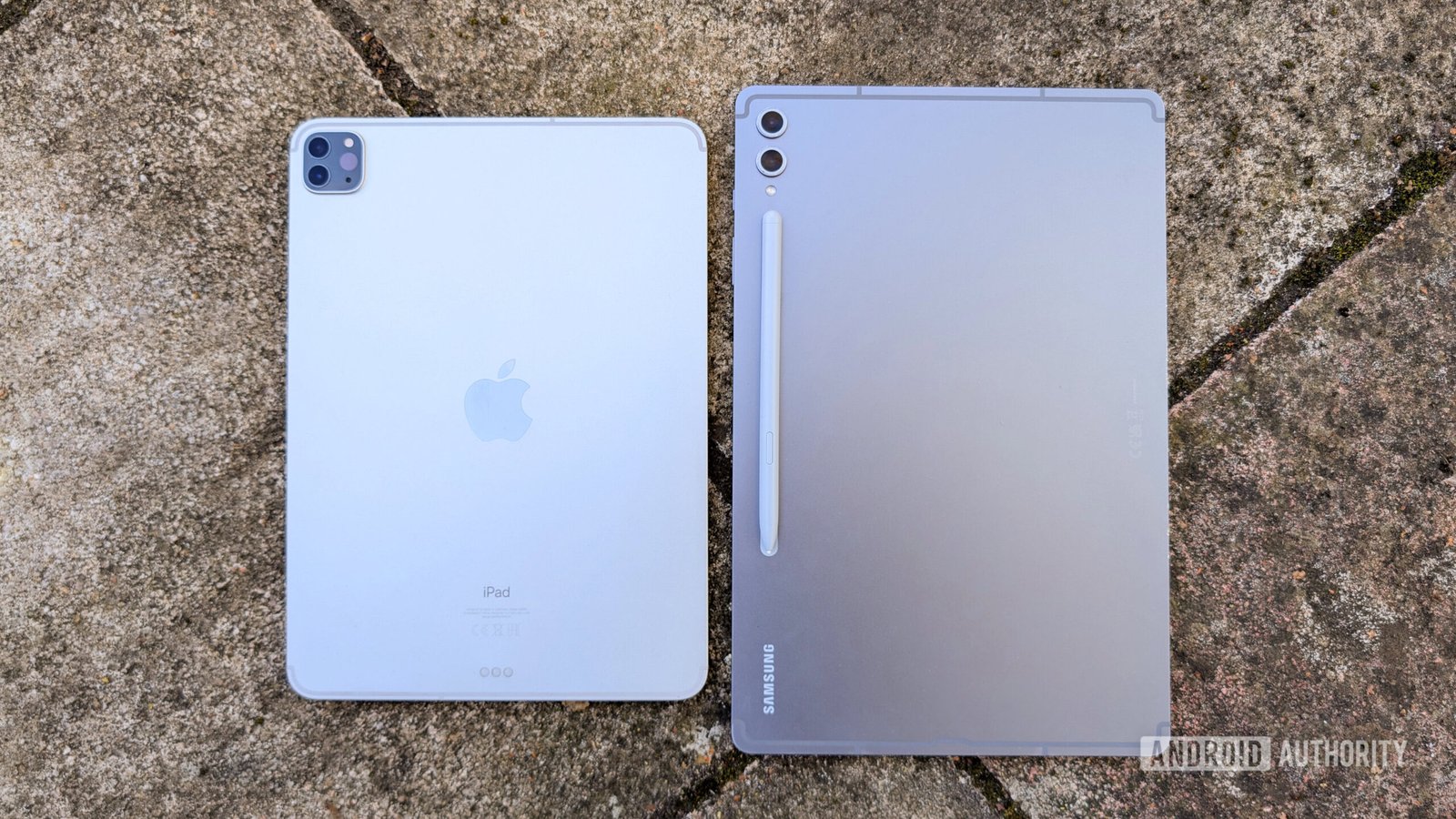
    Many tech enthusiasts feel disappointed with iPadOS 26. Initially, Apple aimed to improve multitasking with this update. However, users are now noticing more frustration than convenience. For example, the new process to split screens is overly complicated. Instead of easy drag-and-drop, users must flick apps or navigate menus, which slows things down. The tiny user interface makes tapping difficult, especially on smaller iPads. Additionally, the removal of multiple slide-over apps limits productivity. Many users find themselves confused or needing help with these changes.

    In contrast, Samsung’s One UI 8 offers a different experience. Its multitasking features are more intuitive and easier to use. DeX mode, for instance, now integrates smoothly into Android. You can switch desktops quickly, and apps can be moved seamlessly. This approach does not interfere with regular tablet use. Users can enjoy multitasking without confusion or broken features. Despite some limitations—like only two windows side-by-side—the overall experience feels more reliable.

    These changes highlight a broader point: smart city technology benefits from well-designed, user-friendly tools. When devices like tablets are easy to operate, more people can participate in urban innovations. Smooth interfaces help people share information, plan projects, and stay connected. As cities grow smarter, intuitive technology becomes essential. It encourages more collaboration, reduces frustration, and makes urban life more efficient.

    Overall, a simple, clear user experience can have a big impact. Whether on tablets or in city planning, ease of use helps everyone adapt and thrive. Good technology should empower, not confuse, its users—whether in our homes or our shared urban spaces.

    Stay Ahead with the Latest Tech Trends

    Learn how the Internet of Things (IoT) is transforming everyday life.

    Access comprehensive resources on technology by visiting Wikipedia.

    GadgetsV1

    android apple Apple iOS Apple iPad cell google iOS mobile Samsung Galaxy Tab Samsung One UI VT1
    Share. Facebook Twitter Pinterest LinkedIn Tumblr Email
    Previous ArticleAncient DNA Uncovers Australia’s 60,000-Year Human Legacy
    Next Article How AI Sees in 3D and Understands Space!
    Avatar photo
    Lina Johnson Mercilli
    • Website

    Lina Johnson Marcelli is the editor for IO Tribune, bringing over two decades of experience in journalism to her role. With a BA in Journalism, she is passionate about delivering impactful stories that resonate with readers. Known for her keen editorial vision and leadership, Lina is dedicated to fostering innovative storytelling across the publication. Outside of work, she enjoys exploring new media trends and mentoring aspiring journalists.

    Related Posts

    Tech

    Charge Ahead: Your Mercedes EV Powered by Samsung Battery Cells!

    April 21, 2026
    Tech

    Revolutionizing Smart Rings: A Game-Changing Fix!

    April 21, 2026
    Crypto

    $1.4B Pour into Crypto Funds Q1’23 Weekly High

    April 21, 2026
    Add A Comment

    Comments are closed.

    Must Read

    Charge Ahead: Your Mercedes EV Powered by Samsung Battery Cells!

    April 21, 2026

    Revolutionizing Smart Rings: A Game-Changing Fix!

    April 21, 2026

    $1.4B Pour into Crypto Funds Q1’23 Weekly High

    April 21, 2026

    AI Swarms Could Secretly Hijack Democracy

    April 21, 2026

    Dyson Unveils Travel-Size Supersonic Hairdryer!

    April 21, 2026
    Categories
    • AI
    • Crypto
    • Fashion Tech
    • Gadgets
    • IOT
    • OPED
    • Quantum
    • Science
    • Smart Cities
    • Space
    • Tech
    • Technology
    Most Popular

    Google Keep Drops Apple Watch Support!

    July 1, 2025

    Unlock Voice Typing with Your Galaxy’s Power Button!

    April 22, 2025

    Grab the AirPods Pro 3 at $50 Off – Almost Their Best Price Ever!

    April 17, 2026
    Our Picks

    XRPTurbo Presale Surpasses 160,000 XRP: The Future AI & RWA Launchpad on XRP Ledger!

    March 25, 2025

    Bubblemaps Calls Out Soulja Boy’s Apology and Crypto Missteps!

    December 16, 2025

    Unlock 50% Off Your Subscription!

    August 31, 2025
    Categories
    • AI
    • Crypto
    • Fashion Tech
    • Gadgets
    • IOT
    • OPED
    • Quantum
    • Science
    • Smart Cities
    • Space
    • Tech
    • Technology
    • Privacy Policy
    • Disclaimer
    • Terms and Conditions
    • About Us
    • Contact us
    Copyright © 2025 Iotribune.comAll Rights Reserved.

    Type above and press Enter to search. Press Esc to cancel.