

Top Highlights
- Google now allows users to log into their accounts using selfie videos for added identity verification, providing an alternative when other options aren’t accessible.
- The setup involves capturing a selfie video via camera or smartphone, requiring users to remove accessories like glasses or masks and avoid busy backgrounds.
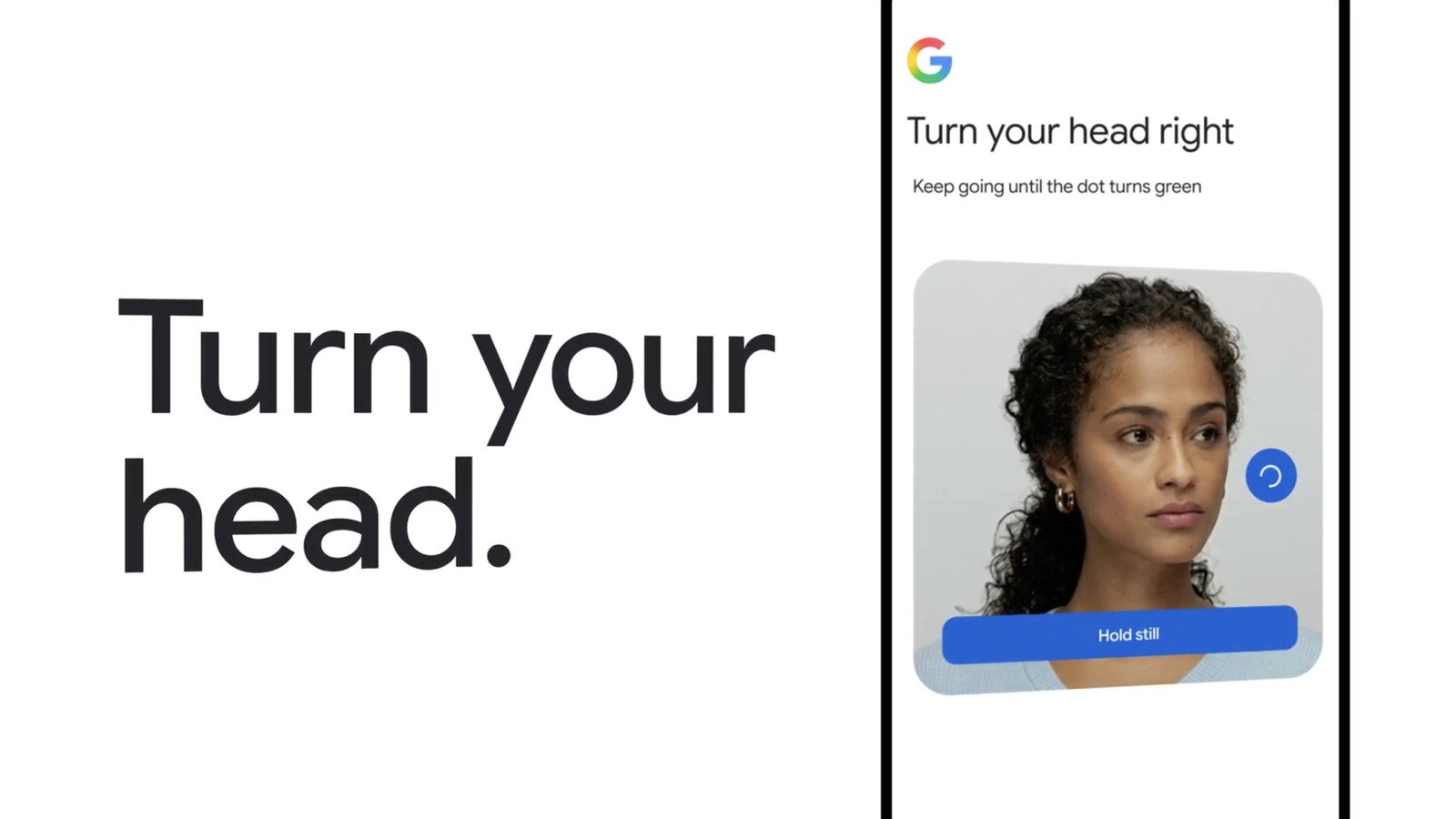
- During login, users must turn their head as prompted to prevent impersonation and verify they’re physically present—Google encrypts and stores the video for future comparisons, which can be deleted anytime.
- The feature is unavailable for Workspace, child, and Google Advanced Protection accounts, emphasizing privacy and security limitations at this stage.
New Selfie Video Login Brings Convenience and Flexibility
Google has introduced a fresh way to access your account — using a selfie video. This new log-in option gives users another layer of security and convenience. Instead of just typing a password or unlocking with facial recognition, you can now record a short video selfie. The video captures your face from different angles, making the process more accurate. This feature is especially helpful if you don’t have your phone or device handy, or if other options aren’t working. It’s a simple way to prove your identity and get into your account quickly.
Setting up the selfie video login is straightforward. You need to visit Google’s My Account page, then click on Security & Sign-in. Next, select Selfie Video under the “How you sign in to Google” section. You’ll see an option to add your selfie video. If your computer has a camera, you can do it right there. Otherwise, you’ll get a QR code to scan with your phone, completing the setup. Google recommends clearing your face of glasses or masks and choosing a plain background for the best results. This tool aims to make logging in easier, especially when traditional methods are unavailable.
Google emphasizes security with this feature. During each login, you’ll need to turn your head as directed, helping to verify you’re physically present. The company explains this helps prevent impersonators using deepfake videos. Once you record your selfie video, Google encrypts it to protect your privacy. Users can delete their video at any time through their account settings if they choose to stop using the feature. However, it’s currently unavailable for Workspace and child accounts, as well as those enrolled in Google’s Advanced Protection Program. Overall, this new method offers more choices without compromising security, making account access safer and more flexible.
Balancing Innovation With Privacy and Security
Adding selfie video login shows Google’s focus on innovation. It offers a new way to verify identity that is both quick and intuitive. For many users, recording a short video can be faster than other methods. This can be especially helpful during urgent situations, such as when you are locked out of your account or using a device that doesn’t recognize your face normally. Additionally, the process encourages users to keep their backups and access options updated, reducing frustration.
However, some concerns surround this new feature. Privacy advocates worry about how selfie videos are stored and used. Google states that videos are encrypted and only used for authentication. Still, users should feel confident that their facial data remains secure. The company also explains that users can delete their videos whenever they want. The requirement to remove glasses or masks ensures the facial data is as accurate as possible, but it might feel invasive or inconvenient for some. As with any biometric technology, users must weigh the benefits with personal preferences for privacy.
This addition demonstrates Google’s ongoing efforts to enhance security without making login processes more complicated. While it offers a handy backup to existing options, it does not replace fingerprint or face unlock features built into devices. Instead, it expands the toolkit for account verification, emphasizing flexibility and user choice. For those who value quick access and layered security, this selfie video feature is a promising step forward. It reflects a broader trend toward more personalized, secure digital access that adapts to various situations and needs.
Expand Your Tech Knowledge
Learn how the Internet of Things (IoT) is transforming everyday life.
Explore past and present digital transformations on the Internet Archive.
CellphonesV1
