

Summary Points
- Sonos has updated its app to bring speaker controls to the iPhone lock screen via Apple’s Live Activities, addressing a much-requested feature.
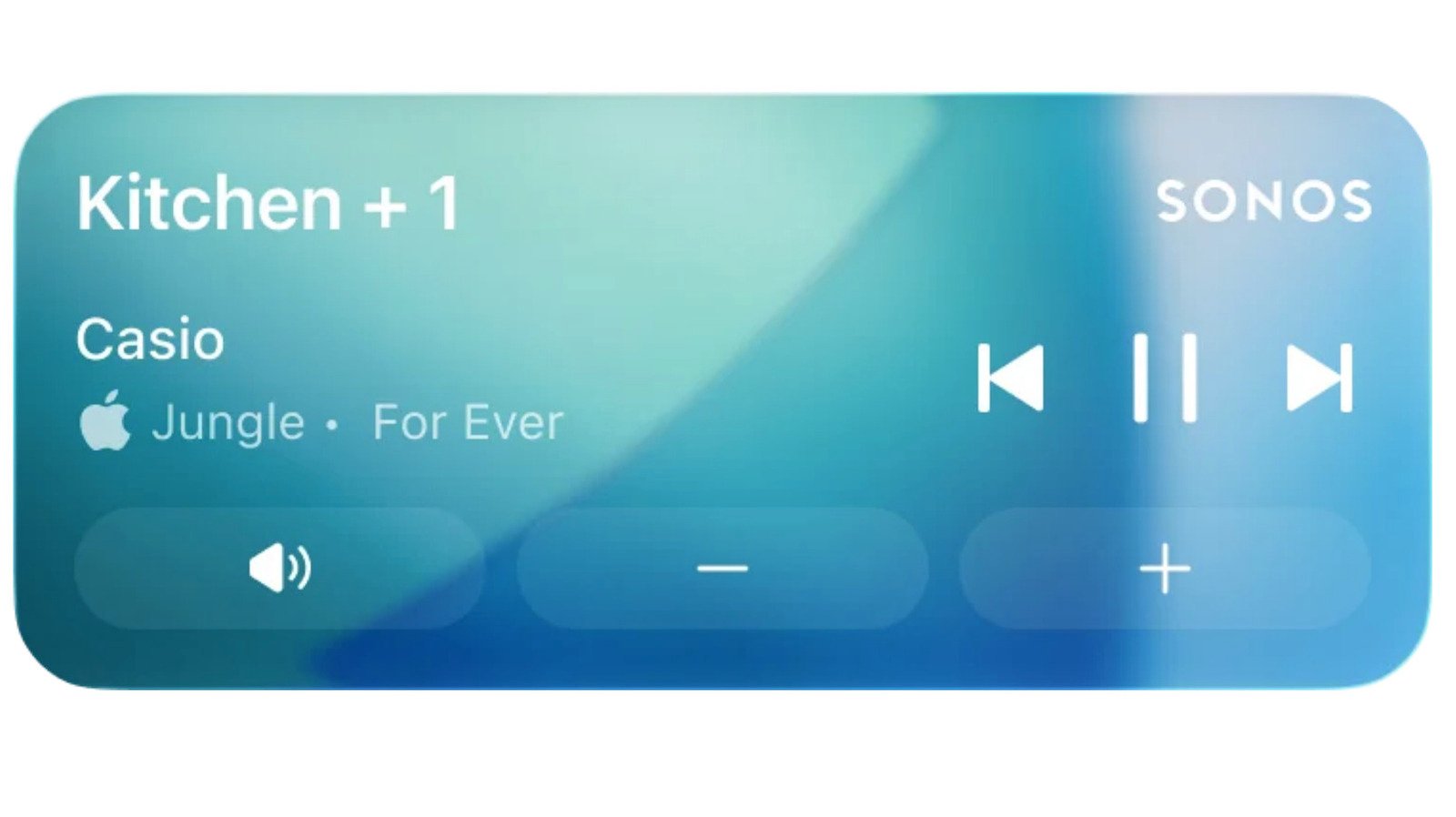
- The lock screen will display playback info and allow volume control and song switching after unlocking with Face ID or a passcode, but album art isn’t supported yet.
- The feature, unavailable during playback on CarPlay and Apple Watch, marks a return to lock screen controls after their removal in 2023 due to iOS updates.
- Sonos prioritized app stability and core features following a problematic redesign in 2024, and this update signifies progress in restoring full functionality.
Sonos Brings Lock Screen Controls Back to iPhone
Recently, Sonos released an update for its app that adds speaker controls directly to the iPhone lock screen. This feature uses Apple’s Live Activities notifications system. For many users, this is a welcome return. It was a “much requested, anticipated and needed feature” according to Sonos. Now, with a simple glance at the lock screen, users can see what’s playing and make adjustments. They can control the volume and switch songs, but only after unlocking the phone with Face ID or a passcode. Once music stops, the controls disappear after 15 minutes. This makes it easier to manage music without unlocking your device every time.
This update shows how Sonos listens to its users. Many people had enjoyed similar features before, but they disappeared in 2023 when the app’s old system was replaced. Now, Sonos is rebuilding that convenience for its fans. Although the feature has some limits, like not showing album art on the lock screen, Sonos says they are exploring better ways to improve the experience even further. Also, this feature works with CarPlay and Apple Watch, but controls on these devices aren’t supported yet. Still, this step marks a positive move toward more seamless music management.
Understanding the Improvements and Limitations
The new lock screen controls are a significant step forward. They allow users to keep an eye on what’s playing without unlocking their phones. This can save time and effort, especially when busy or on-the-go. However, there are some important caveats to remember. For example, the app cannot display album art on the lock screen with this feature. Sonos is aware of this and is actively exploring alternatives. Despite this limitation, the core functionality of controlling volume and switching tracks is very handy.
It’s also worth noting that this feature isn’t fully integrated across all devices yet. While it works on the iPhone lock screen, controls for Apple Watch and CarPlay are not supported at this time. Users can see what’s playing on these devices, but they can’t adjust playback. Still, the return of lock screen controls shows Sonos’s commitment to improving user experience. Plus, the company has been steadily fixing its app since a major redesign in 2024. That update had caused frustration by removing some features, but now Sonos is actively restoring and adding new ones.
Why This Matters for Music Fans and Tech Enthusiasts
For people who love smart technology, this update highlights how companies are evolving to meet user needs. Having quick access to speaker controls on the lock screen means less fuss and more control. Imagine waiting at a stoplight or relaxing at home—just a quick glance gives you the option to change your music. It makes the Sonos experience more natural and intuitive.
At the same time, this update shows the importance of balancing innovation and practicality. While some features are missing, such as album art or full control on all devices, the core improvements are valuable. They demonstrate that Sonos listens and is committed to enhancing its app. For iOS users, this means greater convenience and a smoother listening experience. For Android fans, meanwhile, Sonos also continues to improve their app, ensuring options are available across platforms.
Overall, Sonos’s return to lock screen controls signals progress. It reflects a company that learns from past mistakes and puts user feedback at the forefront. As these features roll out and improve, fans can look forward to more convenient ways to enjoy their favorite music anytime, anywhere.
Discover More Technology Insights
Explore the future of technology with our detailed insights on Artificial Intelligence.
Explore past and present digital transformations on the Internet Archive.
CellphonesV1
