

Top Highlights
- Apple’s Dynamic Island turns the iPhone 14 Pro’s camera cutout into a useful display area for Live Activities like timers, navigation, music, and sports updates, enhancing the user experience.
- Live Activities can be enabled in Settings, appear on the Lock Screen, and are designed to provide real-time updates without opening the app, improving convenience.
- On CarPlay, Live Activities are shown on the Dashboard or as notifications, allowing drivers to track deliveries or flights safely while driving, with options to customize or disable for distraction management.
- Users should ensure Live Activities are enabled in Settings and CarPlay, and can customize widgets and notifications to optimize how information is displayed in different contexts.
Understanding Live Activities on Your iPhone
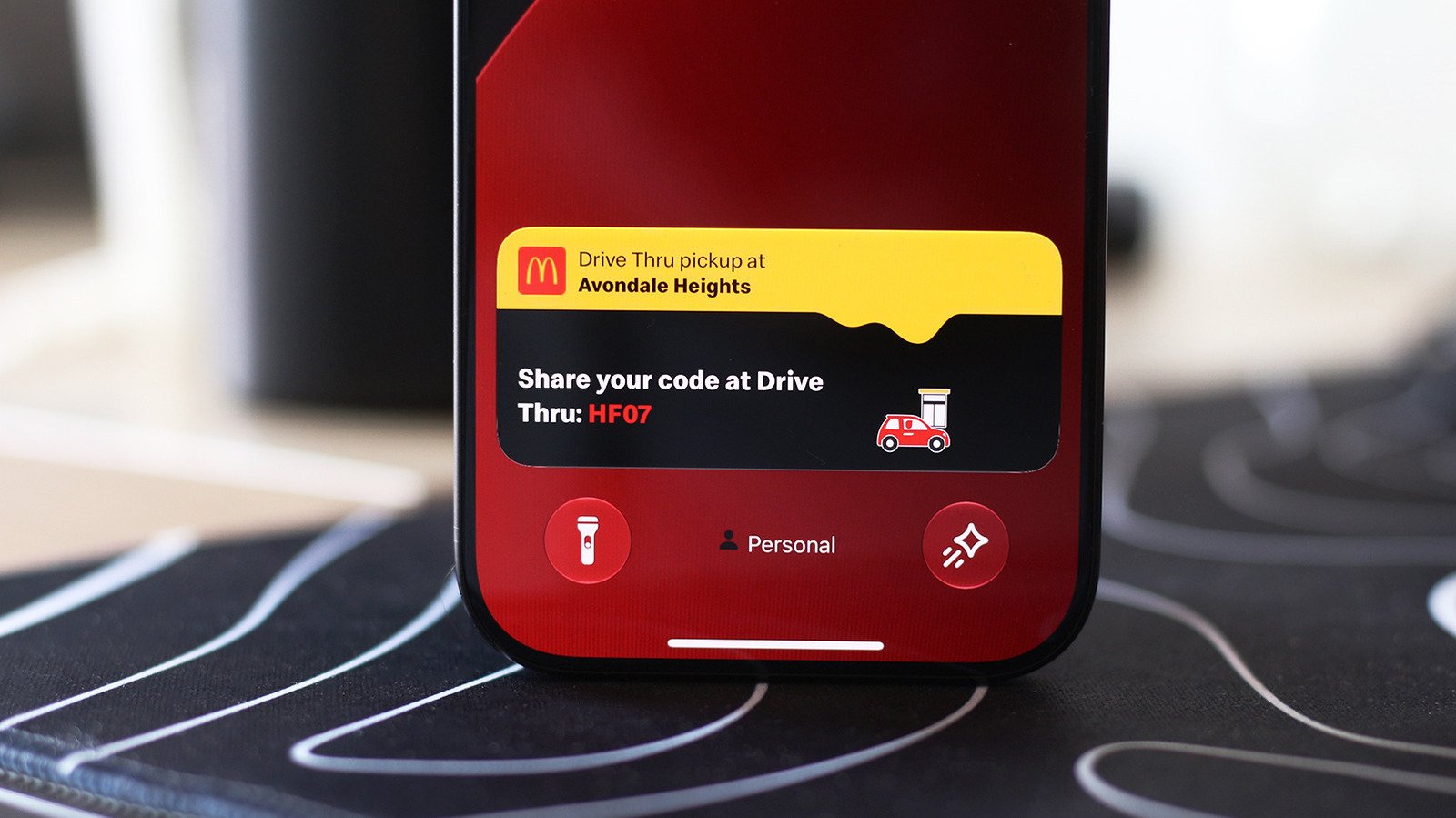
Live Activities are a new feature that keeps you updated with important information without constantly opening an app. For example, you can see your navigation directions, music playback, sports scores, or food delivery status right on your iPhone’s Dynamic Island. This feature enhances your experience by providing quick access to key data in real time. Most newer iPhones automatically enable Live Activities, but it’s good to check if they’re working properly. If you notice missing updates, visit Settings, then Apps, and ensure the Live Activities slider is turned on for each app. Also, make sure notifications are enabled, as they can help ensure you see all updates. The pocket-sized updates increase efficiency and keep you connected without interrupting your day. Furthermore, Live Activities appear on the Lock Screen, giving you even more flexibility whether your phone is active or locked. This feature is especially valuable for people who want to stay informed without toggling between apps constantly, making everyday tasks smoother and more streamlined. Overall, Live Activities bring a much-needed upgrade to the way iPhones deliver information quickly and clearly.
Enabling Live Activities on Your iPhone
Enabling Live Activities is simple and ensures you get the most out of this feature. First, open your device’s Settings app. Navigate to Face ID & Passcode and scroll down to the Allow Access When Locked section. Here, toggle on Live Activities. Doing this allows your updates to show even when your device is locked, perfect for quick glances throughout the day. Although they work independently, you should also check if your app permissions are set correctly. Go to Settings > Apps, find your preferred app, and verify that the Live Activities slider is enabled. Sometimes, updates don’t appear if notifications for the app are turned off. So, check Notifications in Settings as well and ensure the app can send updates. Remember, Live Activities should be enabled by default, but confirming these settings guarantees they work seamlessly. This setup process is straightforward, and once done, your iPhone provides real-time updates on your terms. Apple designed Live Activities to integrate smoothly, making your device smarter and more responsive to your needs.
Using Live Activities with CarPlay for Safer, Smarter Driving
CarPlay transforms your vehicle’s display by connecting directly to your iPhone, making driving safer and more efficient. One useful feature is Live Activities, which show important updates on your car’s dashboard. These updates include food delivery notifications, flight information, or sports scores, all without needing to switch screens. Live Activities from your iPhone automatically appear on the CarPlay Dashboard, which is the split-screen view on the left side. If you’re using an app that fills the whole screen, Live Activities still show up as notifications at the bottom. To ensure it works, open Settings in your CarPlay menu. Check if the Live Activities toggle is on, and confirm Suggestions in CarPlay are enabled. If notifications don’t appear, try turning off Driving Focus mode, as it might block some alerts. Additionally, you can add widgets to your CarPlay dashboard. These widgets give quick access to controls and information from various apps, all within your car’s display. Customizing the dashboard helps you balance vital updates with minimal distraction. With these features, your driving experience becomes safer yet more connected, aligning technology with everyday needs on the road.
Continue Your Tech Journey
Learn how the Internet of Things (IoT) is transforming everyday life.
Discover archived knowledge and digital history on the Internet Archive.
CellphonesV1
