
Close Menu
    Facebook X (Twitter) Instagram
    Wednesday, May 13
    Top Stories:
    • Visionaries Unite in $4 Billion Quest for Self-Improving A.I.
    • Revitalizing Time: Scientists Rejuvenate Old Blood Stem Cells
    • Unlocking Nature’s Secret: A Breakthrough in Cancer-Fighting Plant Compounds
    Facebook X (Twitter) Instagram Pinterest Vimeo
    IO Tribune
    • Home
    • AI
    • Tech
      • Gadgets
      • Fashion Tech
    • Crypto
    • Smart Cities
      • IOT
    • Science
      • Space
      • Quantum
    • OPED
    IO Tribune
    Home » Android 16 Unlocks Fingerprint Access for All Pixel Phones, Even When Screen is Off!
    Gadgets

    Android 16 Unlocks Fingerprint Access for All Pixel Phones, Even When Screen is Off!

    Lina Johnson MercilliBy Lina Johnson MercilliMarch 23, 2025No Comments2 Mins Read
    Share Facebook Twitter Pinterest LinkedIn Tumblr Reddit Telegram Email
    Share
    Facebook Twitter LinkedIn Pinterest Email

    Quick Takeaways

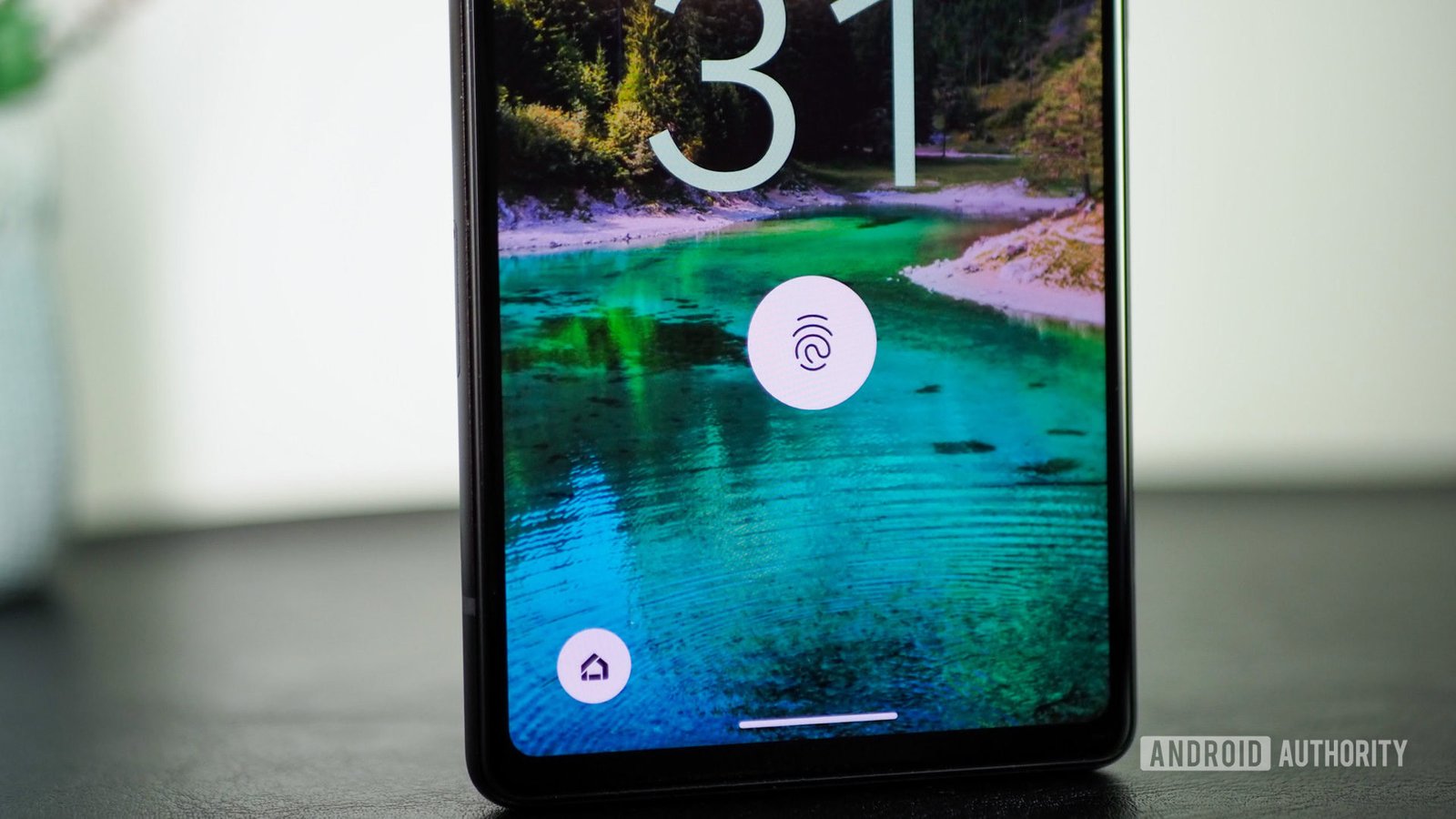
    1. The Screen-off Fingerprint Unlock feature is now available for all Pixel phones with the release of Android 16 Beta 3, allowing users to unlock their devices even when the screen is off.

    2. This feature was initially introduced in Android 16 DP2 but was limited to the Pixel 9 series; now, it’s compatible with every Pixel phone (except foldables) since the Pixel 6.

    3. To enable the Screen-off Fingerprint Unlock, navigate to Settings > Security & privacy > Device unlock > Face & Fingerprint Unlock and toggle the relevant setting.

    4. While this feature may be subject to change before the stable release of Android 16, early tests confirm it works smoothly on various Pixel models, including the Pixel 6a and Pixel 7 Pro.

    Android 16 Brings Fingerprint Unlock to All Pixel Phones

    Google’s latest update, Android 16 Beta 3, now allows all Pixel phones to unlock using their fingerprint scanners even when the screen is off. This feature, known as Screen-off Fingerprint Unlock, first appeared in an earlier developer preview but was limited to the Pixel 9 series.

    Now, users with devices like the Pixel 6 and Pixel 7 can enjoy this convenient functionality. This change enhances the usability of the under-display fingerprint scanners included in every Pixel phone, excluding foldables.

    To activate the feature, users need to go to Settings, then Security & Privacy, followed by Device Unlock. From there, they can find the option to enable Screen-off Fingerprint Unlock. Once set up, a simple touch on the fingerprint scanner will wake the phone and unlock it if the correct finger is used.

    This update showcases Google’s commitment to improving user experience on its devices. By allowing fingerprint authentication with the screen off, users gain quicker access to their phones, making everyday tasks more seamless. No longer do they need to press the power button to see the screen before unlocking.

    While there is always a chance that features change before the official release, early tests indicate that this update will likely remain. Users eager for quicker access can enable the always-on display until the full rollout happens later.

    Overall, Android 16’s new feature will make Pixel devices even more user-friendly and efficient, reflecting the growing trend towards intelligent and convenient device interactions.

    Expand Your Tech Knowledge

    Stay informed on the revolutionary breakthroughs in Quantum Computing research.

    Discover archived knowledge and digital history on the Internet Archive.

    GadgetsV1

    android Android 16 apple cell google Google Pixel iOS mobile VT1
    Share. Facebook Twitter Pinterest LinkedIn Tumblr Email
    Previous ArticleiPhone 17: The Display Upgrade Apple Fans Have Been Waiting For!
    Next Article Beyond Northvolt: Europe’s Battery Future Awaits in China or New Tech Frontiers
    Avatar photo
    Lina Johnson Mercilli
    • Website

    Lina Johnson Marcelli is the editor for IO Tribune, bringing over two decades of experience in journalism to her role. With a BA in Journalism, she is passionate about delivering impactful stories that resonate with readers. Known for her keen editorial vision and leadership, Lina is dedicated to fostering innovative storytelling across the publication. Outside of work, she enjoys exploring new media trends and mentoring aspiring journalists.

    Related Posts

    Tech

    Visionaries Unite in $4 Billion Quest for Self-Improving A.I.

    May 13, 2026
    Science

    Infant’s Eyes Change Color After COVID Treatment

    May 13, 2026
    AI

    Python Reproduction of Word Vectors for Sentiment Analysis

    May 13, 2026
    Add A Comment

    Comments are closed.

    Must Read

    Visionaries Unite in $4 Billion Quest for Self-Improving A.I.

    May 13, 2026

    Infant’s Eyes Change Color After COVID Treatment

    May 13, 2026

    Python Reproduction of Word Vectors for Sentiment Analysis

    May 13, 2026

    Samsung Announces Upcoming Wave of One UI 9 Beta

    May 13, 2026

    Chasing Shadows: 24 Hours of Birding Adventures with Teens

    May 13, 2026
    Categories
    • AI
    • Crypto
    • Fashion Tech
    • Gadgets
    • IOT
    • OPED
    • Quantum
    • Science
    • Smart Cities
    • Space
    • Tech
    • Technology
    Most Popular

    How Many Lumens Do You Need? The Truth About Projector Brightness

    April 19, 2026

    Thinking Fees: What’s Your Brain Worth? | MIT News

    November 20, 2025

    ElevenLabs Voice AI: Revolutionizing Warehouse and Manufacturing Without Screens

    March 28, 2026
    Our Picks

    Indonesia Considers Social Media Age Limits Post-Australia Ban

    February 14, 2025

    Unlocking Tomorrow: Explore NASA’s Cutting-Edge Indoor Testing Facilities!

    April 10, 2026

    Is Google’s Smart Tag Network Worth Your Time?

    April 26, 2025
    Categories
    • AI
    • Crypto
    • Fashion Tech
    • Gadgets
    • IOT
    • OPED
    • Quantum
    • Science
    • Smart Cities
    • Space
    • Tech
    • Technology
    • Privacy Policy
    • Disclaimer
    • Terms and Conditions
    • About Us
    • Contact us
    Copyright © 2025 Iotribune.comAll Rights Reserved.

    Type above and press Enter to search. Press Esc to cancel.