

Essential Insights
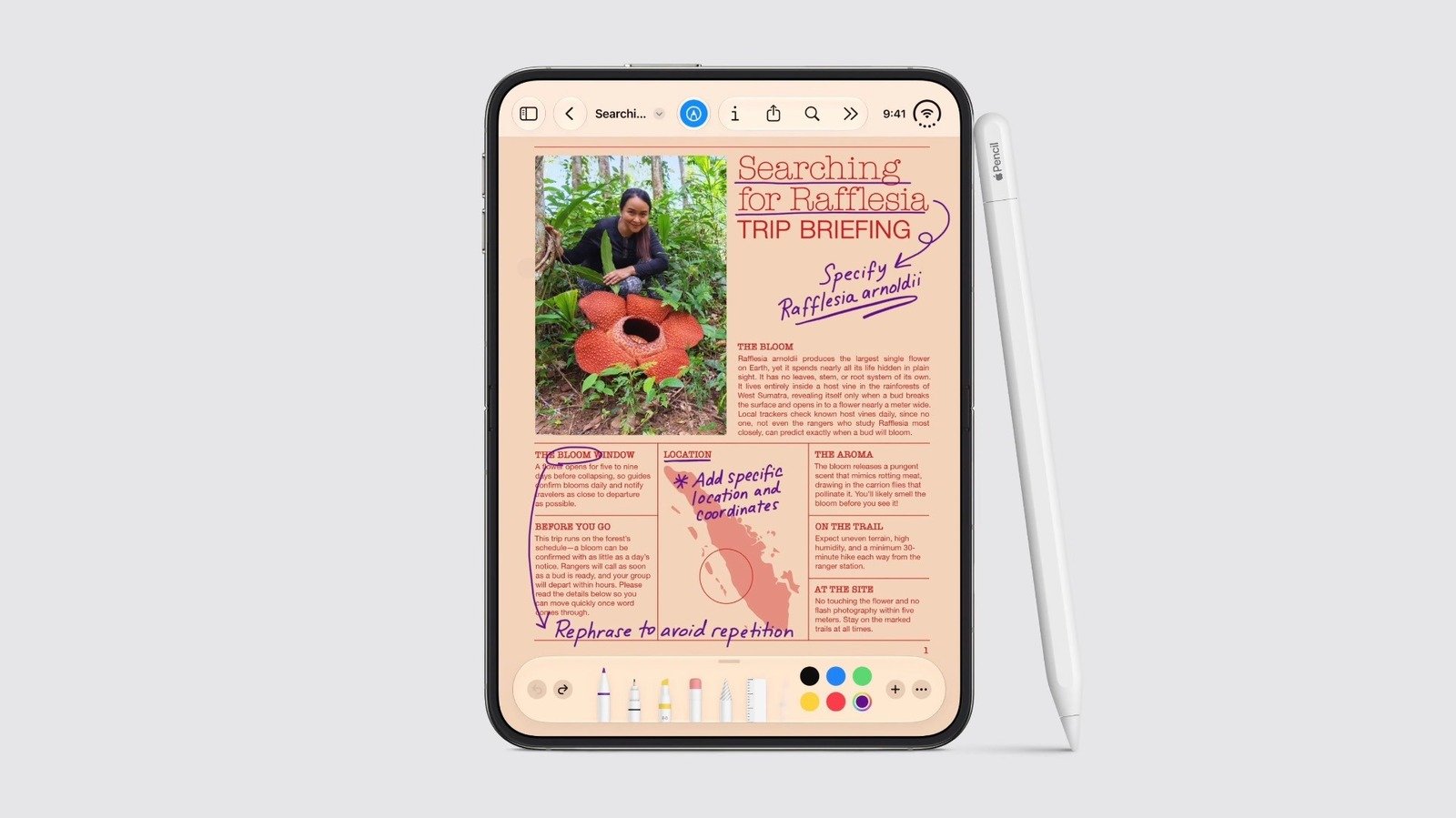
- Apple has expanded the Apple Pencil’s compatibility to include the new iPhone Duo, marking a significant shift from its previous iPad-only nature.
- Only the Apple Pencil USB-C is compatible, requiring a software update (likely iOS 27.2) and a USB-C cable for pairing and charging, as other models are not supported.
- Despite support, the Apple Pencil won’t work immediately at launch; software support is expected in November, and the device must be paired via cable.
- The feature allows the Pencil to work on both screens of the iPhone Duo, enabling handwritten notes and drawings, though carrying the large stylus may be inconvenient.
Is Using an Apple Pencil with an iPhone Possible Today?
For many years, Apple kept the Apple Pencil as an iPad-only tool. No other Apple device, including Macs or iPhones, could use it. This made sense because the iPad’s large screen and stylus support created a perfect match. Apple argued that styluses weren’t good for iPhones, which were designed primarily for touch.
However, that changed recently. Apple announced a new phone called the iPhone Duo, which is designed to work with the Apple Pencil. This shift is big. For the first time, Apple suggests that iPhone users might benefit from a stylus. Still, using an Apple Pencil with an iPhone is not simple or open to all models. You will need to buy a specific Pencil, and software updates will be required. This move opens new creative possibilities but also comes with limitations.
Ultimately, if you want to use an Apple Pencil with an iPhone, you’ll need to follow specific rules. Only the Apple Pencil USB-C will work. And only if you have the right software update. This is unlike the smooth magnetic charging system on the iPad. Instead, you’ll have to plug the Pencil into your iPhone to pair and charge it. So, while the idea is exciting, using the Pencil with your iPhone still requires extra steps.
What Will It Take To Use the Apple Pencil on the New iPhone?
Right now, you cannot use the Apple Pencil with any iPhone. Apple has announced support for the Apple Pencil on the upcoming iPhone Duo, but it won’t arrive immediately. The feature needs an update to the iOS software, probably included in iOS 27.2, expected around November. When the update arrives, compatible users can begin pairing their Pencil with the Duo.
However, only the Apple Pencil USB-C is compatible. That’s different from the Apple Pencil 2 or the Pro models, which are designed specifically for iPads. Apple has not explained why only the USB-C version will work. It seems likely that due to the iPhone’s lack of magnetic attachment, charging and pairing need a wired connection. This may sound inconvenient, but it ensures that users can get stylus features on their new device.
The good news is that once paired, the Pencil can be used on both screens of the iPhone Duo. Whether the device is folded out or compact, you can write, sketch, or take notes. This makes the stylus useful for many tasks. Still, carrying around a large Apple Pencil on an iPhone might not always feel practical. Nevertheless, the option to draw and write with a stylus on a phone is a significant change, especially for creative users.
What Are the Benefits and Limitations of the New Apple Pencil Support?
This bold move by Apple introduces new opportunities for iPhone users. You can now add handwritten notes, sketches, or detailed drawings directly on your device. This can boost productivity and creativity. For example, artists and students might find it easier to brainstorm images or jot down quick ideas. Plus, using a stylus can make the touchscreen more precise than finger input.
However, there are notable limitations. First, only the USB-C version of the Apple Pencil is supported. If you own an older Apple Pencil, you’ll need to buy a new one. Second, because charging isn’t magnetic, you need to plug in the Pencil every time you want to use it. This extra step might cause some inconvenience.
Additionally, the iPhone’s small size means carrying a large Pencil might not always be practical. Furthermore, Apple has not yet provided detailed information on how well the Pencil will perform on the iPhone. Will it feel as natural as on an iPad? Only time will tell.
Still, this development signals a shift in how Apple views its devices. It shows a willingness to give users more creative tools across product lines. While the setup might be less seamless than on an iPad, the potential for enhanced input is clear. For enthusiasts eager to experiment, this new support offers a fresh way to interact with your device.
Stay Ahead with the Latest Tech Trends
Stay informed on the revolutionary breakthroughs in Quantum Computing research.
Access comprehensive resources on technology by visiting Wikipedia.
CellphonesV1
