

Quick Takeaways
- The Apple Watch’s water lock feature disables the touch screen and ejects water after swimming or exposure to water, safeguarding its internal components.
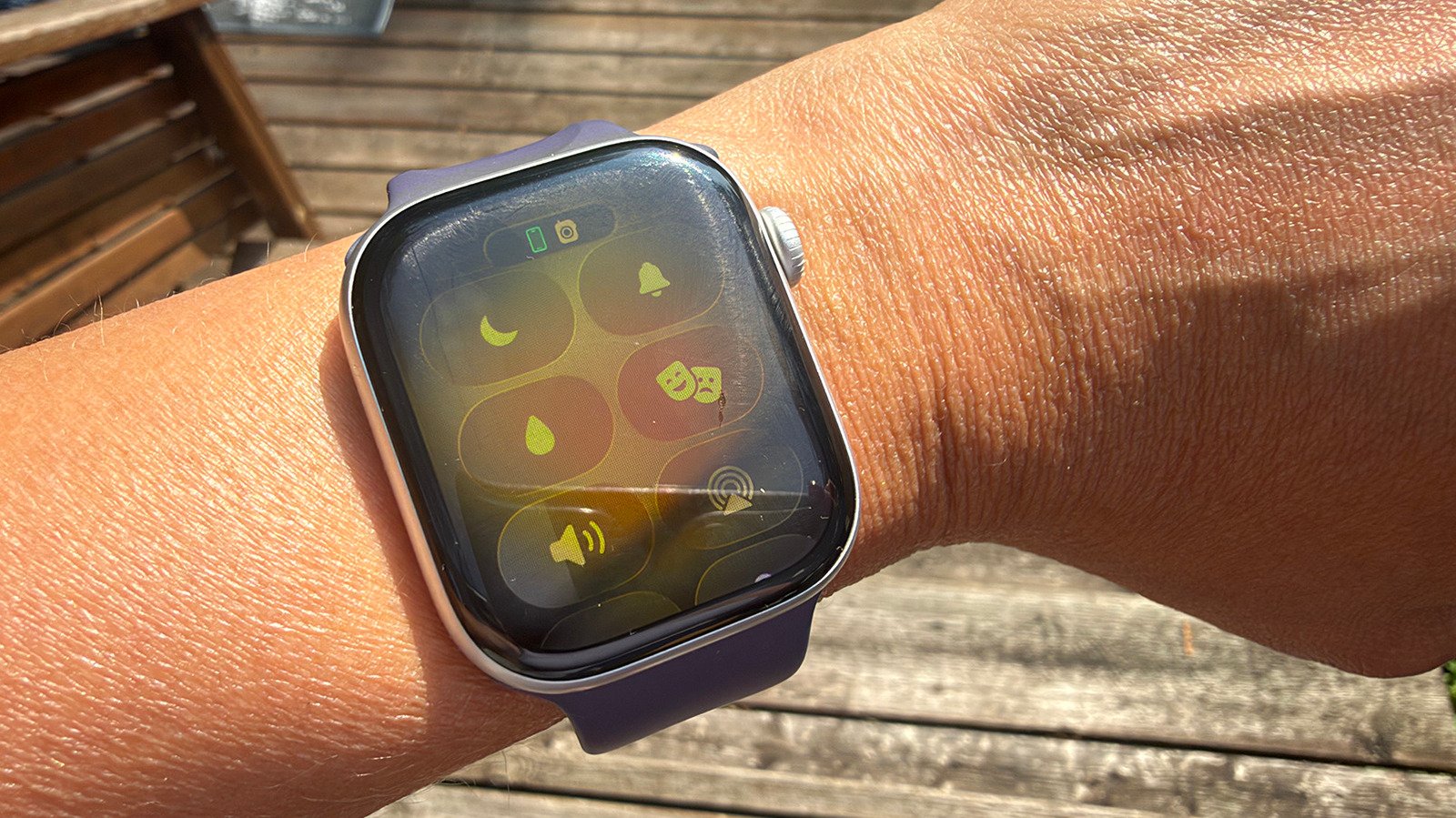
- To activate water lock, users press the side button, select the water droplet icon, and press and hold the Digital Crown post-immersion to eject water via tiny speaker holes.
- This feature is automatic during water activities like swimming, especially on newer models like the Apple Watch Ultra series, which are suitable for deep diving.
- Using water lock consistently helps prevent water damage, especially after swimming or exposure in wet environments, prolonging the smartwatch’s lifespan.
How the Water Lock Feature Works on Your Apple Watch
Smartwatches today are often water-resistant, but few are completely waterproof. Most can handle swimming in freshwater, thanks to ratings like IPX8 or IP68. However, even with these ratings, water can sometimes sneak inside if the device isn’t dried properly. That’s where the Apple Watch’s water lock feature comes in. This helpful feature does more than just prevent accidental touches when wet. It also actively pushes water out of the device. When you activate water lock, the watch’s screen becomes unresponsive, preventing water from triggering unintended commands. Then, after your swim or shower, you can easily eject the water. To do this, you press and hold the Digital Crown. You will hear sounds and see water being pushed out of tiny speaker holes. The process repeats until most water is ejected. This cycle is so quick that you might not notice the water streaming out. It’s a clever system that keeps your watch in tip-top shape, whether you’re swimming, surfing, or caught in the rain.
The Science Behind Water Ejection
Inside the Apple Watch, small speaker holes are the key to water removal. When you hold the Digital Crown, the watch’s speakers produce sound waves. These sound waves create vibrations that push water droplets out through the tiny holes. It’s like the watch is “shaking off” the water. This happens rapidly, often multiple times in a row. The process is quick to prevent water from lingering inside. You may wonder how tiny water droplets and sound work together so efficiently. The answer is that the watch’s design focuses energy on ejecting water without damaging delicate components. In fact, this method is so effective that it can clear out more water than you might expect. The process not only keeps the device dry but also helps preserve its long-term function. Interestingly, this feature works best after water exposure, but it’s also handy whenever the watch gets splashed or exposed to rain.
Why Using Water Lock Matters for Your Apple Watch
When should you use the water lock? It’s straightforward — anytime your Apple Watch gets wet. For swimmers, the feature is automatic and essential. It activates right when you start a water activity like swimming or surfing. This prevents accidental touches on the screen, which can happen underwater. However, you don’t always need to wait for this to happen automatically. You can manually turn on water lock by opening the Control Center and tapping the water droplet icon. It’s a good idea to turn on water lock during times when your watch may not be submerged but still gets wet, like in the shower or when washing dishes. Using the feature minimizes water inside, which helps protect your device from damage over time. Without it, water might stay trapped inside, especially in models that aren’t fully waterproof. While most Apple Watch models are built to handle water, their resistance can weaken. So, keeping water out as much as possible is a smart move. When you finish swimming or get out of the rain, don’t forget to press and hold the Digital Crown. Watch as water is pushed out, and enjoy peace of mind knowing your watch stays in great condition longer.
Stay Ahead with the Latest Tech Trends
Dive deeper into the world of Cryptocurrency and its impact on global finance.
Stay inspired by the vast knowledge available on Wikipedia.
CellphonesV1
