

Top Highlights
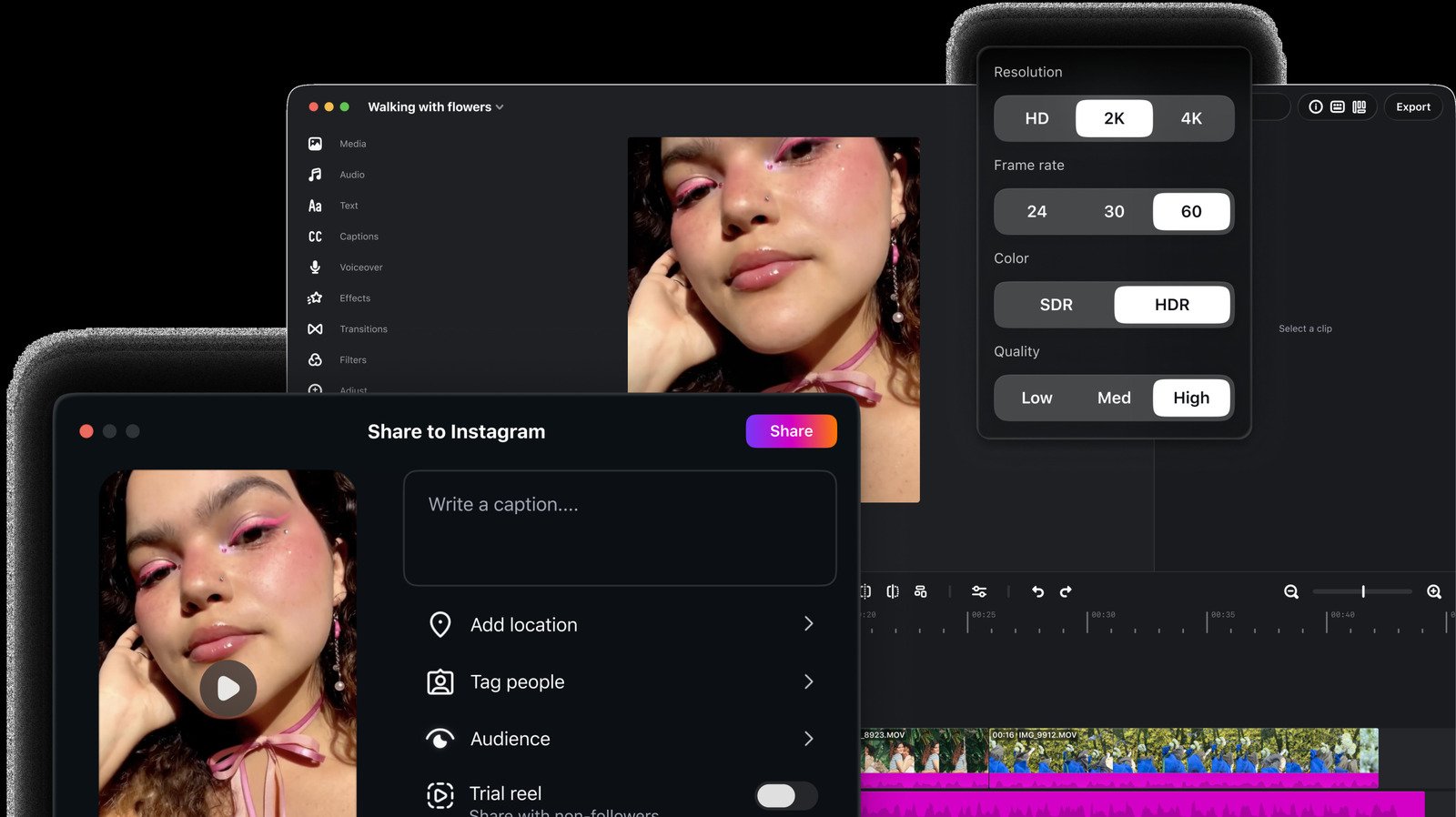
- Instagram’s Edits video editor is now available as a Mac app, designed for more ambitious projects than mobile editing allows.
- The desktop version offers a multi-track timeline, keyframes, audio waveforms, color-grading tools, keyboard shortcuts, and custom fonts.
- Creators can export videos without a watermark and publish directly to Instagram; Edits has surpassed 50 million active users.
- Meta is developing cross-device editing, which would let users move between Mac and mobile while working on the same project.
Edits Brings Mobile Video Workflows to the Mac
Instagram’s Edits video editor has moved beyond the phone. Meta now offers a Mac app for creators who want more room to shape their videos. The desktop version keeps the familiar goal of the mobile app: help people assemble polished clips without a complicated editing process.
A larger screen can make a real difference. On a phone, trimming a clip or lining up music often means working with small controls and a crowded timeline. On a Mac, creators can see more of a project at once. That view can help when a video uses several shots, sound layers and effects.
Edits supports multiple video clips and audio tracks. It also includes music from its audio library and a range of visual effects. Those tools should appeal to creators who want to make short videos for Instagram but prefer to do detailed editing at a desk.
A More Precise Timeline, With Room to Grow
Meta built the desktop app around finer control. Its multi-track timeline lets creators arrange clips and audio in separate layers. Keyframes help them create motion and transitions. Audio waveforms show changes in sound, which can help users cut a clip to match a beat.
The app also includes color wheels, log conversions and curves for adjusting a video’s look. Keyboard shortcuts can speed up routine edits, while custom fonts give creators more ways to shape titles and on-screen text. Together, these features make Edits a more capable tool than a quick phone editor.
Still, more tools do not automatically make every project easier. New creators may need time to learn color controls and keyframes. And anyone who edits on a phone will need to adjust to a desktop workflow. Meta says it plans to let users move between Mac and mobile while working on the same project. That feature could make the app more flexible, but Meta has not released it yet.
A Growing Rival, Not a Guaranteed CapCut Replacement
Edits entered a competitive market already led by apps such as CapCut. Yet Meta says Edits has passed 50 million active users. That figure points to strong interest in an editor built around social video and Instagram publishing.
One practical advantage stands out: Edits lets users export videos without a watermark. Creators can also publish directly to Instagram without leaving the app. That can simplify the final steps between editing a clip and sharing it with followers.
The Mac release gives Edits a stronger case for creators who want more control than a phone screen allows. However, it does not mean every creator should abandon a familiar editing app. The value depends on the work: casual users may prefer quick mobile edits, while people who build layered videos may welcome the larger screen and precise controls. If Meta delivers cross-device editing, Edits could become a smoother choice for creators who move between a phone and a computer.
Continue Your Tech Journey
Stay informed on the revolutionary breakthroughs in Quantum Computing research.
Access comprehensive resources on technology by visiting Wikipedia.
CellphonesV1
