

Essential Insights
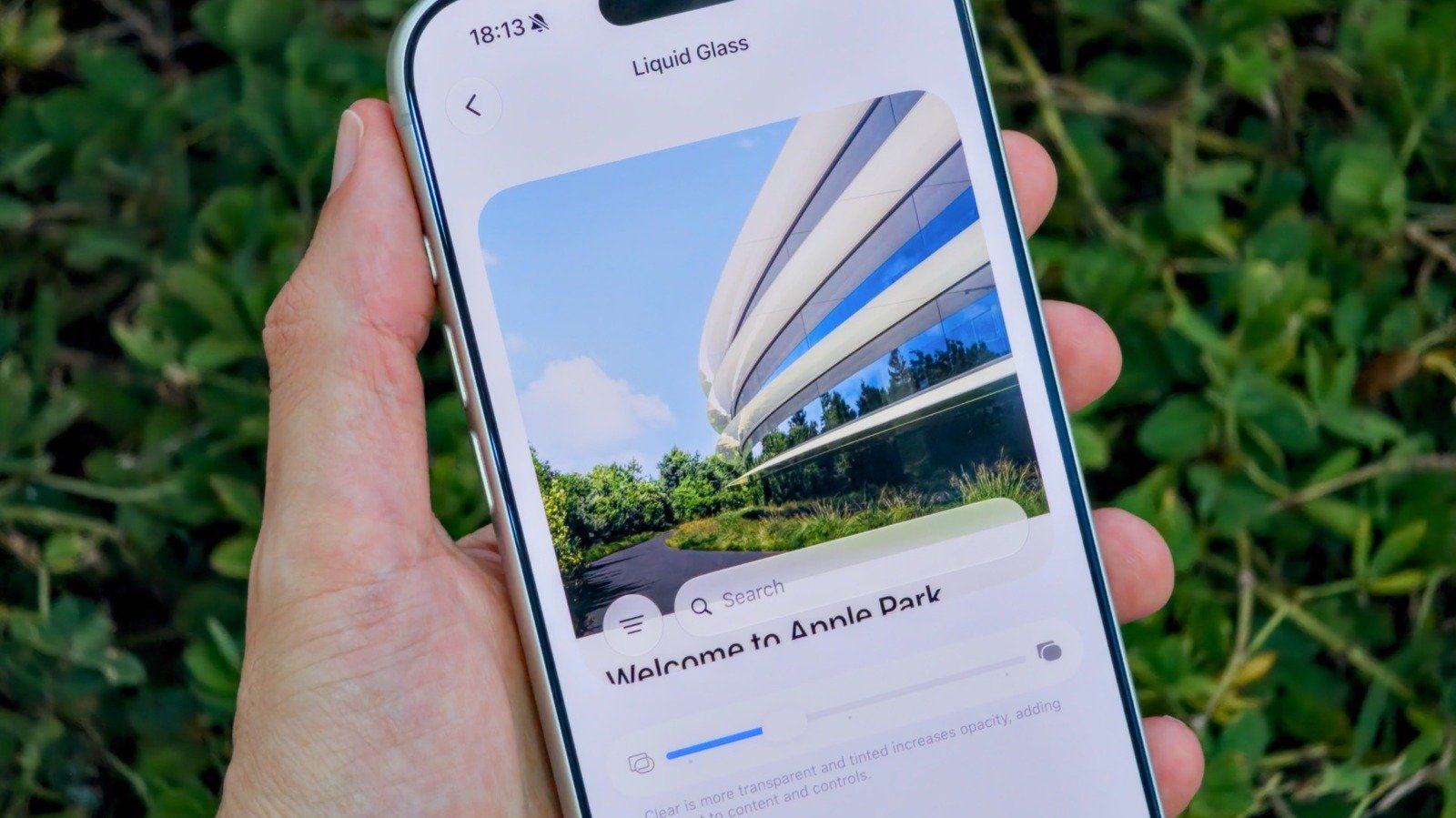
- Apple introduces a customizable slider in iOS 27, allowing users to adjust the Liquid Glass effect’s opacity and contrast to enhance readability and aesthetic preference.
- The new Liquid Glass settings are accessible via the iPhone’s Settings > Appearance menu, with a live preview feature for seamless customization.
- Users can completely disable Liquid Glass effects through the Accessibility settings by enabling Reduce Transparency, offering an alternative for those who dislike the glossy interface.
- The update supports iPhone 11 and newer models, with the public release available since September, though beta testers can experiment with future features early.
Personalize the Liquid Glass Effect with a Simple Slider
Adjusting the look of Liquid Glass on your iPhone has never been easier. With iOS 27, Apple introduces a new slider control that puts you in the driver’s seat. First, open the Settings app on your phone. Next, locate the Appearance section. Then, tap on the Liquid Glass menu. You will see a slider instead of the previous toggles. Dragging the slider to the left makes the effect more transparent. Moving it right increases opacity, giving the glassier look from earlier iOS versions. If you prefer a balanced look, leave the slider centered. As you adjust, a live preview appears right on the screen. This immediate feedback helps you find the perfect setting without guesswork. Keep in mind, the Lock Screen’s Liquid Glass effect has its own separate controls, so you can customize each area nicely. Remember, this feature is exclusive to iOS 27, so your device must be updated. Fortunately, iOS 27 supports iPhone 11 and newer models, so most users can enjoy these new options. With these controls, you gain more freedom to set your screen’s appearance exactly how you want it.
Easy Steps to Turn Off Liquid Glass Completely
Not everyone loves the shiny, glassy look on their iPhone. If you find it distracting or hard to read, you can disable it altogether. Apple makes this simple through Accessibility settings. First, go to Settings, then tap on Display & Text Size. Look for the option called Reduce Transparency. Turn this toggle on. When activated, it significantly cuts back on Liquid Glass effects. In fact, it can almost wipe out the transparent, glossy appearance. This option offers a more aggressive way to declutter your screen if you prefer a plainer interface. It’s especially handy for users with visual needs or those who want a minimal look. Keep in mind, though, that Disable Transparency removes some visual depth and may affect the overall aesthetic of your iPhone. Still, it provides a clean, straightforward experience for those who prioritize readability and simplicity. This feature makes it easy to customize your device to best suit your style and needs, giving you even more control over how iOS looks.
Enhancing Your iPhone’s Style with iOS 27’s New Features
iOS 27 brings significant improvements to how Liquid Glass looks and feels on your iPhone. The introduction of a slider control is a welcome change. It offers a new level of customization that was missing before. Users can now fine-tune the transparency to match their visual preferences. This change caters to both fans of the glossy effect and those who find it distracting. Besides, Apple still provides options like Tinted Mode, which sharpens contrast, and the ability to turn Liquid Glass off entirely. These choices show how Apple listens to user feedback and adapts. The update also extends compatibility to older models like the iPhone 11. This way, more users can take advantage of the latest visual tweaks. The design enhancements in iOS 27 reflect Apple’s push for a more personalized experience. Ultimately, these features enhance usability and style, making your device truly feel like your own. Whether you prefer a sleek, glossy look or a cleaner interface, iOS 27 offers tools to match your taste.
Discover More Technology Insights
Stay informed on the revolutionary breakthroughs in Quantum Computing research.
Explore past and present digital transformations on the Internet Archive.
CellphonesV1
