
Close Menu
    Facebook X (Twitter) Instagram
    Sunday, June 14
    Top Stories:
    • Parrots: The Surprise of Naming in the Animal Kingdom!
    • Millipedes: Earth’s Original Land Conquerors
    • Huawei’s ‘Chip Queen’ Returns: Leading Innovation Amid Scaling Law
    Facebook X (Twitter) Instagram Pinterest Vimeo
    IO Tribune
    • Home
    • AI
    • Tech
      • Gadgets
      • Fashion Tech
    • Crypto
    • Smart Cities
      • IOT
    • Science
      • Space
      • Quantum
    • OPED
    IO Tribune
    Home » Mastering Mac: Quick & Easy Cleaning & Organization Tips
    Gadgets

    Mastering Mac: Quick & Easy Cleaning & Organization Tips

    Lina Johnson MercilliBy Lina Johnson MercilliMarch 15, 2026No Comments3 Mins Read
    Share Facebook Twitter Pinterest LinkedIn Tumblr Reddit Telegram Email
    Share
    Facebook Twitter LinkedIn Pinterest Email

    Quick Takeaways

    1. Regularly clean your Mac’s screen and body using distilled water and microfiber cloths for a simple, effective, and Apple-recommended approach.
    2. Organize your hard drive by using macOS’s storage management tool to identify and delete unused apps, large files, and old backups, utilizing tools like AppCleaner for thorough removal.
    3. Maintain an uncluttered desktop and menu bar with apps like Bartender and by managing startup programs, while using tags to efficiently categorize and find files via Finder and Siri.
    4. Improve window management with third-party apps like Magnet or Rectangle, which enhance macOS’s native capabilities, combined with tools like Alfred for faster app and file searches.

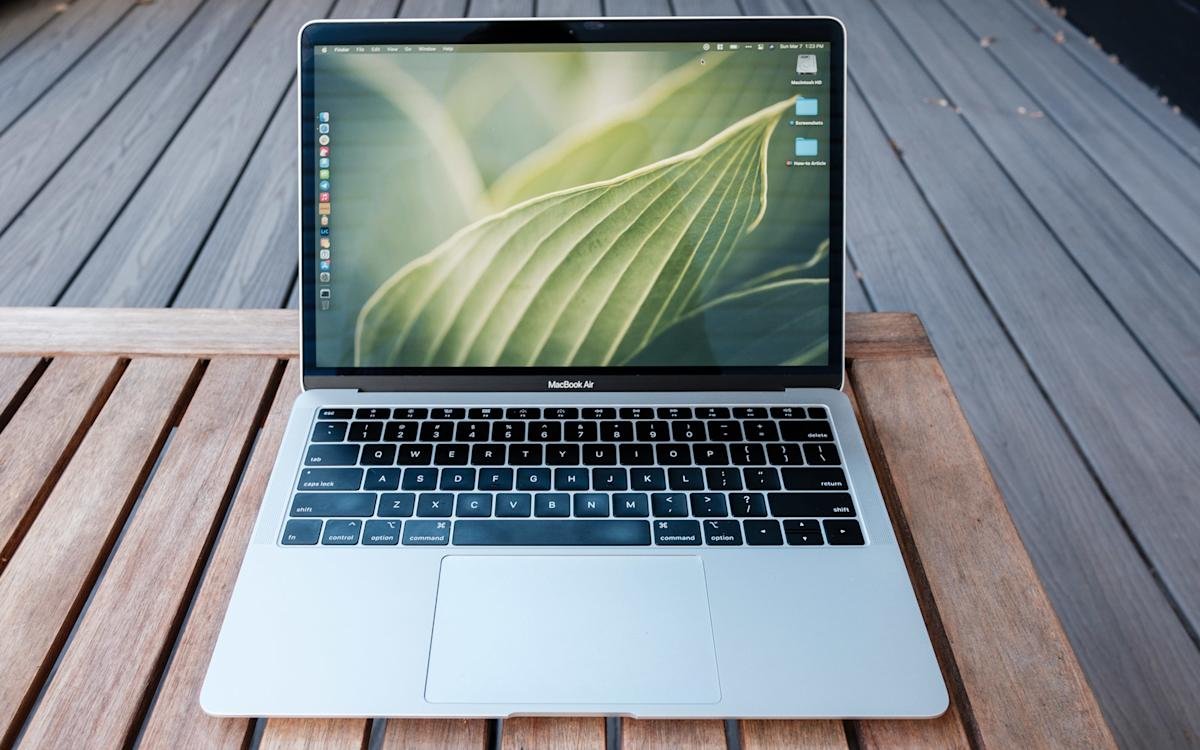
    Cleaning and organizing your Mac can make it run faster and look new again. First, it’s important to keep things simple. Use a microfiber cloth and distilled water to clean your Mac’s screen and body. Avoid sprays directly on your device; instead, dampen one side of the cloth and gently wipe. To remove dust, a Giottos Rocket Blower is a handy tool that saves money and reduces waste. After cleaning, buff your Mac smoothly with the dry side of the cloth to finish up.

    Next, tidying your digital space helps your Mac perform better. Start by opening the storage menu in System Settings. There, you’ll see categories like “Applications” and “Documents.” Review each category to identify old or unused apps and files. Instead of dragging apps to the trash, use a free tool like AppCleaner to remove leftovers completely. Remember to delete large files and old iOS backups to free up space.

    Keeping your desktop neat also makes your Mac more efficient. Use folders or stacks to organize files instead of piling everything on your desktop. Change your Finder settings to add tags to important files. This makes it easier to find what you need quickly. You can assign multiple tags and access them from the Finder sidebar or search with Siri.

    Managing your windows improves your workflow too. If you want more control than what macOS offers, apps like Magnet or Rectangle are great options. They help you snap windows to sides or corners, making multitasking simple. Quick shortcuts make switching between tasks faster, whether you’re editing a document or browsing.

    Finally, streamline your menu bar by hiding unused icons, which declutters your workspace. Apps like Bartender provide customization options to hide or organize menu items. Also, check your login items—only keep the apps you need when your Mac starts up. Removing unnecessary startup programs can speed things up.

    Keeping your Mac clean and organized is a smart move—just like developing smart cities and urban innovations. These efforts improve efficiency, reduce waste, and create more productive environments. Tech-savvy cities use similar strategies to optimize all their systems, making them better places to live and work. Your Mac just needs a little care to do the same.

    Discover More Technology Insights

    Explore the future of technology with our detailed insights on Artificial Intelligence.

    Explore past and present digital transformations on the Internet Archive.

    GadgetsV1

    android apple cell cleaning solutions google Igor Bonifacic iOS microfiber cloth mobile VT1
    Share. Facebook Twitter Pinterest LinkedIn Tumblr Email
    Previous ArticleBuilding Connected Communities
    Next Article Revolutionary Photonic Device Perfectly Channels Light into Free Space
    Avatar photo
    Lina Johnson Mercilli
    • Website

    Lina Johnson Marcelli is the editor for IO Tribune, bringing over two decades of experience in journalism to her role. With a BA in Journalism, she is passionate about delivering impactful stories that resonate with readers. Known for her keen editorial vision and leadership, Lina is dedicated to fostering innovative storytelling across the publication. Outside of work, she enjoys exploring new media trends and mentoring aspiring journalists.

    Related Posts

    AI

    Essential 4 Lines to Master Your Claude Skill

    June 14, 2026
    Space

    Unlocking Cosmic Secrets: The Enigmatic Black Eye Galaxy

    June 14, 2026
    Gadgets

    Ultimate Biometric Smart Lock: SwitchBot Lock Vision Pro Review

    June 14, 2026
    Add A Comment

    Comments are closed.

    Must Read

    Essential 4 Lines to Master Your Claude Skill

    June 14, 2026

    Unlocking Cosmic Secrets: The Enigmatic Black Eye Galaxy

    June 14, 2026

    Ultimate Biometric Smart Lock: SwitchBot Lock Vision Pro Review

    June 14, 2026

    Vision LLMs: Unlocking PDF Charts & Diagrams

    June 14, 2026

    Bitcoin Difficulty Drops 10%, Miner Pressure Intensifies

    June 14, 2026
    Categories
    • AI
    • Crypto
    • Fashion Tech
    • Gadgets
    • IOT
    • OPED
    • Quantum
    • Science
    • Smart Cities
    • Space
    • Tech
    • Technology
    Most Popular

    Unlocking Health Care: Your Guide to Transforming the Future with Data-Powered Innovation! | MIT News

    May 5, 2025

    Crypto VC Surges: $8.5B Boosts Late-Stage Startups in Q4 2025

    February 9, 2026

    NASA’s Lunar Trailblazer Mission: A Disappointing Finale

    August 5, 2025
    Our Picks

    Jupiter’s Shape Revealed: Shorter and Flatter!

    May 9, 2026

    Top Cellphone Plans 2025: Compare and Save!

    October 2, 2025

    Durov Announces Massive TON Fee Cuts Incoming

    April 26, 2026
    Categories
    • AI
    • Crypto
    • Fashion Tech
    • Gadgets
    • IOT
    • OPED
    • Quantum
    • Science
    • Smart Cities
    • Space
    • Tech
    • Technology
    • Privacy Policy
    • Disclaimer
    • Terms and Conditions
    • About Us
    • Contact us
    Copyright © 2025 Iotribune.comAll Rights Reserved.

    Type above and press Enter to search. Press Esc to cancel.