

Essential Insights
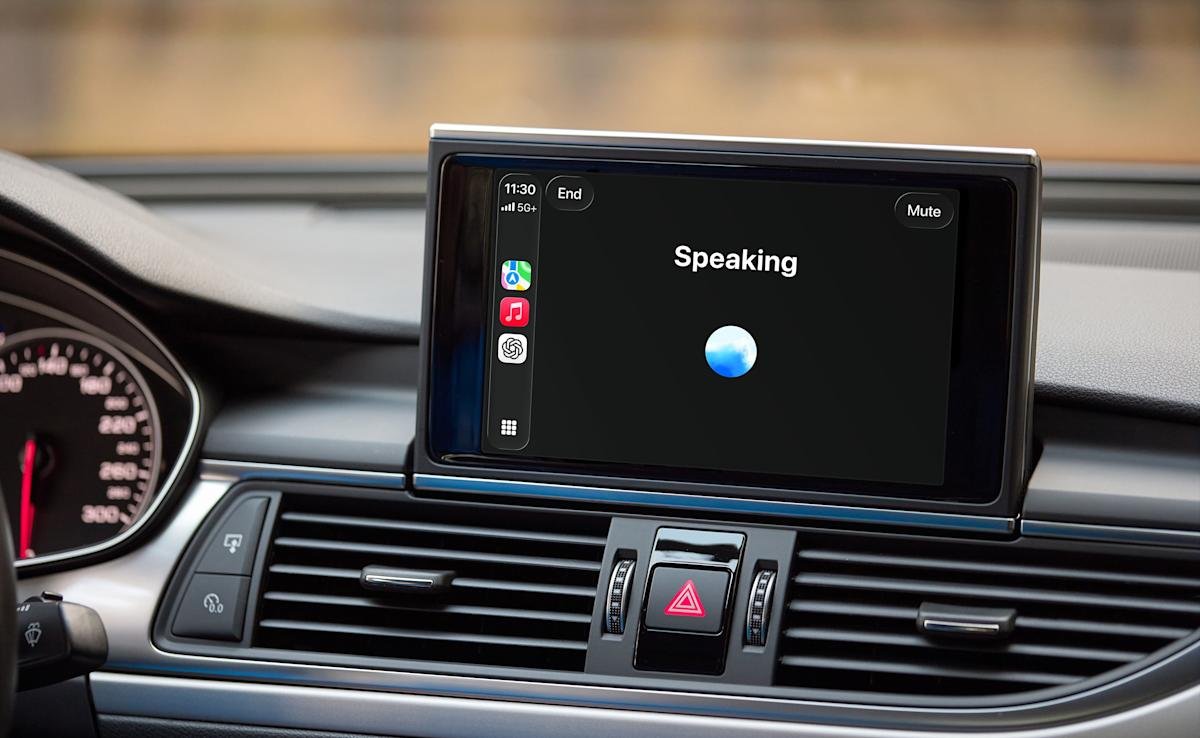
- OpenAI has unexpectedly released ChatGPT’s Voice mode on Apple CarPlay, available with the latest iOS and app updates for compatible vehicles.
- Users can initiate conversations by connecting their iPhone, selecting “New voice chat,” and starting when ChatGPT indicates it’s “listening.”
- The feature cannot control vehicle functions or be activated by wake words; Siri remains necessary for such controls.
- Primarily useful for getting advice, brainstorming, or practicing languages, with limitations on seamless and integrated voice interactions.
OpenAI has unexpectedly introduced ChatGPT’s Voice mode to Apple CarPlay. This new feature allows drivers with compatible vehicles to interact with ChatGPT using voice commands, creating a more seamless driving experience. To access it, users must have the latest versions of iOS and the ChatGPT app. Once everything is updated, they need to connect their iPhone to their vehicle’s CarPlay system and select “New voice chat” within the app. When ChatGPT indicates it is listening, drivers can start talking.
However, there are some limits. For example, ChatGPT can’t control car features like adjusting the temperature or changing the music. Siri still handles those tasks. Also, due to Apple’s restrictions, drivers cannot activate ChatGPT with a wake word like “Hey Siri.” To resume a conversation, users must open the app manually from CarPlay and tap on recent chats.
Despite these restrictions, the feature offers many benefits. Drivers can ask ChatGPT for help with directions, brainstorm ideas, or practice new languages. For urban innovation and the development of smarter cities, tools like this demonstrate how technology can enhance daily life on the road. They support more connected, efficient, and accessible transportation, paving the way for future innovations. For those who enjoy chatting or seeking quick advice during travel, this update marks an exciting step forward.
Discover More Technology Insights
Explore the future of technology with our detailed insights on Artificial Intelligence.
Access comprehensive resources on technology by visiting Wikipedia.
GadgetsV1
