
Close Menu
    Facebook X (Twitter) Instagram
    Tuesday, July 21
    Top Stories:
    • Volvo Brings Apple Music to 2 Million Cars with Easy OTA Update!
    • Samsung Launches Galaxy Credit Card Ahead of Unpacked Event!
    • Meet the First UL 3700-Compliant Plug-In Solar Microinverter in the US!
    Facebook X (Twitter) Instagram Pinterest Vimeo
    IO Tribune
    • Home
    • AI
    • Tech
      • Gadgets
      • Fashion Tech
    • Crypto
    • Smart Cities
      • IOT
    • Science
      • Space
      • Quantum
    • OPED
    IO Tribune
    Home » Unlocking Your iPhone: Essential Tips for Adding Car Keys
    Tech

    Unlocking Your iPhone: Essential Tips for Adding Car Keys

    Lina Johnson MercilliBy Lina Johnson MercilliJuly 20, 2026No Comments3 Mins Read
    Share Facebook Twitter Pinterest LinkedIn Tumblr Reddit Telegram Email
    Share
    Facebook Twitter LinkedIn Pinterest Email

    Quick Takeaways

    1. Apple’s CarKey feature allows unlocking and starting cars via iPhone.
    2. Compatible cars have greatly expanded since its launch in 2020.
    3. Users must have an iPhone XS or newer to use digital keys.
    4. Setup varies by car; backup physical keys are recommended.

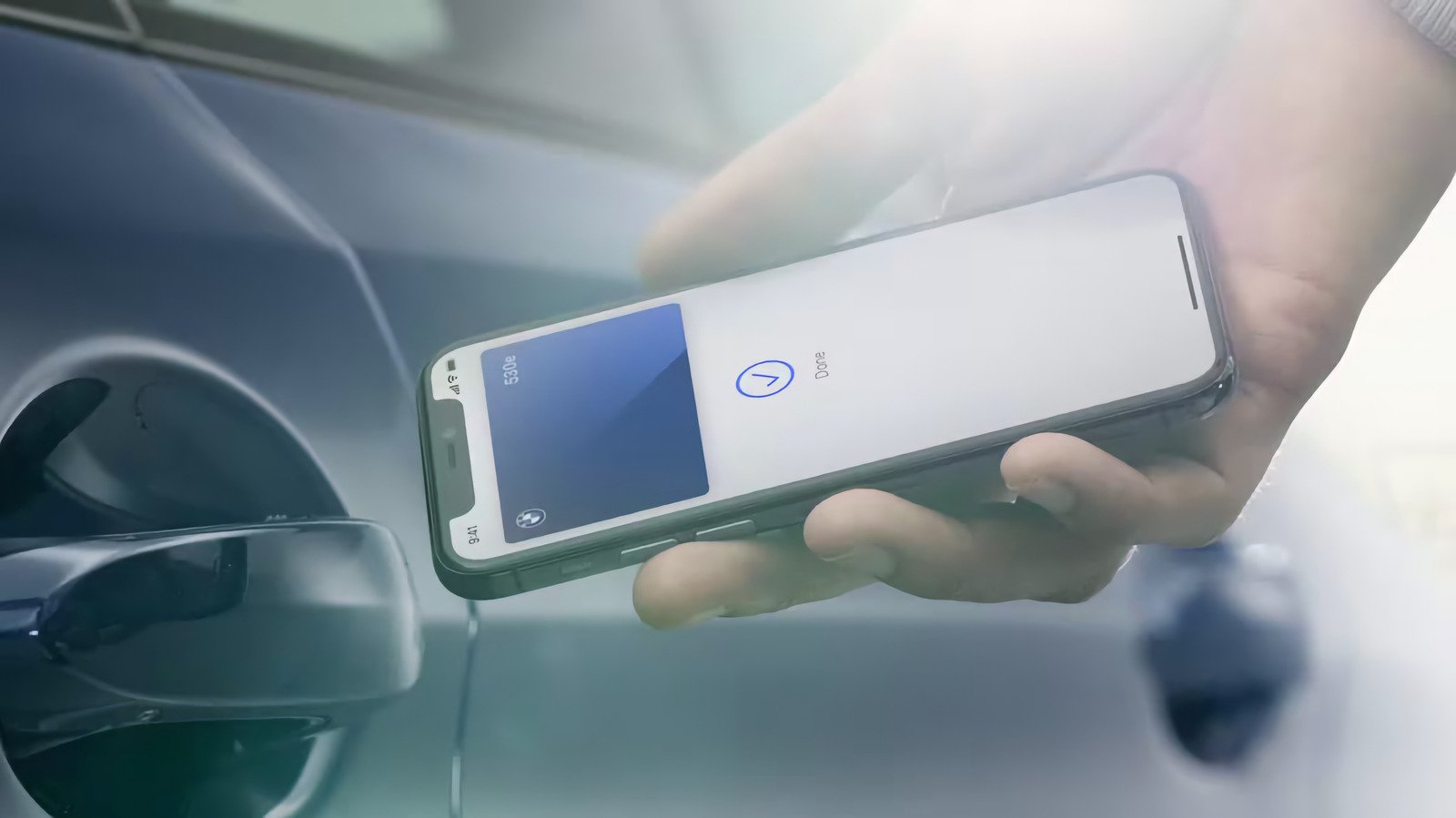
    You can access your car without even having to unlock your iPhone.

    ### Understanding Digital Car Keys

    The introduction of Apple’s CarKey feature has changed how drivers interact with their vehicles. Since its launch in 2020, this capability has expanded from a limited number of cars to encompass several major brands. The technology allows iPhone users to store digital car keys in the Wallet app, enabling convenient access to their vehicles. Unlocking and starting the car can occur with just a tap, thanks to the iPhone’s NFC chip.

    Drivers appreciate the seamless integration this feature offers, especially with options like “Express Mode.” This function allows users to unlock and start their cars without even pulling their phones out of their pockets. However, users must ensure their iPhones—models XS or newer—are compatible, along with their vehicles, which require the adoption of specific technology.

    ### Setting Up Your Digital Key

    The setup process for adding a car key can vary significantly by manufacturer, which may complicate the experience for users. Some vehicles require users to physically touch their phones to the key reader during setup, while others may use mobile prompts sent via text or email. Affected users may need to create a specific account with their car brand and follow various instructions that differ from model to model.

    Once setup is complete, users can conveniently access their vehicles through the Wallet app. Sharing a digital key is also straightforward; users simply select the key and designate a contact. This feature emphasizes the convenience of modern technology but prompts concerns about security. If a user loses their phone, they can mark it as lost through the Find My app, which will disable the digital keys stored within. However, shared keys remain functional.

    While the shift to digital keys presents a leap in convenience, they do require users to stay vigilant about security protocols. Maintaining a physical copy of traditional keys is essential for unforeseen circumstances. The transition to digital car keys embodies a forward-thinking approach, merging technology and practicality, while also necessitating careful consideration of its implications.

    Stay Ahead with the Latest Tech Trends

    Explore the future of technology with our detailed insights on Artificial Intelligence.

    Discover archived knowledge and digital history on the Internet Archive.

    TechV1

    Innovation Management Tech technology VT1
    Share. Facebook Twitter Pinterest LinkedIn Tumblr Email
    Previous ArticleRunning Claude Code Agents for 24+ Hours
    Next Article Countdown to Discovery: SpaceX Crew-13 Prepares for Launch!
    Avatar photo
    Lina Johnson Mercilli
    • Website

    Lina Johnson Marcelli is the editor for IO Tribune, bringing over two decades of experience in journalism to her role. With a BA in Journalism, she is passionate about delivering impactful stories that resonate with readers. Known for her keen editorial vision and leadership, Lina is dedicated to fostering innovative storytelling across the publication. Outside of work, she enjoys exploring new media trends and mentoring aspiring journalists.

    Related Posts

    AI

    Transform 2D Designs into 3D Models Faster

    July 21, 2026
    Quantum

    MIT Unveils Bright, Energy-Efficient Digital Displays

    July 21, 2026
    IOT

    PS Plus July 2026: Zombies, Aliens, Nostalgia Unleashed

    July 21, 2026
    Add A Comment

    Comments are closed.

    Must Read

    Transform 2D Designs into 3D Models Faster

    July 21, 2026

    MIT Unveils Bright, Energy-Efficient Digital Displays

    July 21, 2026

    PS Plus July 2026: Zombies, Aliens, Nostalgia Unleashed

    July 21, 2026

    Volvo Brings Apple Music to 2 Million Cars with Easy OTA Update!

    July 21, 2026

    Samsung Launches Galaxy Credit Card Ahead of Unpacked Event!

    July 21, 2026
    Categories
    • AI
    • Crypto
    • Fashion Tech
    • Gadgets
    • IOT
    • OPED
    • Quantum
    • Science
    • Smart Cities
    • Space
    • Tech
    Most Popular

    Apple TV App for Android Now Supports Google Cast!

    December 16, 2025

    Anthropic Unveils Big London Expansion

    April 17, 2026

    XRP’s Bullish Pattern Signals New All-Time Highs!

    September 26, 2025
    Our Picks

    New Beginnings: Life Among the Stars

    December 6, 2025

    New Zealand’s Backyard Trappers: Heroes for Rare Bird Survival

    September 15, 2025

    Unearthed Treasures: A Journey into Ancient Mysteries

    December 21, 2025
    Categories
    • AI
    • Crypto
    • Fashion Tech
    • Gadgets
    • IOT
    • OPED
    • Quantum
    • Science
    • Smart Cities
    • Space
    • Tech
    • Privacy Policy
    • Disclaimer
    • Terms and Conditions
    • About Us
    • Contact us
    Copyright © 2025 Iotribune.comAll Rights Reserved.

    Type above and press Enter to search. Press Esc to cancel.