

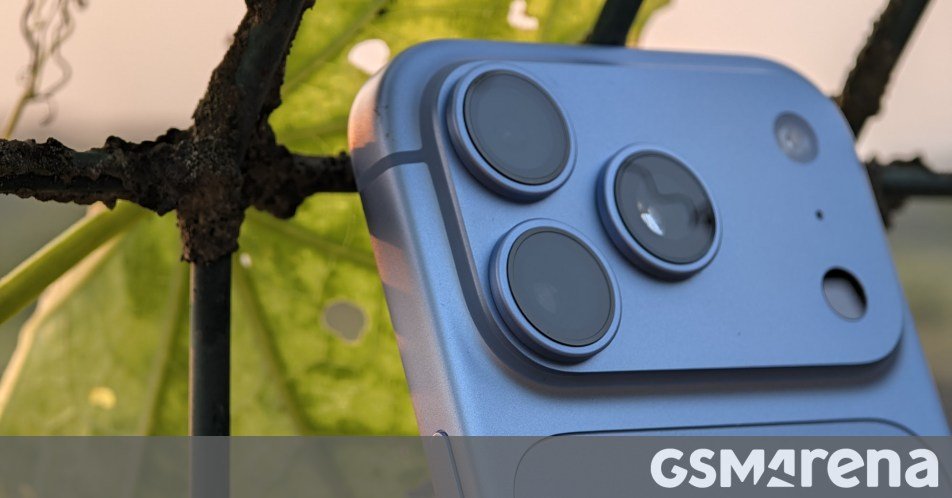
Summary Points
- The iPhone 18 Pro introduces variable aperture, letting users adjust how much light reaches the camera sensor.
- Videographers can narrow the aperture to use slower shutter speeds and create smoother, more natural-looking motion.
- Photographers can narrow it for greater depth of field and slightly sharper corners, or widen it for more background blur.
- The feature is useful but limited: Apple’s Camera app offers only four settings, and variable aperture works only on the main camera.
What Is Variable Aperture, and Why Should You Care?
The iPhone 18 Pro brings a feature to iPhone photography that dedicated cameras have offered for years: variable aperture. The name sounds technical, but the idea is simple. The camera can change the size of the opening that lets light reach its sensor.
That adjustment can shape more than brightness. It can help video look smoother, keep more of a close-up in focus, and slightly improve detail in some photos. Still, it will not transform every shot. Here’s what the feature does—and when it matters.
Aperture, explained without the camera manual
Aperture means an opening. In a camera, it describes the opening in the lens that lets light reach the image sensor. A variable aperture can widen or narrow that opening. Small blades move to change its size, much like the iris in your eye adjusts the pupil.
Camera makers describe aperture with an f-number, such as f/1.8 or f/4. The numbers can seem backward: A smaller number means a wider opening, while a larger number means a narrower one. So f/1.46 lets in more light than f/4.
Aperture works alongside shutter speed and ISO to control exposure. Shutter speed determines how long the sensor gathers light. A longer exposure brightens an image, but it can also blur moving subjects. ISO controls how strongly the camera amplifies the sensor’s signal. Raising ISO can brighten a photo, but it can also add visual noise.
The camera balances all three. A variable aperture gives it—and you—one more way to manage light and shape an image. On the iPhone 18 Pro, the built-in Camera app offers four aperture settings: f/1.46, f/1.8, f/2.8 and f/4. The phone can adjust the opening mechanically, while the camera software manages the other exposure settings.
Where variable aperture makes a visible difference
For video, aperture can help preserve natural-looking motion. Cinematographers often follow the 180-degree shutter rule: Set shutter speed near twice the video’s frame rate. For example, 24-frame-per-second footage typically looks natural with a shutter speed around 1/48 of a second, or 1/50 if that setting is available.
Bright sunlight can make that shutter speed overexpose footage. Without another way to reduce incoming light, a phone may use a faster shutter speed. That can make movement look sharp but jittery. Narrowing the aperture lets in less light, so the camera can use a slower shutter speed and retain smoother motion.
In very bright conditions, videographers may still need a neutral-density filter, which works like sunglasses for a camera. But for many everyday scenes, aperture control gives the phone another way to balance exposure without changing the motion effect.
Aperture also affects depth of field: the range in a scene that appears in focus. A wide aperture, such as f/1.46, creates a shallower depth of field. The subject may stand out against a softer background, but a small area of the subject may remain sharp. That can look striking in a portrait. It can also leave part of a close-up blurry.
A narrower aperture, such as f/4, expands the area that appears in focus. That can help when you photograph food, flowers or small objects up close. It may also suit landscapes, where you want detail across more of the frame. On the iPhone 18 Pro, the sharpness difference between the widest and narrowest settings can be subtle. Yet the smaller aperture may improve corner detail and reduce purple color fringes around high-contrast edges.
There’s a trade-off. Small apertures can create star-shaped patterns around bright points of light. Meanwhile, wide apertures help the camera gather more light, which can benefit dim scenes. In ordinary use, however, the iPhone already adjusts shutter speed and ISO, and it can combine multiple exposures in Night mode. So you rarely need to change aperture just to make a photo brighter or darker.
Useful creative control—with room to improve
Variable aperture gives the iPhone 18 Pro more photographic flexibility, especially for video and close-ups. It can help you keep motion natural in bright light, choose how much of a subject stays sharp, and fine-tune detail in a high-resolution landscape. Those benefits matter most when you have a particular look in mind. For a quick snapshot, the automatic setting will often do the job.
The feature also has limits. The iPhone Camera app provides only four aperture choices, while some third-party camera apps offer more settings and additional manual controls, including ISO. That extra control may appeal to enthusiasts, but requiring another app for a fuller set of options adds friction. Apple could make the experience clearer with a dedicated Pro mode that groups advanced tools in one place.
There’s another hardware limitation: The variable aperture applies only to the main camera. A variable aperture on the telephoto camera would give users more control when they zoom in, too. And while the feature adds creative options, it does not guarantee sharper photos or cinematic video. Lighting, focus, movement and the photographer’s choices still matter.
Even so, the addition feels worthwhile. It gives curious users a practical way to learn how cameras work, while offering experienced shooters control that phone cameras have often lacked. You don’t need to adjust it for every picture. But when a scene calls for smoother motion, greater depth of focus or a softer background, that small opening can make a meaningful difference.
Continue Your Tech Journey
Explore the future of technology with our detailed insights on Artificial Intelligence.
Access comprehensive resources on technology by visiting Wikipedia.
CellphonesV1
