
Close Menu
    Facebook X (Twitter) Instagram
    Saturday, May 30
    Top Stories:
    • Xiaomi’s AI, chips, and EVs: Future-proofing its hardware empire
    • Summit’s PD-1/VEGF Therapy to Lead at ASCO, Inspiring Peers
    • Silent Kidney Crisis: An Unexpected Surge
    Facebook X (Twitter) Instagram Pinterest Vimeo
    IO Tribune
    • Home
    • AI
    • Tech
      • Gadgets
      • Fashion Tech
    • Crypto
    • Smart Cities
      • IOT
    • Science
      • Space
      • Quantum
    • OPED
    IO Tribune
    Home » Create a Holographic Lock Screen in iOS 26!
    Gadgets

    Create a Holographic Lock Screen in iOS 26!

    Lina Johnson MercilliBy Lina Johnson MercilliNovember 1, 2025No Comments3 Mins Read
    Share Facebook Twitter Pinterest LinkedIn Tumblr Reddit Telegram Email
    Share
    Facebook Twitter LinkedIn Pinterest Email

    Fast Facts

    1. Enhanced Personalization: iOS 26 introduces Spatial Scenes, creating dynamic, holographic lock screens that react to device movement, offering users a more immersive and customizable experience.

    2. Image Selection: Successful holographic effects rely on choosing images with clear depth, such as portraits or landscapes, while avoiding complex backgrounds that hinder depth detection.

    3. Creation Process: To set up a holographic lock screen, users need to select a suitable photo, activate the Spatial Scene effect, and adjust the framing to ensure visibility of clock and widgets.

    4. Compatibility and Functionality: Available on iPhone 12 and newer models, Spatial Scenes maintain readability of important information while providing a subtle, layered appearance that enhances the lock screen experience.

    Transform Your Lock Screen with Holographic Backgrounds in iOS 26

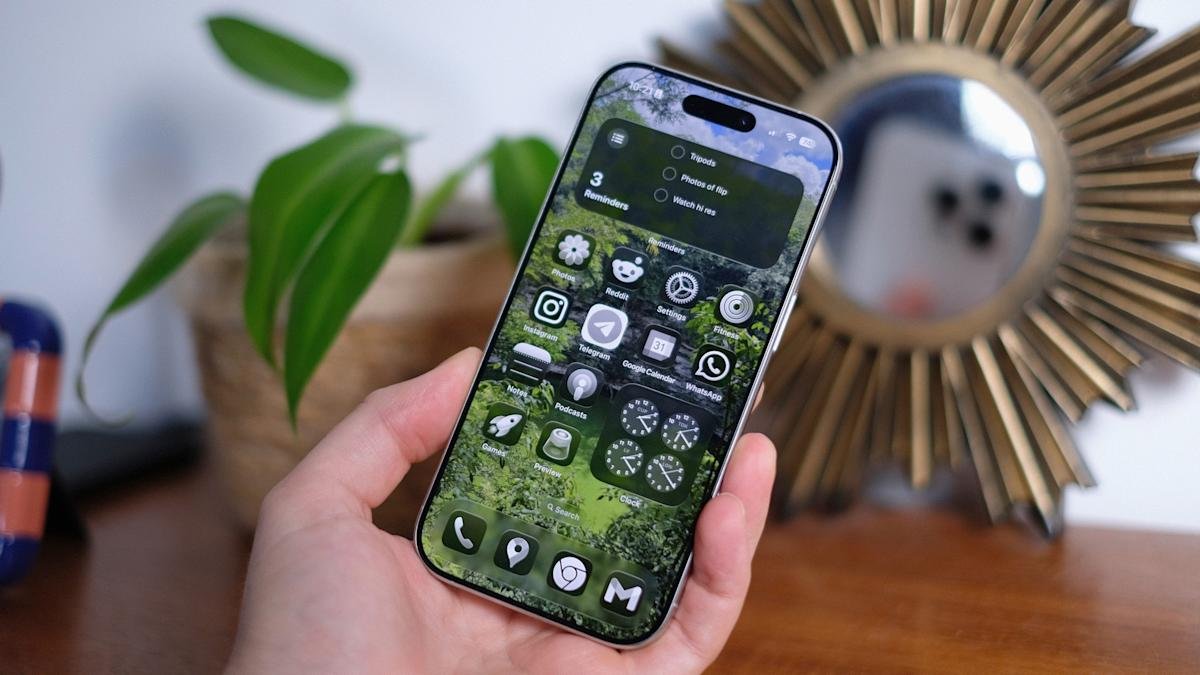
    Apple introduces a game-changer in iOS 26: the holographic lock screen, powered by Spatial Scenes. This feature allows users to add depth and motion to their lock screens. Instead of flat images, your wallpaper now reacts to movement, creating a dynamic experience.

    To start, choose the right photo. Look for images with a distinct foreground. Portraits, pets, and landscapes work best. Avoid busy backgrounds and heavy filters, as they can confuse depth detection. Proper subject placement is crucial, so ensure it doesn’t overlap with the clock or widgets on your lock screen.

    Creating the holographic effect is simple. Wake your iPhone, then press and hold the lock screen until the wallpaper gallery appears. Tap “Customize” on an existing image or hit the plus button to add a new one. Select a photo with clear depth and tap the hexagon icon that appears for processing. If the icon doesn’t show, choose another image.

    After the depth map forms, you can adjust the image with pinch and drag gestures. This step ensures the subject remains visible and well-framed. When satisfied, click “Add” or “Done.” You can choose to apply the wallpaper to just the lock screen or both the lock and home screens.

    Ensure your device supports this feature; iPhone 12 and newer models are compatible. If your wallpaper appears static, disabling Low Power Mode may help. Also, check accessibility settings like Reduce Motion if needed.

    The outcome creates an engaging lock screen that feels alive. When you tilt your iPhone, the foreground and background shift independently, adding a three-dimensional feel. Plus, important information like time and widgets remains clearly visible due to automatic layering adjustments.

    Stay in control of your device’s look and functionality. Personalization through iOS 26 offers more than just aesthetics; it enhances usability too. Enjoy exploring your creativity with this fresh holographic feature.

    Expand Your Tech Knowledge

    Dive deeper into the world of Cryptocurrency and its impact on global finance.

    Discover archived knowledge and digital history on the Internet Archive.

    GadgetsV1

    android apple cell google iOS lock screen lock screens mobile VT1
    Share. Facebook Twitter Pinterest LinkedIn Tumblr Email
    Previous ArticleAncient Swimmers: Prehistoric Mosquito Larvae Reveal Modern Secrets
    Next Article Goodbye Life360: Embrace Privacy with Smarter Location Sharing
    Avatar photo
    Lina Johnson Mercilli
    • Website

    Lina Johnson Marcelli is the editor for IO Tribune, bringing over two decades of experience in journalism to her role. With a BA in Journalism, she is passionate about delivering impactful stories that resonate with readers. Known for her keen editorial vision and leadership, Lina is dedicated to fostering innovative storytelling across the publication. Outside of work, she enjoys exploring new media trends and mentoring aspiring journalists.

    Related Posts

    Crypto

    Pi Network: Latest News & Price Update, May 30

    May 30, 2026
    Space

    Bean Plants Signal for Help Against Caterpillar Siege!

    May 30, 2026
    Quantum

    MIT Announces Regional Quantum Hub Initiative

    May 30, 2026
    Add A Comment

    Comments are closed.

    Must Read

    Pi Network: Latest News & Price Update, May 30

    May 30, 2026

    Bean Plants Signal for Help Against Caterpillar Siege!

    May 30, 2026

    MIT Announces Regional Quantum Hub Initiative

    May 30, 2026

    Vatican Insider Unveils Anthropic Secrets

    May 30, 2026

    NTT, Kubota, DOCOMO showcase cutting-edge communication tech

    May 30, 2026
    Categories
    • AI
    • Crypto
    • Fashion Tech
    • Gadgets
    • IOT
    • OPED
    • Quantum
    • Science
    • Smart Cities
    • Space
    • Tech
    • Technology
    Most Popular

    Testing Exercise and Anti-Inflammatories: Can They Slow Down Aging?

    January 19, 2026

    Canada’s Fiery Reality: The New Normal of Wildfires

    June 6, 2025

    Revolutionary Superconducting Flux Qubit Operates in Zero Magnetic Field

    October 2, 2025
    Our Picks

    PIN AI Unveils Mobile App for Custom, Private AI Models!

    February 15, 2025

    Grab Apple’s AirPods 4 with ANC for Just $99!

    December 6, 2025

    Flavorful Tunes: A Lollipop that Serenades Your Taste Buds!

    January 10, 2026
    Categories
    • AI
    • Crypto
    • Fashion Tech
    • Gadgets
    • IOT
    • OPED
    • Quantum
    • Science
    • Smart Cities
    • Space
    • Tech
    • Technology
    • Privacy Policy
    • Disclaimer
    • Terms and Conditions
    • About Us
    • Contact us
    Copyright © 2025 Iotribune.comAll Rights Reserved.

    Type above and press Enter to search. Press Esc to cancel.