
Close Menu
    Facebook X (Twitter) Instagram
    Saturday, October 31
    Top Stories:
    • Apple Intelligence Launches in China This December With Alibaba’s Backing
    • AbbVie’s Q3 Beat Keeps Growth Train Rolling, Eyes Bolt-On Deals
    • Startup Unveils EUV Lithography Prototype Amid China’s Chip Push
    Facebook X (Twitter) Instagram Pinterest Vimeo
    IO Tribune
    • Home
    • AI
    • Tech
      • Gadgets
      • Fashion Tech
    • Crypto
    • Smart Cities
      • IOT
    • Science
      • Space
      • Quantum
    • OPED
    IO Tribune
    Home » Pixel’s Adaptive Connectivity Boosted in Android 16 Beta
    Gadgets

    Pixel’s Adaptive Connectivity Boosted in Android 16 Beta

    Lina Johnson MercilliBy Lina Johnson MercilliFebruary 3, 2026No Comments2 Mins Read
    Share Facebook Twitter Pinterest LinkedIn Tumblr Reddit Telegram Email
    Share
    Facebook Twitter LinkedIn Pinterest Email

    Summary Points

    1. Enhanced Controls: Google introduces clearer Adaptive Connectivity features in Android 16 QPR3 Beta 2, moving from a single toggle to two distinct options.

    2. Auto-Switch Feature: The new “Auto-switch to mobile network” option keeps users connected during weak Wi-Fi but may consume more mobile data.

    3. Battery Optimization: The “Optimize network for battery life” toggle prioritizes connection efficiency to help extend battery life.

    4. User Choice: These changes provide users with greater transparency and control over connectivity settings, allowing for informed decisions between reliability and efficiency.

    Pixel’s Adaptive Connectivity Gets an Upgrade in Android 16 Beta

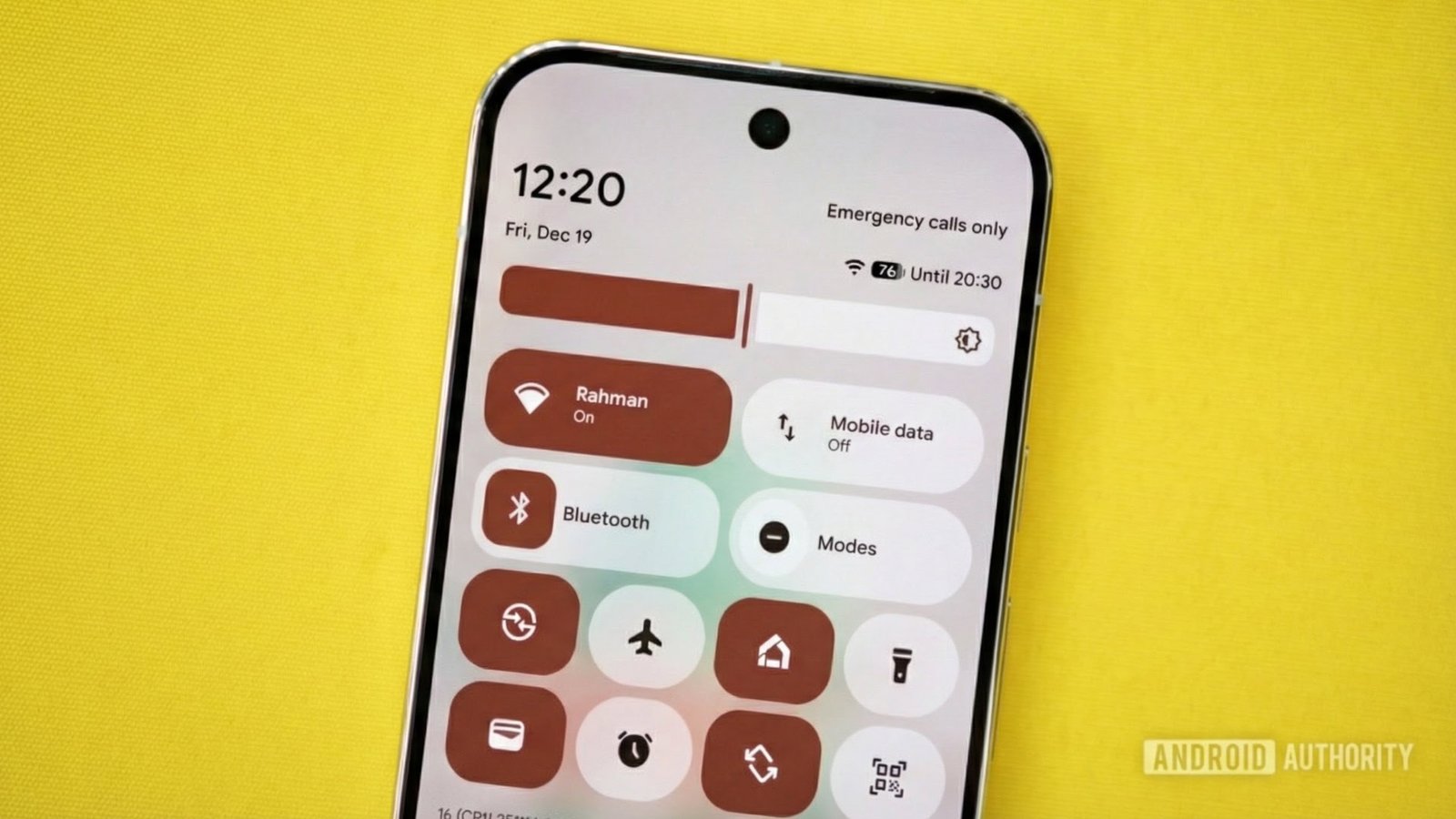
    Google has rolled out a significant update to its Adaptive Connectivity feature in the Android 16 QPR3 Beta 2. This update clarifies user control over network connections, addressing common frustrations.

    Previously, Adaptive Connectivity operated as a single on/off button. Users had little understanding of how it affected battery life or performance. Now, with the new update, Pixel users gain two distinct toggles: “Auto-switch to mobile network” and “Optimize network for battery life.”

    The “Auto-switch to mobile network” option automatically connects to mobile data when Wi-Fi signal weakens, ensuring users stay online. However, this may consume more data, which users can control if they prefer sticking to Wi-Fi.

    Meanwhile, the “Optimize network for battery life” toggle focuses on efficiency. It seeks the best connection—whether Wi-Fi or mobile—that consumes less power.

    This adjustment empowers users to select their priorities—either maintaining a reliable connection or maximizing battery efficiency. Such clarity enhances the smartphone experience, particularly as urban environments become increasingly interconnected.

    As cities innovate and expand their smart technologies, reliable connectivity plays a crucial role. This update not only improves user experience but also aligns with the broader goals of smart cities, where seamless connectivity can enhance daily life.

    Currently, this feature is in beta, with a full release expected in March. Meanwhile, Pixel users can actively tailor their smartphone functions. With clearer controls, Google continues to prioritize user choice and adaptability in an evolving technological landscape.

    Discover More Technology Insights

    Stay informed on the revolutionary breakthroughs in Quantum Computing research.

    Explore past and present digital transformations on the Internet Archive.

    GadgetsV1

    android Android 16 apple cell google Google Pixel iOS mobile VT1
    Share. Facebook Twitter Pinterest LinkedIn Tumblr Email
    Previous ArticleWhy Cardano Investors Are Choosing Self-Custody Today
    Next Article Revolutionizing Elderly Care: MIT’s SMART Unveils Cutting-Edge Wearable Imaging Tech!
    Avatar photo
    Lina Johnson Mercilli
    • Website

    Lina Johnson Marcelli is the editor for IO Tribune, bringing over two decades of experience in journalism to her role. With a BA in Journalism, she is passionate about delivering impactful stories that resonate with readers. Known for her keen editorial vision and leadership, Lina is dedicated to fostering innovative storytelling across the publication. Outside of work, she enjoys exploring new media trends and mentoring aspiring journalists.

    Related Posts

    Tech

    Apple Intelligence Launches in China This December With Alibaba’s Backing

    October 31, 2026
    Science

    AbbVie’s Q3 Beat Keeps Growth Train Rolling, Eyes Bolt-On Deals

    October 31, 2026
    AI

    Meta’s Muse Could Disrupt Businesses—But Hasn’t Yet

    October 31, 2026
    Add A Comment

    Comments are closed.

    Must Read

    Apple Intelligence Launches in China This December With Alibaba’s Backing

    October 31, 2026

    AbbVie’s Q3 Beat Keeps Growth Train Rolling, Eyes Bolt-On Deals

    October 31, 2026

    Meta’s Muse Could Disrupt Businesses—But Hasn’t Yet

    October 31, 2026

    Warming Seas Let Hungry Fish Devastate Kelp Forests

    October 31, 2026

    GNSS vs GPS: Key Differences

    October 31, 2026
    Categories
    • AI
    • Crypto
    • Fashion Tech
    • Gadgets
    • IOT
    • OPED
    • Quantum
    • Science
    • Smart Cities
    • Space
    • Tech
    Most Popular

    Pi Network Price Dips at $0.29: Can the Uptrend Continue?

    October 30, 2025

    Four-Year-Olds Show They Care About Their Impact

    September 26, 2026

    Perfect Accessories That Truly Fit Your iPhone Duo

    October 13, 2026
    Our Picks

    XRP DEX Sees 954K Transactions Amid Price Drop

    November 6, 2025

    Pre-orders Open Now for Samsung Galaxy Z Fold7, Z Flip7 & Z Flip7 FE in Europe!

    July 13, 2025

    AI Breakthrough: WeatherNext Predicts Hurricane Melissa

    May 24, 2026
    Categories
    • AI
    • Crypto
    • Fashion Tech
    • Gadgets
    • IOT
    • OPED
    • Quantum
    • Science
    • Smart Cities
    • Space
    • Tech
    • Privacy Policy
    • Disclaimer
    • Terms and Conditions
    • About Us
    • Contact us
    Copyright © 2025 Iotribune.comAll Rights Reserved.

    Type above and press Enter to search. Press Esc to cancel.