
Close Menu
    Facebook X (Twitter) Instagram
    Tuesday, July 14
    Top Stories:
    • Revolutionary Physics Experiment Could Shape Tomorrow’s Computers
    • Social Media Threats: Sextortion and iMessage Risks Targeting Teens
    • Shein Executive Chairman to Step Down, IPO Nears Completion
    Facebook X (Twitter) Instagram Pinterest Vimeo
    IO Tribune
    • Home
    • AI
    • Tech
      • Gadgets
      • Fashion Tech
    • Crypto
    • Smart Cities
      • IOT
    • Science
      • Space
      • Quantum
    • OPED
    IO Tribune
    Home » Effortlessly Scan QR Codes Without Extra Apps
    Gadgets

    Effortlessly Scan QR Codes Without Extra Apps

    Lina Johnson MercilliBy Lina Johnson MercilliJuly 14, 2026No Comments3 Mins Read
    Share Facebook Twitter Pinterest LinkedIn Tumblr Reddit Telegram Email
    Share
    Facebook Twitter LinkedIn Pinterest Email

    Essential Insights

    1. Both Android and iOS devices allow users to easily scan QR codes from saved screenshots through simple steps like tapping on the image or using specific features like Google Lens or Circle to Search.
    2. To scan a QR code from a screenshot, users need only take a screenshot, locate the image in their gallery, and then use built-in tools—like tapping the QR badge on iPhone or clicking the Lens icon on Android.
    3. Android devices with recent updates can utilize the “Circle to Search” feature by holding the home button and circling the QR code, enabling quick recognition without the camera.
    4. Google Lens serves as a versatile tool, available on both Android and iPhone via Google Photos or Google app, to analyze and retrieve links from saved QR code images, enhancing the convenience of code scanning.

    Scanning QR Codes Has Never Been Easier

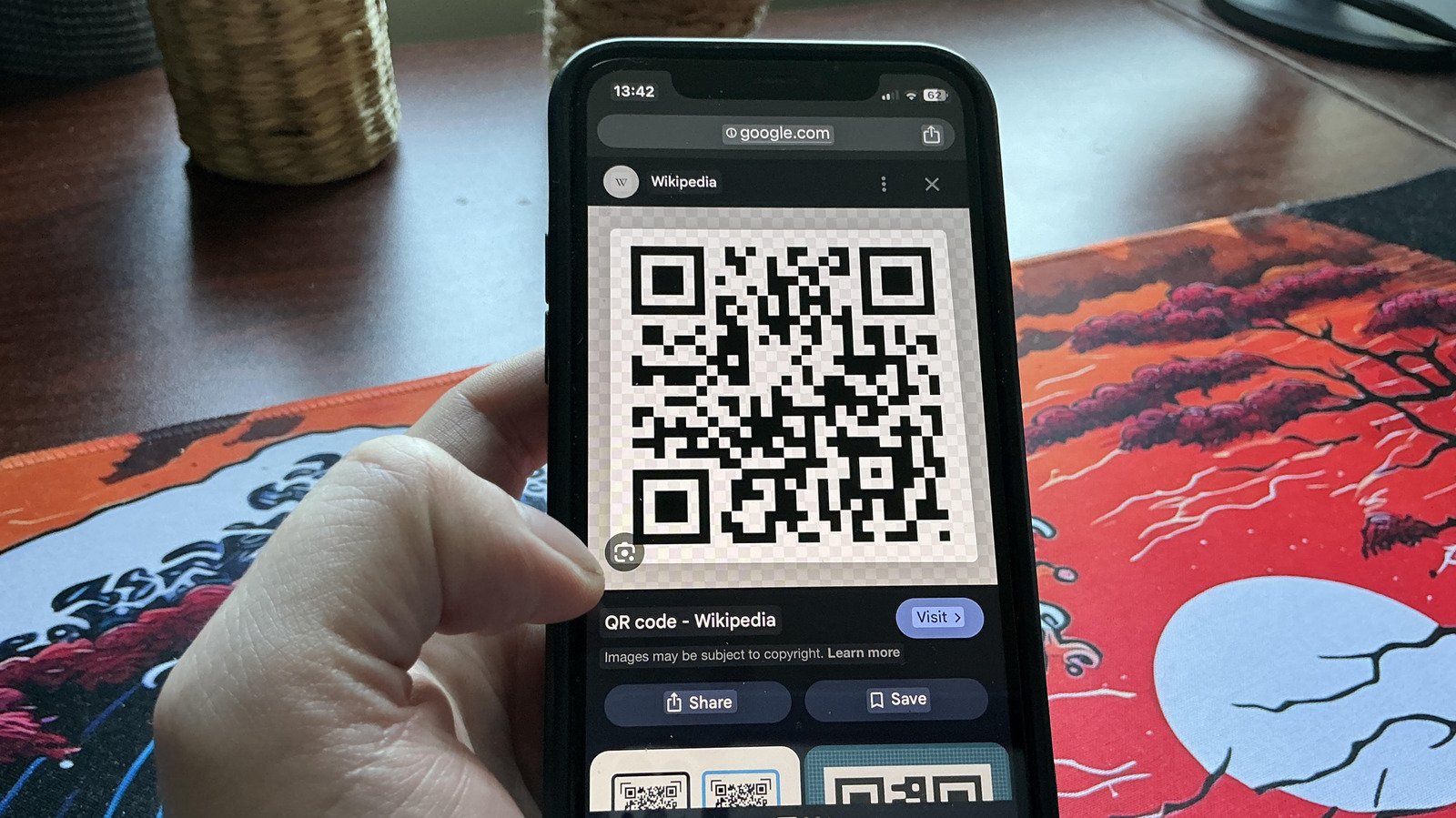
    Many people think they need a special app or camera to scan QR codes. However, both iOS and Android phones have built-in tools that make this simple. The best part? You can scan QR codes that are already saved on your device, no physical camera needed. This feature can save you time and effort, especially when you come across QR codes in messages or on websites. All you need is a screenshot of the code. Once you have the image, you can quickly access and scan it directly from your phone’s gallery. This process works smoothly whether you use an iPhone or an Android device.

    Step-by-Step Guide to Scan Saved QR Codes

    The process begins with capturing a screenshot of the QR code. For iPhone users, hold the wake button and volume up button at the same time. On Android, press the power and volume down buttons together. After taking the screenshot, head to your gallery. On iPhone, tap the image, and you will see a small blue badge with three lines above the trash icon. Tap this badge, and the device will recognize the QR code. You will then be prompted to open it in your browser. On Android, click the Lens icon within the gallery. Then, Google Lens will analyze the code and present a link or information based on the QR code’s content. It’s that simple — no need to find a physical code again.

    Additional Tools for QR Code Scanning

    Android users with certain devices can also use a feature called Circle to Search. This tool lets you scan QR codes just by circling them with your finger. If your phone supports this, enable it in Settings under “Circle to Search.” To use it, hold down the home button until a Google Search bar appears. Simply circle the QR code on the screen, and your phone will scan it for you. For both Android and iPhone users, Google Lens is another helpful option. On Android, open it from the Google app or Google Search bar, then select the saved QR code image. Google Lens will analyze the code and show you the link or information behind it. These options show just how versatile and user-friendly QR code scanning has become, turning a normally camera-dependent task into a matter of seconds. Always exercise caution, though, and only scan codes from trusted sources to keep your device safe.

    Stay Ahead with the Latest Tech Trends

    Dive deeper into the world of Cryptocurrency and its impact on global finance.

    Access comprehensive resources on technology by visiting Wikipedia.

    CellphonesV1

    android apple cell google iOS mobile VT1
    Share. Facebook Twitter Pinterest LinkedIn Tumblr Email
    Previous ArticleStopping Context Rot: Preserving Claude Code Integrity
    Avatar photo
    Lina Johnson Mercilli
    • Website

    Lina Johnson Marcelli is the editor for IO Tribune, bringing over two decades of experience in journalism to her role. With a BA in Journalism, she is passionate about delivering impactful stories that resonate with readers. Known for her keen editorial vision and leadership, Lina is dedicated to fostering innovative storytelling across the publication. Outside of work, she enjoys exploring new media trends and mentoring aspiring journalists.

    Related Posts

    AI

    Stopping Context Rot: Preserving Claude Code Integrity

    July 14, 2026
    Tech

    Revolutionary Physics Experiment Could Shape Tomorrow’s Computers

    July 14, 2026
    Science

    Ancient Japan’s Giant Salamander Fossils Rewrite Family History

    July 14, 2026
    Add A Comment

    Comments are closed.

    Must Read

    Effortlessly Scan QR Codes Without Extra Apps

    July 14, 2026

    Stopping Context Rot: Preserving Claude Code Integrity

    July 14, 2026

    Revolutionary Physics Experiment Could Shape Tomorrow’s Computers

    July 14, 2026

    Ancient Japan’s Giant Salamander Fossils Rewrite Family History

    July 14, 2026

    Social Media Threats: Sextortion and iMessage Risks Targeting Teens

    July 14, 2026
    Categories
    • AI
    • Crypto
    • Fashion Tech
    • Gadgets
    • IOT
    • OPED
    • Quantum
    • Science
    • Smart Cities
    • Space
    • Tech
    Most Popular

    Score the Razer Kishi Ultra Controller for Just $100 This Prime Day!

    July 8, 2025

    Oura’s Shift: Captivating Young Women While Letting Go of Gym Rats

    October 14, 2025

    $8M Crypto Kidnapping Shakes Minnesota: Suspects Charged

    September 29, 2025
    Our Picks

    Measles Outbreaks Can End, But the Threat Lingers On

    April 29, 2026

    Ethereum Staking Address Surpasses Half of ETH Supply for the First Time: Santiment

    February 18, 2026

    Short and Corny: TikTok’s New Spinoff Takes on Quibi’s Vibe!

    January 17, 2026
    Categories
    • AI
    • Crypto
    • Fashion Tech
    • Gadgets
    • IOT
    • OPED
    • Quantum
    • Science
    • Smart Cities
    • Space
    • Tech
    • Privacy Policy
    • Disclaimer
    • Terms and Conditions
    • About Us
    • Contact us
    Copyright © 2025 Iotribune.comAll Rights Reserved.

    Type above and press Enter to search. Press Esc to cancel.