

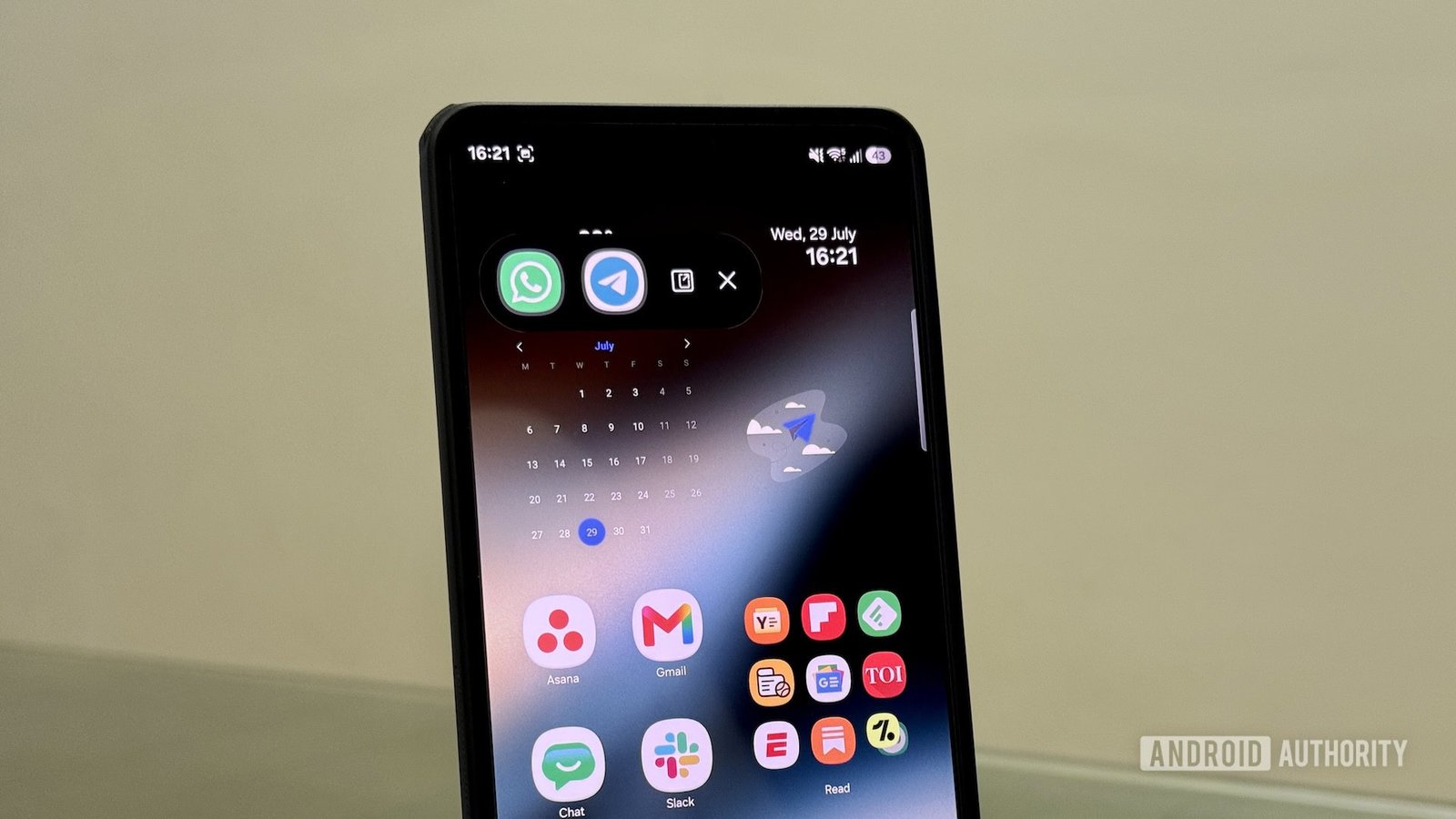
Fast Facts
- Android 17 introduces App Bubbles, a new multitasking feature similar to Samsung’s Pop-Up View, enabling floating app windows for quick access.
- Samsung’s Pop-Up View surpasses App Bubbles by allowing resizable, independent app windows with enhanced controls, improving multitasking flexibility.
- Pop-Up View can be accessed via Recents menu, swipe gesture, or Edge Panel, with the gesture method being the fastest and most intuitive.
- Unlike App Bubbles, Pop-Up View allows users to resize, move, and manage multiple app windows simultaneously, offering a more mature and versatile multitasking experience.
Discovering App Bubbles on Your Samsung Phone Today
If you love multitasking, your Samsung device already has a feature similar to Android 17’s App Bubbles. Unlike the popular Pixel feature, Samsung calls this “Pop-Up View.” It has been around for years, but many users don’t know how beneficial it can be. Best of all, you don’t need to wait for the latest updates to start using it. This feature helps you work smarter and saves time. You can keep your main app open while checking messages, watching videos, or doing quick calculations. Its flexibility makes multitasking easier than ever.
Using App Bubbles right now is simple. First, open the app you want to use in a floating window. Then, access the Recents menu and swipe left to find that app. Tap the icon at the top and select “Open in pop-up view.” Alternatively, if you set up gesture controls, just swipe inward from the top corner. You can also use the Edge Panel by dragging your chosen app onto the pop-up icon. These options make multitasking quick and accessible, fitting into your routine seamlessly.
Once the app appears in a small floating window, you can resize it or move it around the screen. Just drag the corners to adjust size or drag the window to a new position. You’ll find icons at the top of each window that let you minimize, maximize, or switch to Split Screen view. You can run multiple app bubbles at once, up to five, making it easy to switch between tasks. Handling your apps this way keeps your workflow flowing smoothly.
Enhancements and Benefits of Samsung’s Pop-Up View
Compared to Android 17’s App Bubbles, Samsung’s Pop-Up View offers more control and customization. While both features allow apps to float over others, Pop-Up View opens apps in dedicated, resizable windows. This design lets you see more content and work on multiple apps side by side. For example, you can resize a video to watch while chatting in another app. The control icons allow you to switch to full-screen, split screen, or close the app quickly.
The real value lies in how Pop-Up View adapts to your needs. You can manage each window independently, resizing or closing them as needed. This flexibility makes multitasking more natural and efficient. Moreover, the controls available in each window mean you don’t need to move back to the main app to perform actions. You can close, maximize, or switch views instantly. Whether shopping, browsing, or charting data, these improvements help you stay productive and organized.
While Samsung’s feature surpasses the basic concept of app bubbles found on other Android devices, it still fits into a broader ecosystem of multitasking tools. It complements Split Screen View, offering temporary, overlapping app windows that don’t interrupt your workflow. This way, users gain a richer, more customizable multitasking experience without waiting for new updates. It’s an excellent example of how Samsung enhances phone usability for everyday life.
Making the Most of Pop-Up View Now and Moving Forward
Ready to take advantage of Pop-Up View today? You don’t need to wait for Android updates or new features. Start by exploring your device’s multitasking options. Practice the three methods — Recents menu, gestures, or Edge Panel — and pick the one that feels easiest. Once comfortable, you’ll find it incredibly useful for multitasking on the fly. Are you watching a YouTube video while replying to messages? Or comparing prices on different shopping sites? Pop-Up View makes this possible.
Keep in mind that Samsung’s multitasking tools constantly improve. While Pop-Up View is already powerful, future updates may enhance its capabilities further. You might see better resizing options, more controls, or easier ways to access your apps. Staying updated ensures you get the most out of your device. Also, experiment with creating your own multitasking routines. Different tasks may benefit from resizing, moving, or combining apps in unique ways.
Ultimately, these features empower you to work and play without limitations. They turn your smartphone into a flexible tool tailored to your needs. Since you’re already familiar with the basics, mastering Pop-Up View can elevate your multitasking game immediately. So, open your app drawer, activate your preferred method, and start juggling your apps with confidence. Your Samsung device is ready to help you do more, right now.
Stay Ahead with the Latest Tech Trends
Dive deeper into the world of Cryptocurrency and its impact on global finance.
Discover archived knowledge and digital history on the Internet Archive.
CellphonesV1
