

Fast Facts
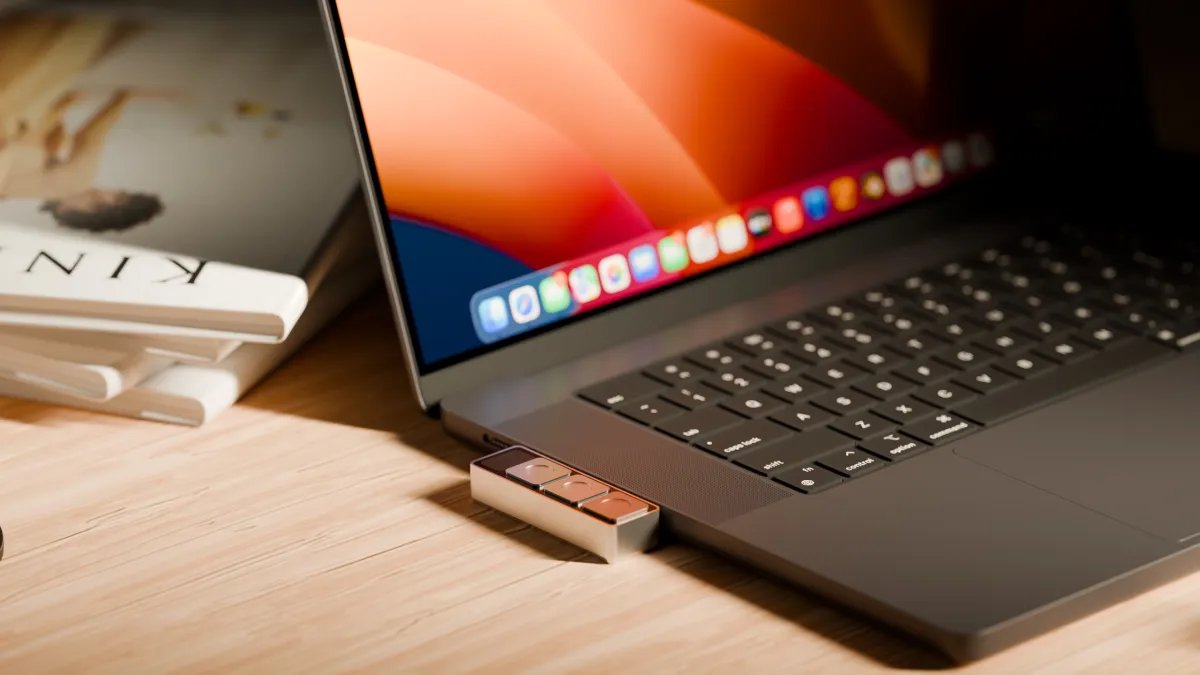
- Project Mirage’s Dune is a universal keypad for MacBook meetings and tasks.
- It offers customizable shortcuts for various apps, enhancing productivity and efficiency.
- The device is built for specific Mac models and requires no charging.
- Users can create shortcuts easily, but the marketplace for skills is currently limited.
A Unified Solution for Meetings
My biggest pet peeve with meeting apps is that each one has a different shortcut for muting your mic or turning off your webcam. When you’re mid-meeting, it’s challenging to remember which key does what. Project Mirage’s Dune keypad device solves that problem. This tiny, three-key aluminum gadget plugs into your MacBook’s USB-C port. It acts as a universal button for mute and camera control.
For $119, Dune adapts based on the app you’re using. In meeting apps, it toggles your microphone and camera and brings your window to the front. In Excel or Google Sheets, it offers copy, paste, and undo commands. For browsers like Chrome, it helps you refresh pages and jump to the URL bar. Developers can also use Dune with coding platforms like VS Code or GitHub for tasks such as merging or approving pull requests.
Dune connects seamlessly with your specific Mac model, eliminating gaps beneath your laptop. It draws power directly from your device, so you won’t need to worry about charging it. Currently, Dune supports M2 Air or later and M1 Pro or later MacBooks running macOS 15 Sequoia or newer.
Despite its impressive functionality, the keys can be overly sensitive. Accidental presses happen too easily. While reaching for coffee, I unmuted myself or turned off my camera without intending to. This design flaw could frustrate users during important moments.
Customization and Future Potential
Dune comes with a companion app for configuring shortcuts, allowing users to customize controls for specific applications or set system-wide options. The app syncs with your calendar, providing timely meeting reminders. With one tap, you can join a meeting or send a quick “I’m running late” message.
For users seeking more advanced customization, Dune allows for Python script development. If coding isn’t your forte, the device integrates with Claude Desktop. This feature lets you describe desired shortcuts in plain language, making it easy to automate tasks.
I created a shortcut that pulls up brief company profiles when I land on a startup’s website. This functionality benefits anyone who needs to quickly size up a business. Another shortcut converts images to JPEG, streamlining uploads to platforms like WordPress. Building these shortcuts is straightforward, but fine-tuning requires some troubleshooting.
Dune also features a marketplace for skills created by other users. If this marketplace thrives, it could significantly boost Dune’s value proposition. A well-developed skill ecosystem would bolster user engagement and retention. However, the marketplace currently offers limited skills, and users cannot preview them without assignment to the hardware.
Project Mirage offers a practical tool for productivity enthusiasts. Dune stands out against competitors like MuteMe and Stream Deck due to its customizability and user-friendly integration. Yet, optimizing the device requires addressing its sensitivity issues and expanding the skills library. As remote work becomes more prevalent, efficient tools like Dune will play an essential role in keeping meetings effective and organized.
Expand Your Tech Knowledge
Dive deeper into the world of Cryptocurrency and its impact on global finance.
Access comprehensive resources on technology by visiting Wikipedia.
TechV1
