

Essential Insights
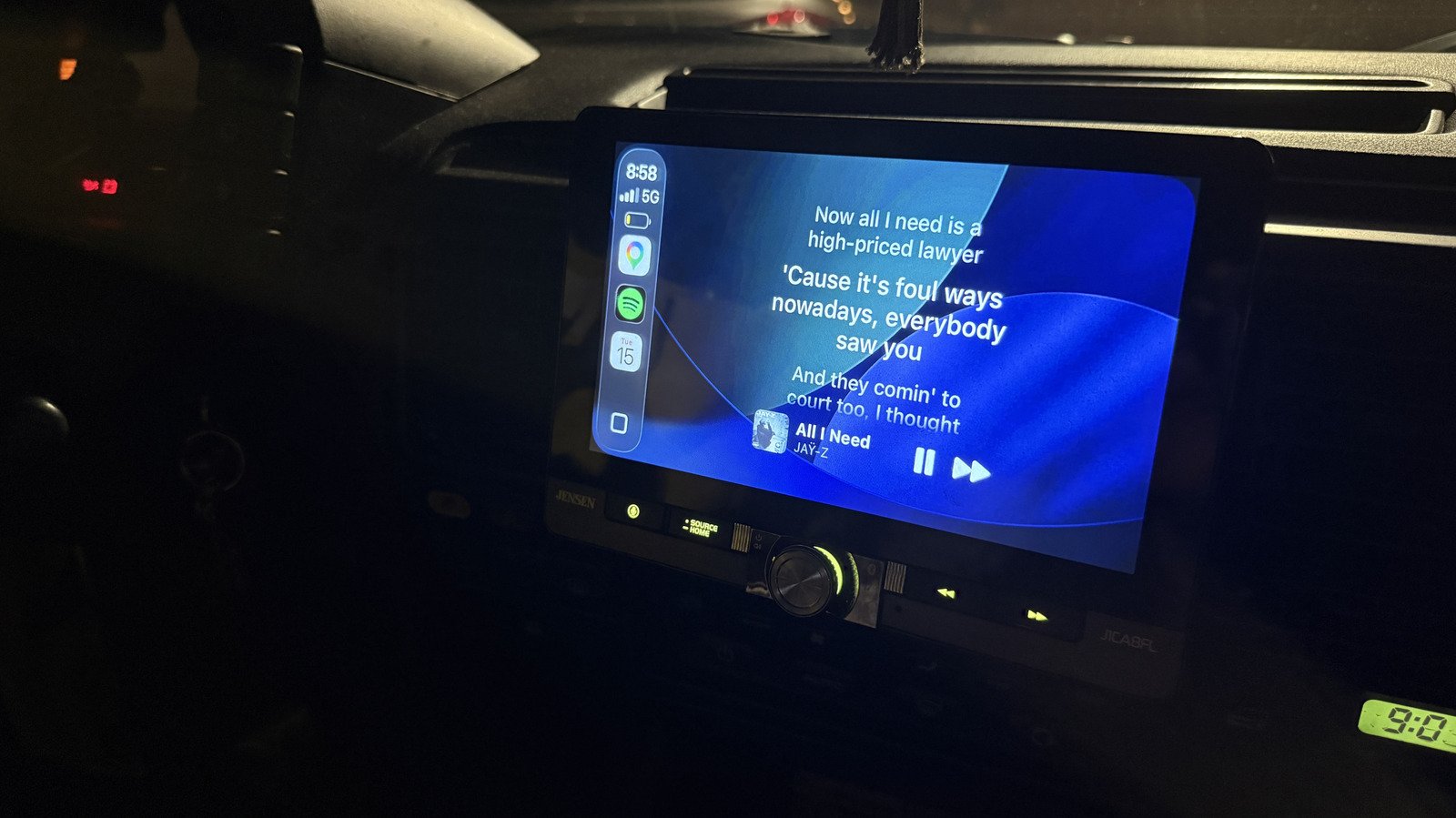
- The Dynamic Lyrics app allows users to display synchronized song lyrics on Apple CarPlay, enhancing passenger entertainment.
- Compatible with Apple Music and Spotify, it offers translated lyrics and themes customization for a more tailored experience.
- The app costs $9.99 for lifetime access, requiring an iOS 26 update and setup for streaming authorization, especially with Spotify’s optional custom method.
- Users can add the lyrics widget to CarPlay through Settings, enabling larger or themed lyrics displays for better visibility during drives.
Discover a New Way to Enjoy Music on the Road
Driving alone or with friends, many of us love singing along to our favorite tunes. However, it can be frustrating when the lyrics aren’t visible. Luckily, a little-known app makes it easier. This app works perfectly with Apple CarPlay, giving you access to real-time lyrics on your screen. It transforms your car into a mini karaoke stage. Whether you’re going on a long trip or just running errands, this feature keeps everyone entertained. It’s especially useful for singing along confidently, avoiding confusion during favorite songs. Thanks to this app, you can host your own Carpool Karaoke anytime. All you need is an updated iPhone, a compatible streaming service, and some passengers ready to sing.
Moreover, it’s compatible with popular services like Apple Music and Spotify. Once connected, your car will display synchronized lyrics that match the song in real time. This way, you and your friends can enjoy a communal singing experience. While safety remains essential, this feature mainly serves as a fun addition when the vehicle is parked or during brief stops. It also offers a chance to explore translated lyrics for songs in other languages, helping you understand and sing along comfortably. Overall, this app adds a new layer of fun to road trips, making your music listening more interactive and enjoyable.
Easy Setup and Customization Options
Getting started is straightforward. First, ensure your device is updated to iOS 26 or later. Then, download the Dynamic Lyrics app from the App Store. The setup process is simple: open the app and choose your preferred streaming service. For Apple Music, it connects automatically. Spotify users need to authorize the app, which is quick with the default method but might require re-authorization over time. For those who want a smoother experience, the app offers a custom authorization process, requiring a little more setup but providing seamless, ongoing access.
Once connected, you can personalize your experience. The app’s premium version unlocks themes and layout options. For example, you can select different background colors like white, black, or a sleek gradient that changes based on the album cover. You can also choose how the album art appears—either as a vinyl record or full-cover picture. After customizing, you add the lyrics widget to your CarPlay interface through your device settings. In the Widgets menu, select “Add Widget,” then pick one of the lyrics options. The widget appears as a small square on your display, which you can enlarge for easier viewing. These simple steps give you a personalized, engaging music experience every time you hit the road.
Balancing Features, Costs, and Safety
While this app offers exciting features, it does come with some considerations. The full benefits cost $9.99 as a one-time purchase. If you enjoy singing along or want to impress friends with live lyrics, this upgrade could be worth it. However, it’s essential to decide if the added fun justifies the expense. Also, since the app displays lyrics in real time, always prioritize safety. Never take your eyes off the road for extended periods while reading lyrics. Use the larger widget only when the vehicle is stationary or parked.
From a practical view, this app enhances entertainment during car rides. It is especially valuable for those learning new languages or exploring lyrics of foreign songs. The customization options give users more control over how lyrics are displayed, making the experience more personal. Overall, it bridges the gap between technology and entertainment, turning everyday drives into engaging singing sessions. If you’re an iOS or Android enthusiast, this app represents the kind of innovative solution that keeps music fun and accessible, wherever your journey takes you.
Expand Your Tech Knowledge
Dive deeper into the world of Cryptocurrency and its impact on global finance.
Explore past and present digital transformations on the Internet Archive.
CellphonesV1
