

Essential Insights
-
Chrome’s Split View Launch: Chrome’s new Split View feature allows users to open two tabs side by side, significantly streamlining workflow and productivity.
-
User Experience: The feature replaces the cumbersome method of snapping two separate browser windows together, offering a more seamless and organized interface.
-
Practical Applications: It enhances multitasking capabilities, particularly useful for tasks like writing and editing blog posts while previewing changes simultaneously.
-
Competitive Landscape: While valuable, Chrome’s Split View arrives later than similar features in other browsers like Edge and Vivaldi, which offer more advanced options.
Chrome’s Split View: A Game-Changer for Productivity
A new feature in Google Chrome is hitting the productivity sweet spot: Split View. This tool allows users to open two tabs simultaneously, side by side, transforming how we work online.
Initially announced at the start of the year, Split View entered testing mode through Chrome flags. Recently, it launched publicly, and many users are excited. Personally, I find it seamlessly integrates into my daily tasks. Simple yet effective, this feature has quickly become my favorite productivity hack.
Before Split View, managing multiple tabs in Chrome meant clutter. Users often struggled with juggling separate windows, which disrupted focus and added confusion. Now, I can easily snap two tabs together. For instance, when writing a blog post, I can have the editing window in one tab and a live preview in another. This setup reduces the need to toggle back and forth.
Another advantage shines in research scenarios. Imagine reading a press release while simultaneously investigating linked articles. Split View keeps both in sight, streamlining the process. This structure enhances focus and speeds up workflow, turning what used to be chore-like actions into a fluid experience.
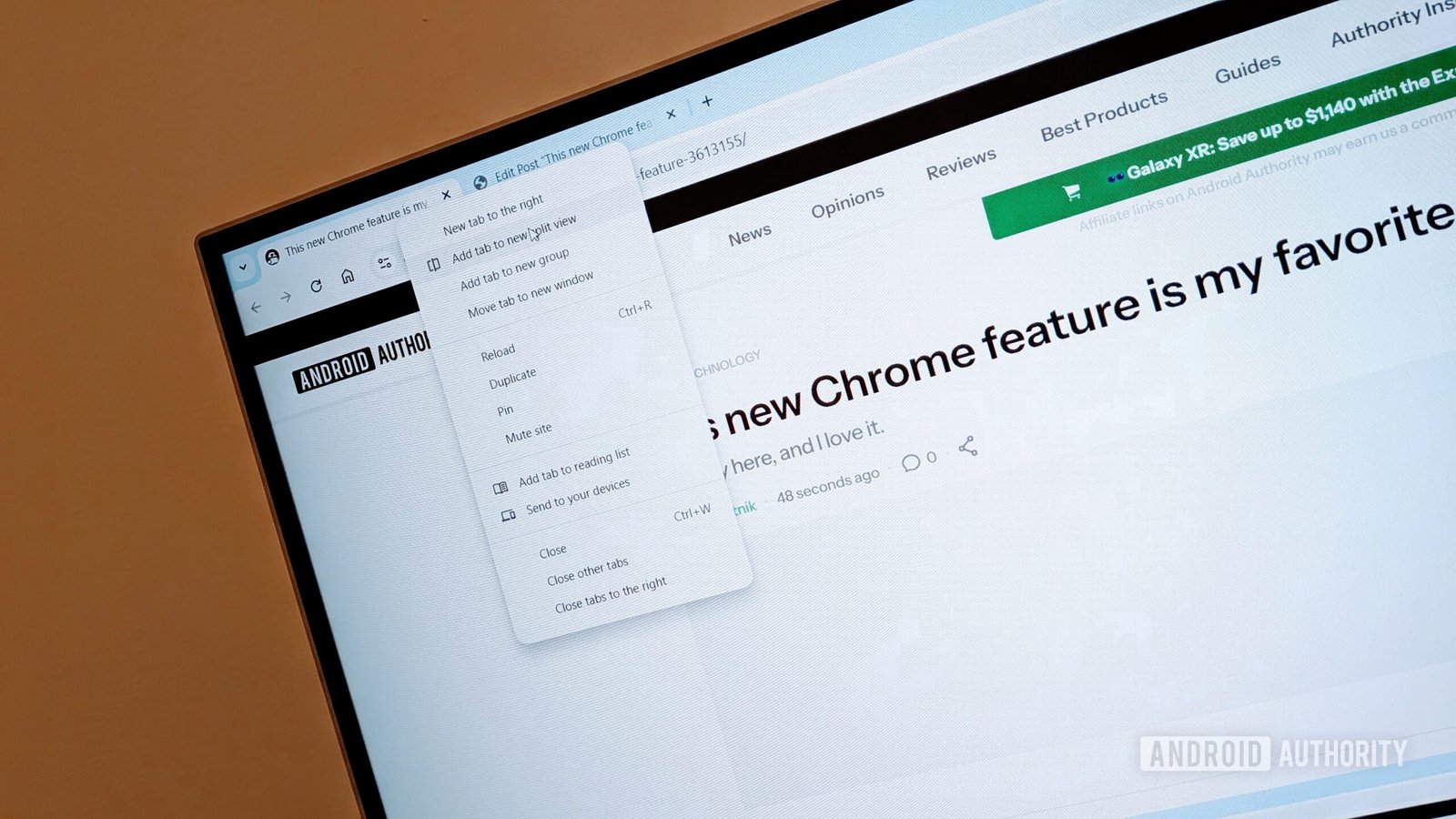
To activate Split View, simply right-click on a tab and select “New split view with current tab.” If the option isn’t visible yet, enable it via a Chrome flag. With just a few clicks, users can arrange tabs to their liking. A sleek interface replaces the old, clunky method of merging windows.
While Split View is a welcome addition, it’s worth noting that other browsers, like Edge and Vivaldi, have offered similar features for a while. However, Chrome’s implementation stands out for its simplicity and effectiveness.
Ultimately, this feature illustrates the importance of innovation in our daily lives. Often, small changes make the biggest differences. Have you tried Split View yet? This tool may just change how you navigate the web.
Expand Your Tech Knowledge
Explore the future of technology with our detailed insights on Artificial Intelligence.
Access comprehensive resources on technology by visiting Wikipedia.
GadgetsV1
