

Quick Takeaways
-
Quick Settings Revamp: Android 16’s update allows collapsing toggles to fit more options, reigniting interest in Quick Settings after uninspiring design changes in previous versions.
-
Smart Home Control: The introduction of customizable tiles with Home Assistant enables direct control of multiple smart devices, transforming Quick Settings into a comprehensive smart home panel.
-
User-Friendly Setup: Adding Home Assistant tiles for functions like adjusting a standing desk is straightforward and significantly reduces the hassle of using cumbersome apps or manual controls.
-
Limitations of Google Home: Google Home’s lack of customizable tiles for individual device control prompts users to seek alternative solutions like Home Assistant, emphasizing the demand for more versatile smart home management tools.
Transforming Android’s Quick Settings into a Smart Home Hub
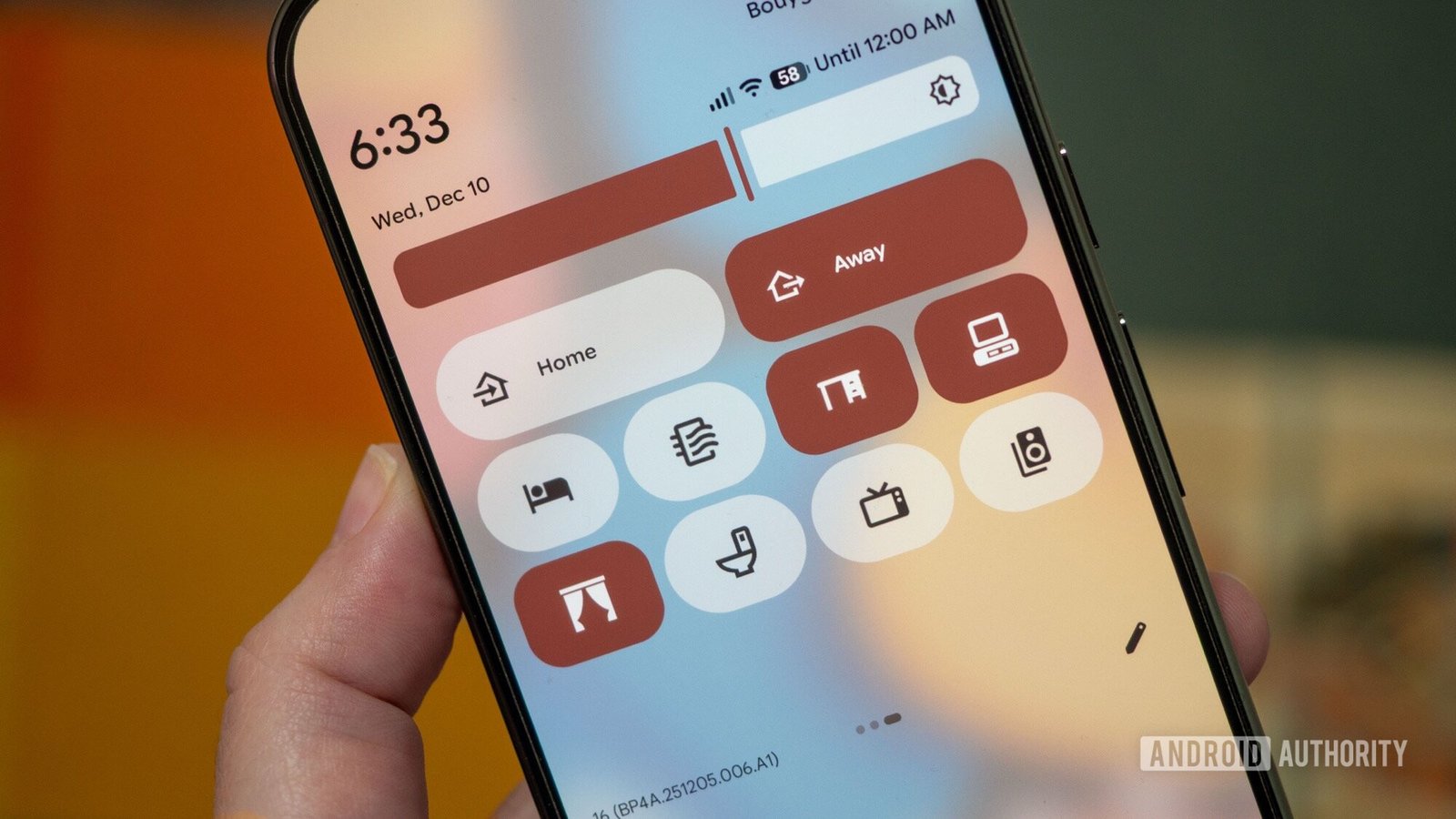
With the latest update to Android 16, users have newfound flexibility in managing Quick Settings. This change allows for smaller toggles, giving more options on a single screen. I decided to use this feature to control my smart home setup, transforming my notification panel into a centralized hub.
Initially, I relied on Google Home. However, it provided limited access. Instead of direct control, it merely opened a menu for favorite devices. This approach felt cumbersome and inefficient. I wanted something more responsive.
Then, I discovered Home Assistant. This platform offers extensive customization for smart home management. I found 12 fully customizable tiles ready for use within Quick Settings. This capability was precisely what I needed.
My first task involved controlling my standing desk. Initially, the desk’s Bluetooth app proved frustrating, requiring too many steps to adjust heights. By integrating Home Assistant, I added two toggles directly in Quick Settings. Now, I can raise or lower my desk with a simple tap—no more fiddling with the app.
Adding these buttons was straightforward. I just dragged the tiles into place, assigned actions, and selected icons within moments. This simple process opened up a world of smart home automation directly from my phone.
Encouraged by the success with my desk, I explored other devices. With 40 tiles available, I faced the exciting challenge of optimizing my setup. I included buttons for my Roborock vacuum, curtains, and even scene settings for home modes.
Despite Google Home’s functionality, it lacks the granularity I now enjoy through Home Assistant. Custom tiles eliminate the need to navigate through menus. As a result, I have a fully functional smart home panel right at my fingertips.
This experience underscores the importance of innovation in urban living. Smart homes contribute to efficiency and convenience, enhancing daily life. As cities adopt more technological solutions, these innovations will reshape how we manage our environments.
Expanding smart home integration can lead to improved quality of life in urban areas. With tools like Quick Settings, the possibilities for streamlined living continue to grow.
Continue Your Tech Journey
Explore the future of technology with our detailed insights on Artificial Intelligence.
Access comprehensive resources on technology by visiting Wikipedia.
GadgetsV1
