
Close Menu
    Facebook X (Twitter) Instagram
    Monday, April 27
    Top Stories:
    • Samsung’s Game-Changer: The Must-See Wide Foldable Phone
    • Freshmen with World Domination Dreams: The Book that Fuels Their Ambition
    • Chinese LED Firm’s Acquisition of Dutch Company Falls Through Amid US Opposition
    Facebook X (Twitter) Instagram Pinterest Vimeo
    IO Tribune
    • Home
    • AI
    • Tech
      • Gadgets
      • Fashion Tech
    • Crypto
    • Smart Cities
      • IOT
    • Science
      • Space
      • Quantum
    • OPED
    IO Tribune
    Home » Effortlessly Switch Between Two Android Auto Phones
    Gadgets

    Effortlessly Switch Between Two Android Auto Phones

    Lina Johnson MercilliBy Lina Johnson MercilliApril 26, 2026No Comments3 Mins Read
    Share Facebook Twitter Pinterest LinkedIn Tumblr Reddit Telegram Email
    Share
    Facebook Twitter LinkedIn Pinterest Email

    Top Highlights

    1. Struggling with connecting multiple phones to Android Auto? NFC tags paired with automation routines offer a quick, hands-free method to toggle connections effortlessly.
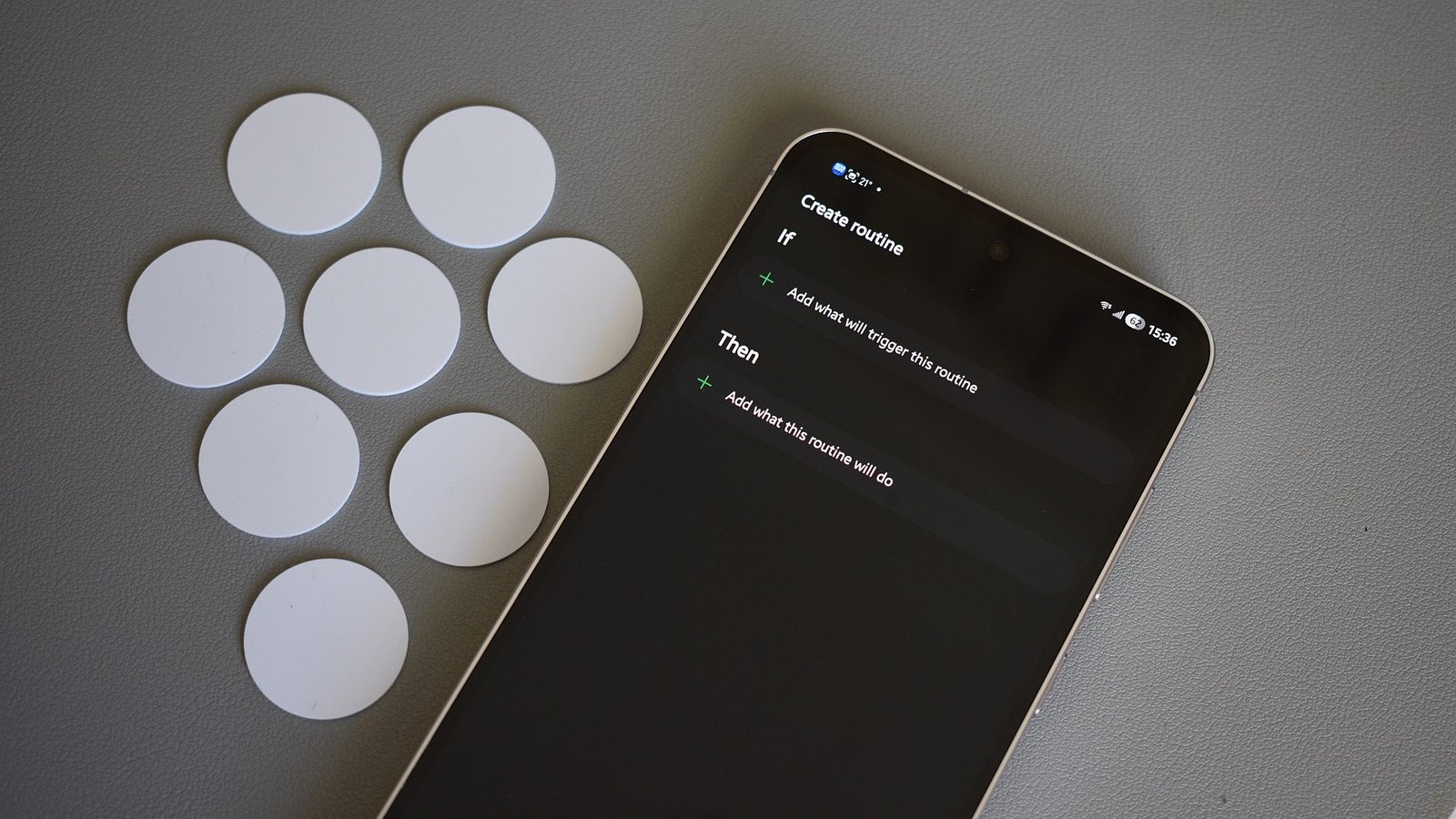
    2. The process involves placing NFC tags in the car to trigger routines that enable or disable Wi-Fi, Bluetooth, and location services on each specific device, streamlining the switching process.
    3. This setup is particularly useful for shared use, allowing users to activate their phones’ Android Auto connection with a simple wave over the NFC tag, bypassing manual settings menus.
    4. While effective in the author’s case, the solution relies on specific hardware (Samsung phones and NFC tags) and may vary depending on vehicle and device configurations, so individual results may differ.

    Simplifying the Switch Between Two Android Devices

    Managing two phones with Android Auto can be tricky, especially when both connect automatically to the car. This situation often leads to confusion about which device is actively controlling the connection. However, there are ways to make switching between phones easier and more efficient. For example, using NFC tags to automate connection and disconnection saves time and reduces frustration. You wave your phone over a tag, and routines take care of turning Wi-Fi and Bluetooth on or off, and connecting or disconnecting from Android Auto. This small but effective approach streamlines the process and keeps both users synchronized without the hassle of manual settings adjustments.

    How NFC Tags and Automation Work Together

    NFC tags are affordable and underused tech gadgets. They send simple signals to your phone when tapped, triggering pre-set actions instantly. In this setup, each NFC tag is assigned to a specific routine. One tag enables the driver’s phone to connect to Android Auto, turning on Wi-Fi, Bluetooth, and location, then initiating the connection. The other tag does the opposite—for example, disconnecting the phone from Android Auto, turning off related radios, and resetting location. On Samsung phones, routines are managed through built-in modes and Routines app, making the process easy to set up. When placed conveniently in the car, these tags allow you to switch between phones quickly, often in just a second or two, without navigating numerous menus.

    Is This Method Worth the Effort?

    While these NFC routines can significantly improve how you switch between two phones, they do require some initial setup and additional accessories, such as NFC tags. It’s not a one-size-fits-all solution. For those who highly value wireless Android Auto, this approach offers a smart workaround without sacrificing convenience. However, it does require some tinkering, especially customizing routines based on your device and vehicle. Overall, if you regularly switch between devices and want to keep the process smooth, setting up NFC routines could be worth your time. Like all tech solutions, its success depends on your specific car, phone model, and how comfortable you are with automation. Trying it out might just change how you experience Android Auto daily.

    Continue Your Tech Journey

    Learn how the Internet of Things (IoT) is transforming everyday life.

    Stay inspired by the vast knowledge available on Wikipedia.

    CellphonesV1

    android Android Auto apple cell google iOS mobile NFC Samsung VT1
    Share. Facebook Twitter Pinterest LinkedIn Tumblr Email
    Previous ArticleSynthetic Data Passed Tests, Still Broken Your Model
    Next Article Apple’s 20th Anniversary iPhone: Reviving Curved Displays?
    Avatar photo
    Lina Johnson Mercilli
    • Website

    Lina Johnson Marcelli is the editor for IO Tribune, bringing over two decades of experience in journalism to her role. With a BA in Journalism, she is passionate about delivering impactful stories that resonate with readers. Known for her keen editorial vision and leadership, Lina is dedicated to fostering innovative storytelling across the publication. Outside of work, she enjoys exploring new media trends and mentoring aspiring journalists.

    Related Posts

    Tech

    Samsung’s Game-Changer: The Must-See Wide Foldable Phone

    April 27, 2026
    Gadgets

    Viral Videos Reveal Samsung Phones Melting Plastic—Here’s Why

    April 27, 2026
    AI

    Ivory Tower Notes: The Methodology Unveiled

    April 27, 2026
    Add A Comment

    Comments are closed.

    Must Read

    Samsung’s Game-Changer: The Must-See Wide Foldable Phone

    April 27, 2026

    Viral Videos Reveal Samsung Phones Melting Plastic—Here’s Why

    April 27, 2026

    Ivory Tower Notes: The Methodology Unveiled

    April 27, 2026

    遠藤さくらが探る、下北沢の新古着店

    April 27, 2026

    Shining Stars: Celebrating Excellence in Space Leadership

    April 27, 2026
    Categories
    • AI
    • Crypto
    • Fashion Tech
    • Gadgets
    • IOT
    • OPED
    • Quantum
    • Science
    • Smart Cities
    • Space
    • Tech
    • Technology
    Most Popular

    XPRIZE Carbon: Revolutionizing Carbon Removal with Simplicity

    April 23, 2025

    Apple’s 20th Anniversary iPhone: Reviving Curved Displays?

    April 26, 2026

    Jack Dorsey’s Bluetooth Messaging App Hits the App Store!

    July 30, 2025
    Our Picks

    Crypto Products Attract $6M Weekly Amid Mixed Investor Sentiment

    April 23, 2025

    Amazon’s Algorithm Drives School District Costs Soaring

    December 17, 2025

    Exploring the Uyuni Quad: Unveiling Mars’ Mysteries

    June 20, 2025
    Categories
    • AI
    • Crypto
    • Fashion Tech
    • Gadgets
    • IOT
    • OPED
    • Quantum
    • Science
    • Smart Cities
    • Space
    • Tech
    • Technology
    • Privacy Policy
    • Disclaimer
    • Terms and Conditions
    • About Us
    • Contact us
    Copyright © 2025 Iotribune.comAll Rights Reserved.

    Type above and press Enter to search. Press Esc to cancel.