

Fast Facts
Akshay Gangwar / Android AuthorityTL;DR
1. Google Meet for Android Auto is now broadly available, allowing users to join scheduled audio-only calls while driving.
2. The app features a simplified, distraction-free interface with no video support, camera, or advanced features like Polls or Q&A.
3. Users can join scheduled meetings directly from the Android Auto dashboard but cannot initiate new calls or access work profile accounts.
4. When using Meet in the car, both the phone and car switch to “On-the-Go” mode, ensuring safety and limiting interactions during calls.
Google Meet on Android Auto: A Safer Way to Join Calls
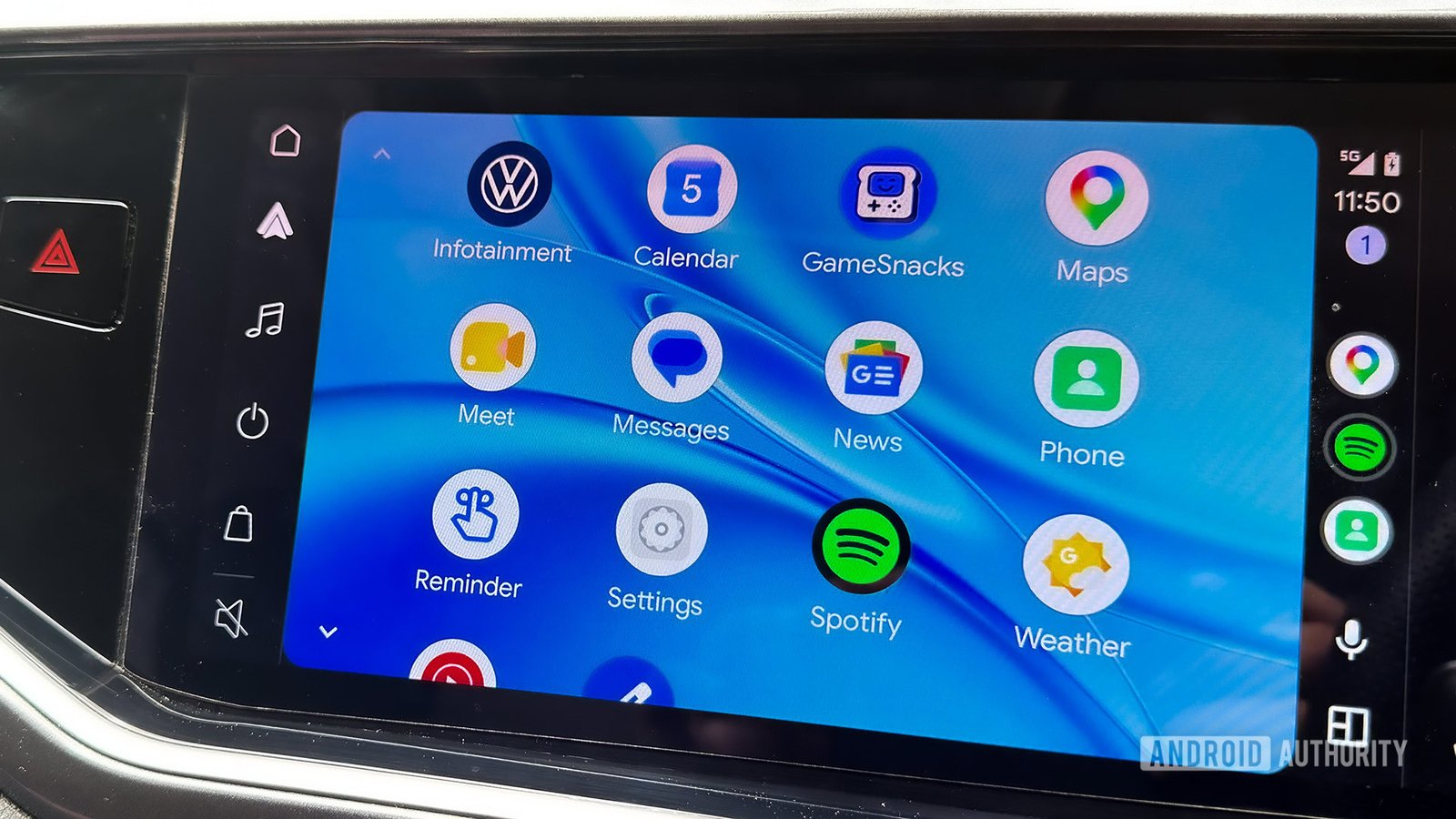
Google Meet is now available on Android Auto, making it easier to join meetings safely while driving. The rollout started recently and is reaching more users every day. Instead of a full video call, the app offers an audio-only experience. This change aims to keep drivers focused on the road. When you join a meeting, your phone switches to “On-the-Go” mode. This mode simplifies the screen, reducing distractions and helping you stay safe. You cannot start new calls from your car, but you can answer scheduled meetings or incoming calls. This feature allows for seamless communication without risking safety. Overall, the update enhances convenience while prioritizing driver safety.
Key Features and Limitations for Drivers
The new Android Auto version of Google Meet is straightforward. Once you open the app from your car’s dashboard, scheduled meetings appear right away. Tapping on a meeting joins you instantly—there’s no complicated pre-call setup. However, video support is not yet available. Your phone camera stays off during the call, and features like hand raising, Q&A, or polls are disabled. These restrictions help minimize distractions, keeping your focus on the road. If you need a feature not available in the car version, Google recommends stopping and using Meet on your phone instead. The interface resembles typical phone calls: mute, unmute, or exit the call with simple controls.
What Does This Mean for Android and iOS Users?
This rollout marks a significant step for Android Auto users. Google made it clear that both safety and accessibility remain priorities. The design keeps things simple so drivers can stay connected without compromising safety. For iOS users, Google added support for Apple CarPlay a few months ago, showing their cross-platform commitment. Still, some features are limited in the car environment, especially for work accounts. If you’re on a work profile, you might see ongoing calls, but not the full scheduling or history. This approach balances the need for productivity with essential safety precautions. As Google introduces these changes, users can look forward to more reliable, less distracting ways to join meetings on the road.
Continue Your Tech Journey
Explore the future of technology with our detailed insights on Artificial Intelligence.
Explore past and present digital transformations on the Internet Archive.
CellphonesV1
