

Top Highlights
- LinkSheet restores the “Open with” dialog on Android, allowing users to choose which app to open links in, countering newer system auto-opening.
- It intercepts links and provides options like incognito mode, giving users control over how they access content and avoid unwanted algorithms or app integrations.
- The app is installed via APK from GitHub, configured as the default browser, and easily customized for better usability with features like grid layout and private browsing.
- Beyond link handling, LinkSheet offers tools like URL tracking removal and direct download options, enhancing control and privacy in browsing.
Reintroducing Control with LinkSheet
Many Android users find themselves frustrated with the way Google’s latest updates handle links. In the past, Android presented an “Open with” dialog, offering a choice of apps whenever they clicked a link. This system gave users control and flexibility. However, with Android 12 and newer versions, Google moved to an automatic system. Known as verified links, this feature opens URLs directly in specific apps without prompting. While intended to speed up browsing and improve security, it reduces user control.
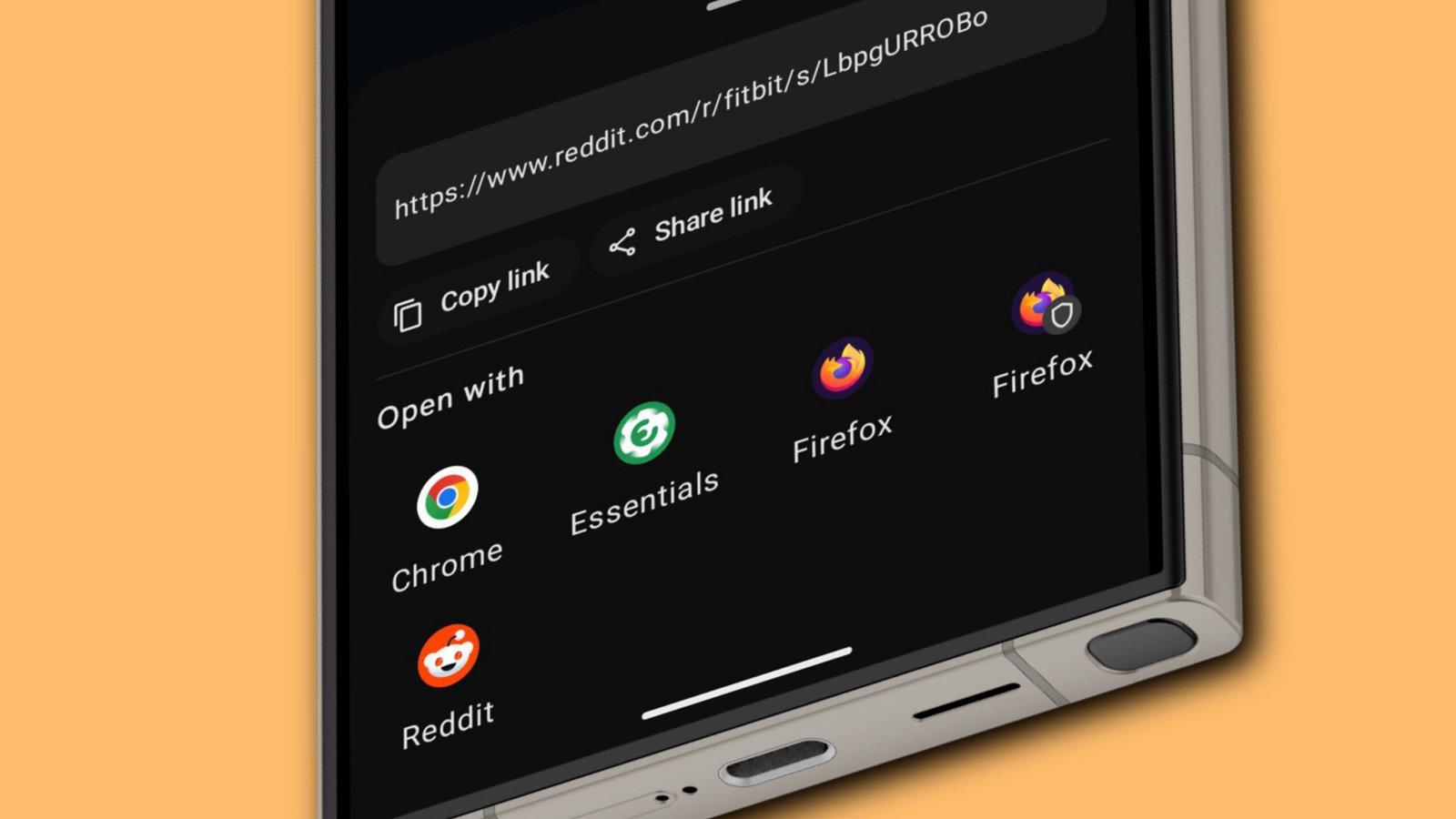
LinkSheet steps in as a solution that restores this control. It acts as a custom intermediary, intercepting links and letting users choose how to open each one. Instead of being forced into a default app, users can select their preferred app on the spot. Furthermore, the app allows opening links in incognito mode, offering extra privacy for sensitive browsing. This flexibility helps users avoid unwanted algorithms or content suggestions, making online navigation more personal and deliberate.
The value of LinkSheet lies not only in its ability to restore choice but also in its open-source nature. Since it isn’t on the Google Play Store, users must download it from GitHub, ensuring transparency and community-driven updates. With a simple setup, users can customize how links open, providing a smoother, more controlled experience across their devices.
Setting Up LinkSheet for Better Link Management
Getting started is straightforward, though it involves a few steps. First, download the latest APK from the GitHub repository. While nightly builds have frequent updates, users also have the option to download stable versions if they prefer. After downloading, enable installation from unknown sources in your device settings to allow the APK to install properly. Once installation is complete, open LinkSheet.
Next, set LinkSheet as your default browser. The app will prompt you with this option, and you can select it from the list. Doing this ensures that all links pass through LinkSheet first. To optimize behavior further, customize how specific apps handle links. For instance, you can tell Reddit or YouTube to open links directly in your main browser instead of their apps. This step prevents these apps from hijacking links to open in their native environments, keeping everything consistent.
Once customized, you can tweak some appearance settings, like switching to a grid layout for the Open with dialog, or enabling private browsing. These options give you a cleaner, more efficient interface suited to your browsing habits. With everything in place, using LinkSheet becomes effortless—you tap links as usual, and the app presents you with choices, whether in normal or private mode.
Unleashing Additional Features and Enhancing Your Browsing
Beyond simply restoring control, LinkSheet packs additional features to enhance your online experience. One notable option is ClearURLs, which removes tracking parameters from URLs. Although still experimental, this tool helps prevent advertisers and websites from monitoring your browsing habits. Enabling it strengthens your privacy, especially when visiting unfamiliar sites.
Another useful feature is the downloader tool. When active, this adds a download button to links that lead to files or media. You can then tap directly to save content without navigating away or opening multiple apps. These extra tools expand what you can do with LinkSheet, making it more than just a link handler—it’s an all-in-one browser assistant.
Exploring the settings menu can reveal even more options to tailor your browsing habits. Whether it’s customizing the layout, enabling private browsing, or controlling app behaviors, each feature aims to give you more power and privacy. With its open-source nature and focus on user preferences, LinkSheet provides an effective way to fix Android’s broken link handling and make your device more personal and trustworthy.
Expand Your Tech Knowledge
Explore the future of technology with our detailed insights on Artificial Intelligence.
Access comprehensive resources on technology by visiting Wikipedia.
CellphonesV1
